Case Study — Método OBA · Tutory

A new student dashboard for Método OBA

Método OBA is a police-exam prep mentorship from Minas Gerais, Brazil, that runs on Tutory. I redesigned its student dashboard from diagnosis to a PHP theme: better use of space, clearer icons and simpler navigation, from desktop to phone. The prototype below works: click around.

Client
Método OBA, on Tutory Mentoria
Year
2026
My role
Design engineering: UX/UI, prototype and PHP
Status
Proposal, not live yet
Where
Student dashboard, desktop and phone
View on
Theme
Full screen
Rank
Student dashboard in the cozy theme, loading the prototype

Click around: the menu, trophy and ☰ all work. The data is fictional, and the interface is in Portuguese, as it is for the students.

01

Menu with the Plan group open

Desktop · Cozy theme
Rank
02

Social proof: achievement card

Desktop · Cozy theme
Rank
03

Tactical dark theme

Desktop · Tactical dark theme
Rank
04

Tactical light theme

Desktop · Tactical light theme
Rank
05

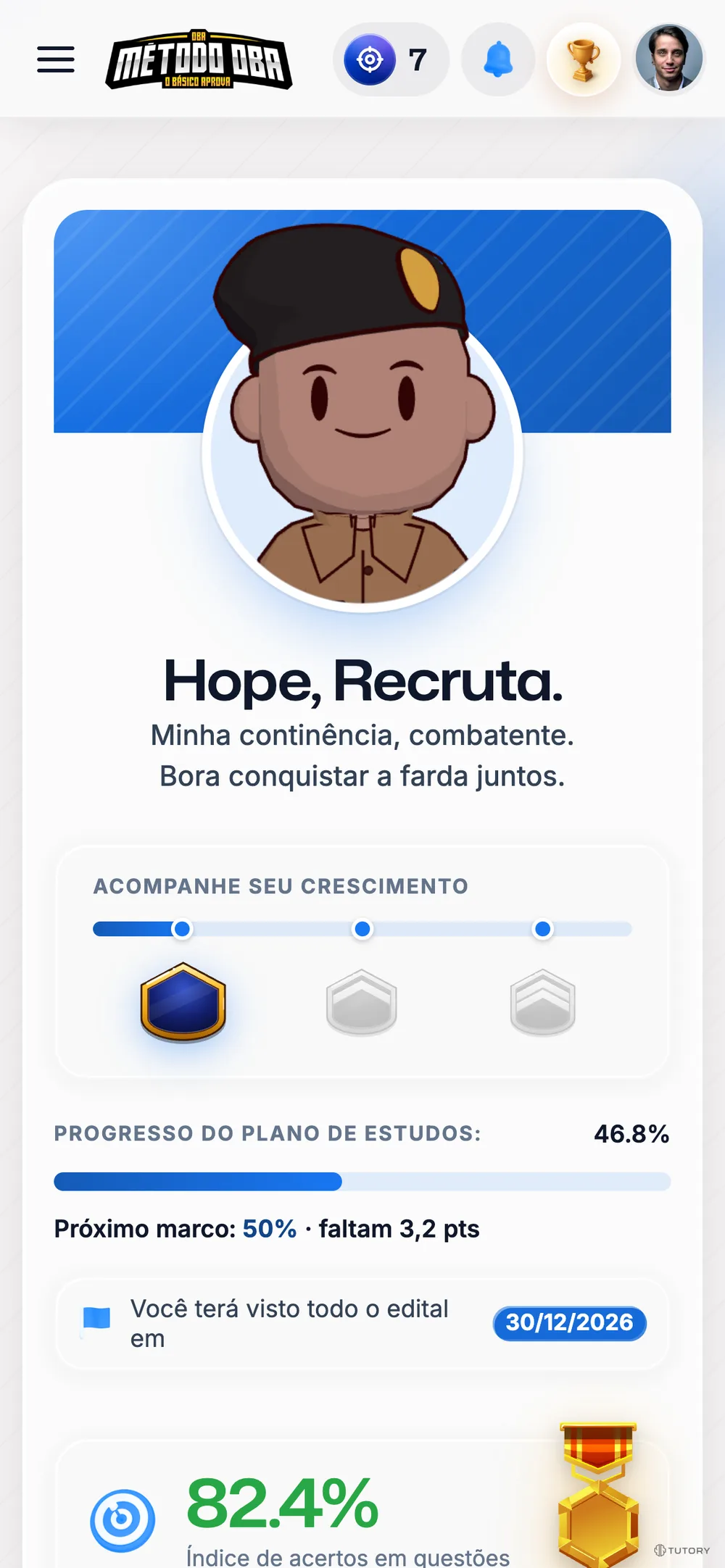
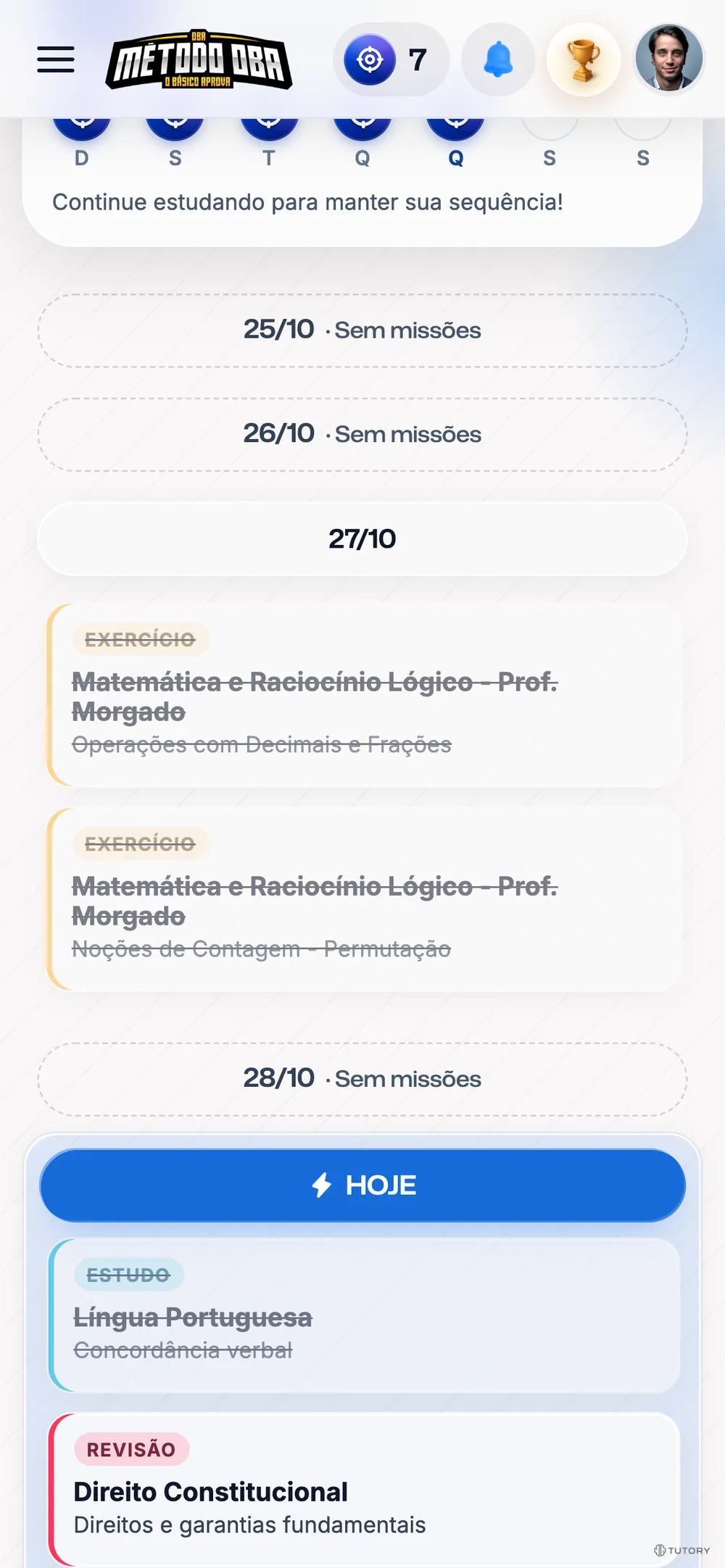
Home on the phone

Phone · Cozy theme
Rank
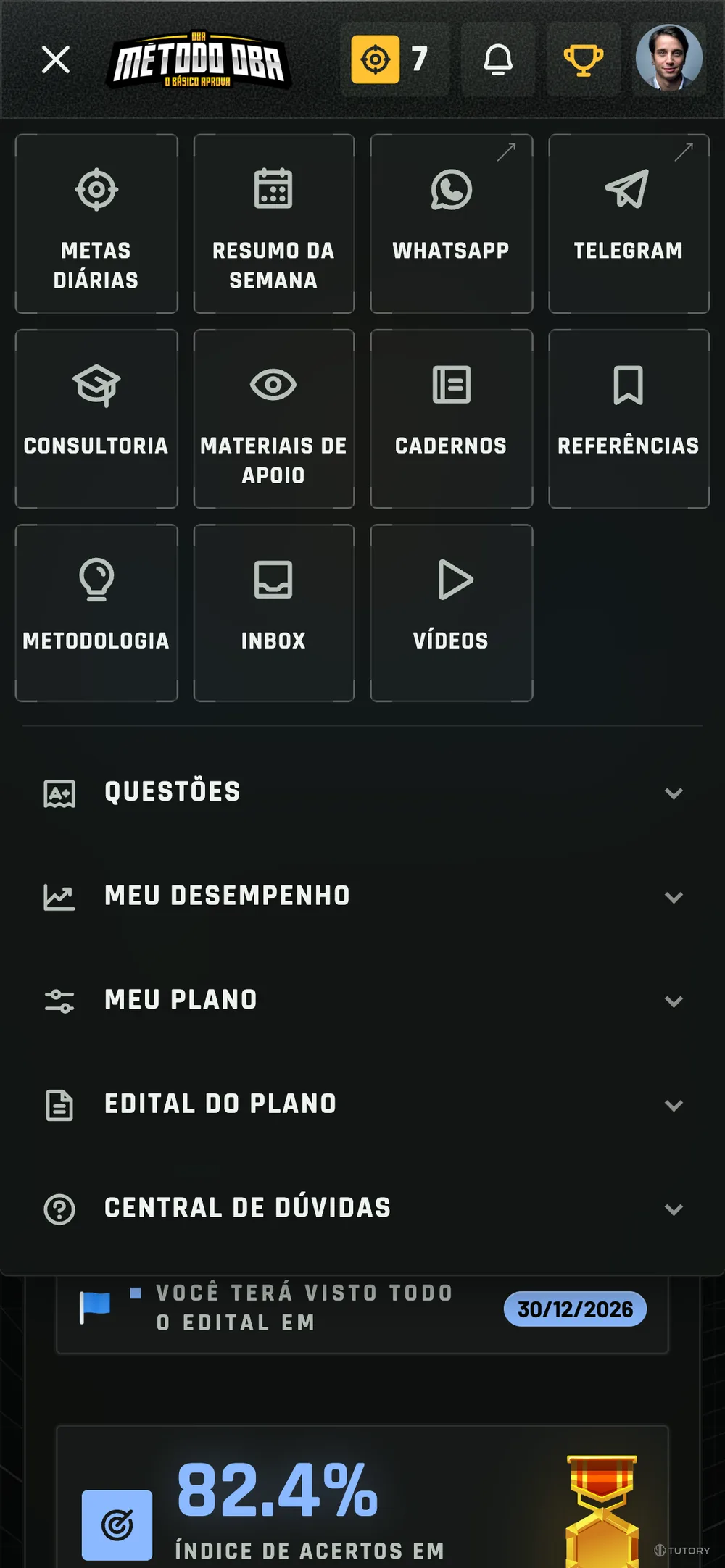
06

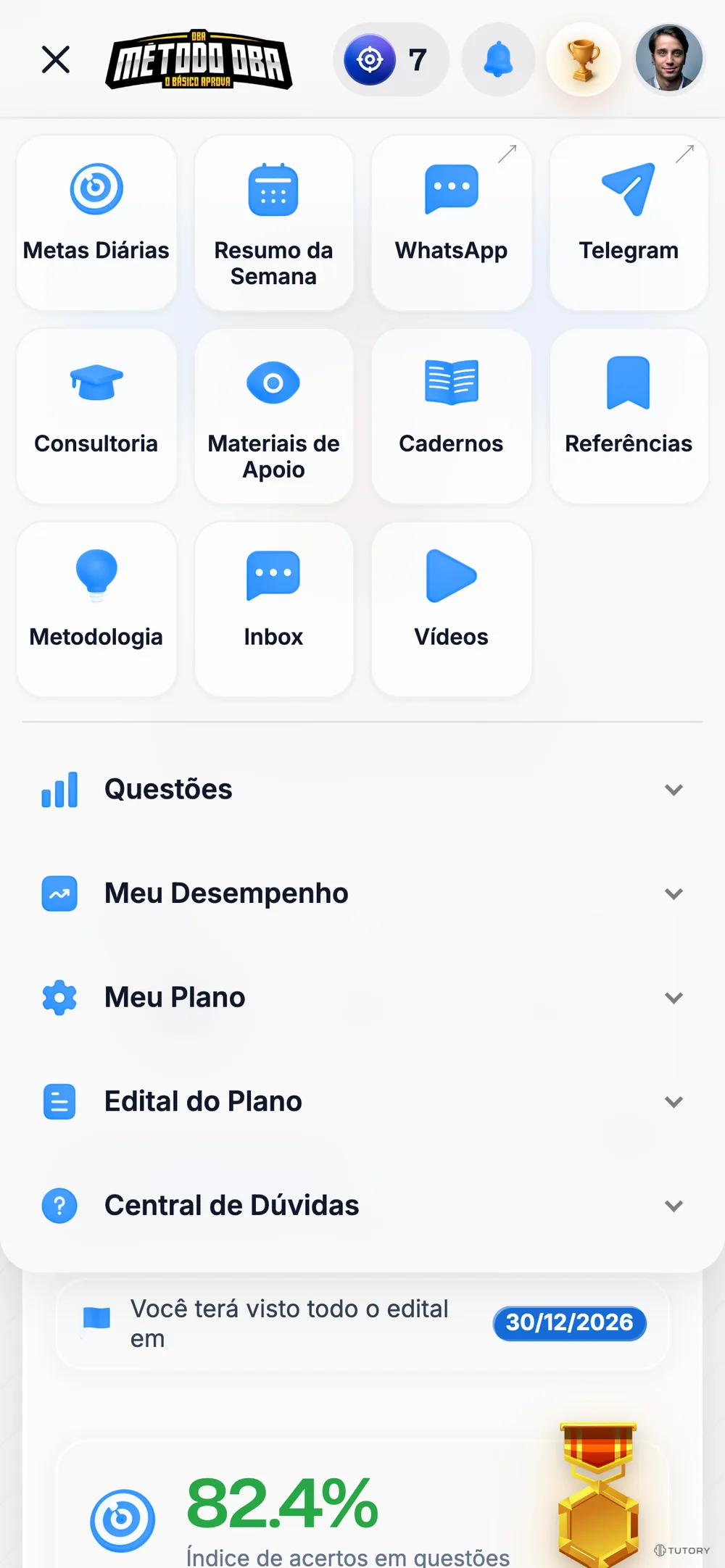
☰ menu on the phone

Phone · Cozy theme
Rank
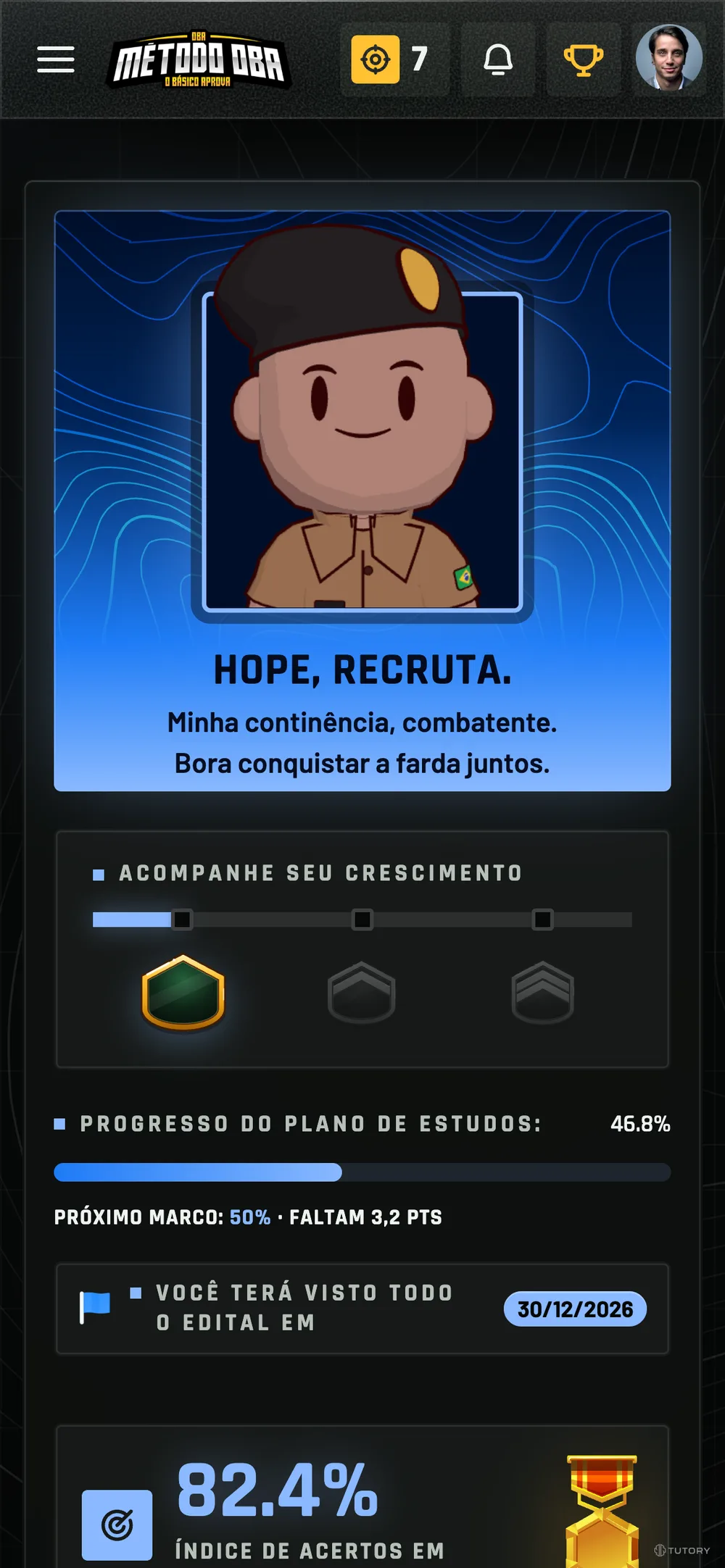
07

Day streak on the phone

Phone · Tactical dark theme
Rank
08

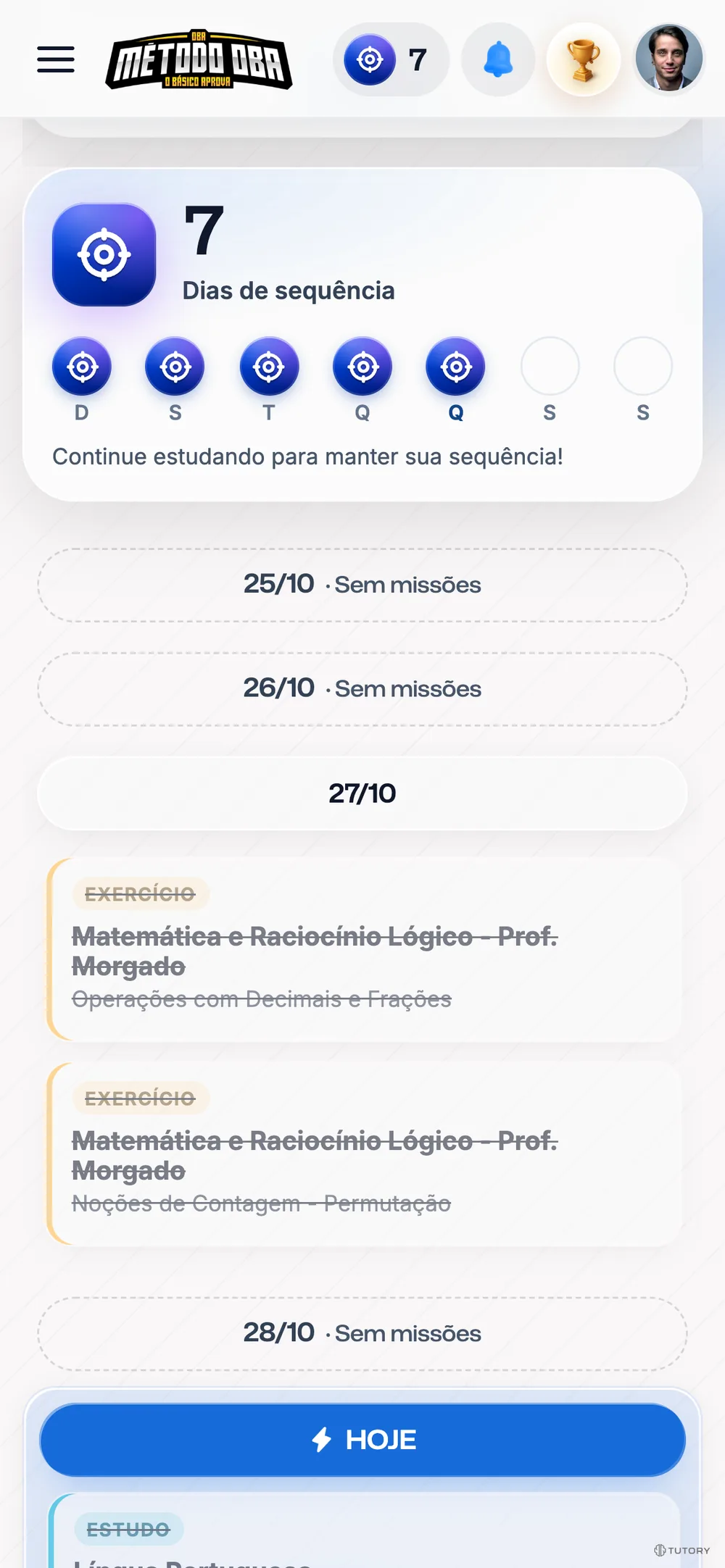
Week on the phone

Phone · Tactical light theme
Rank

01 — New experience

A new dashboard for OBA students

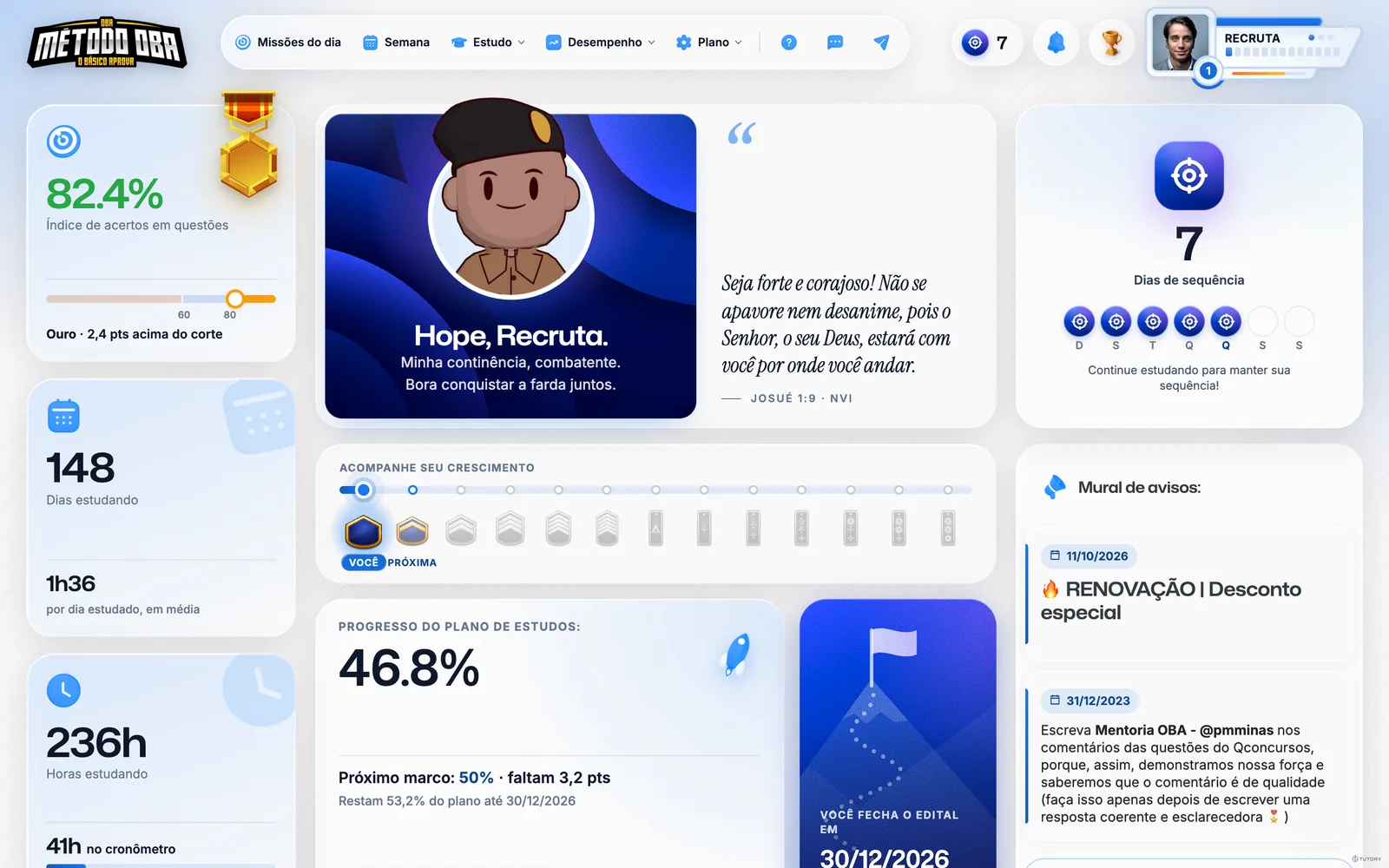
More room to breathe, less noise and a look that feels like Método OBA. Students open the dashboard and see what matters first: their rank, today’s missions and their progress.

01 — On the phone

What improves: Built for the phone

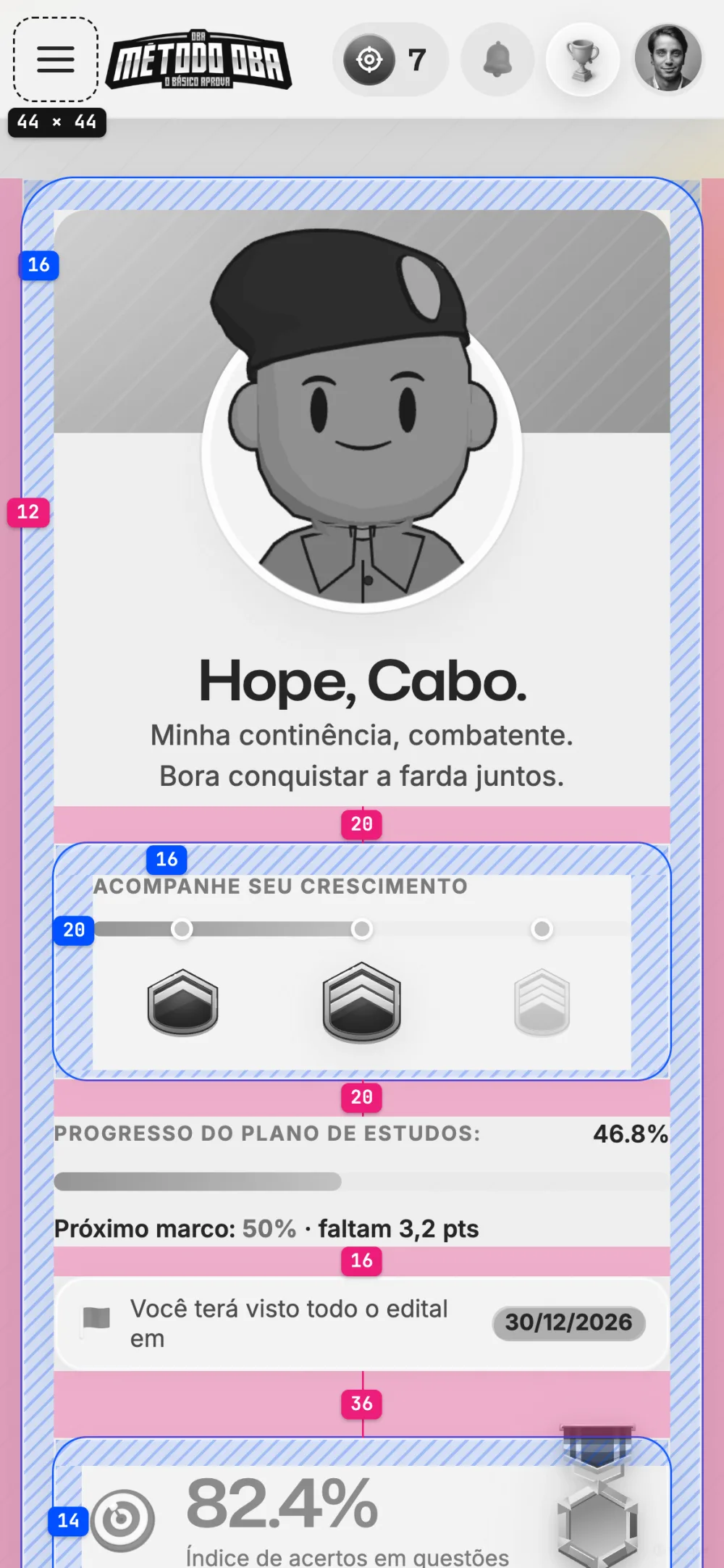
The desktop menu stayed pinned next to the content, squeezing it on the small screen. I reworked the menu for a more natural experience on the phone.

ResearchNo. 01
44 × 44 px

Is the minimum touch target. The new design respects how people naturally use a phone screen.

Apple · Human Interface Guidelines
Before
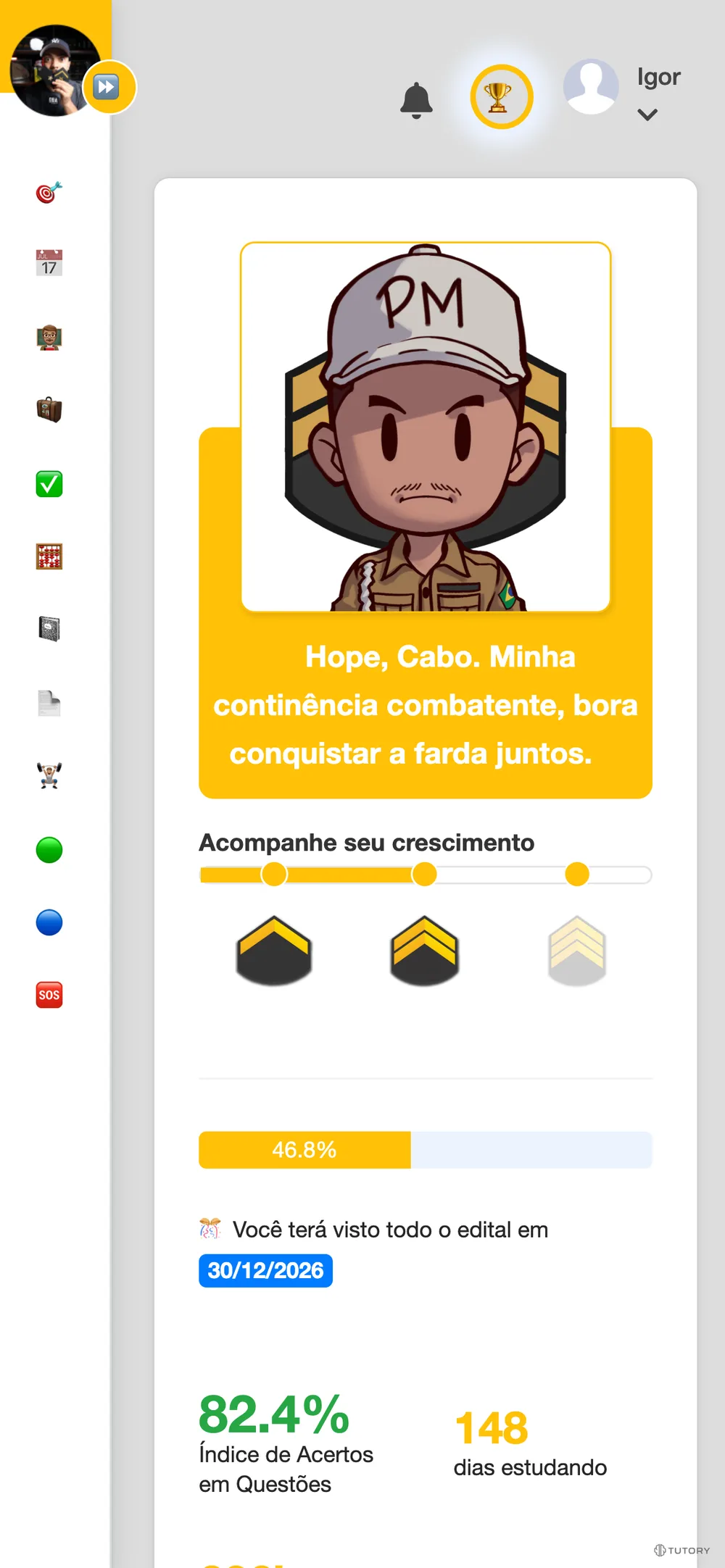
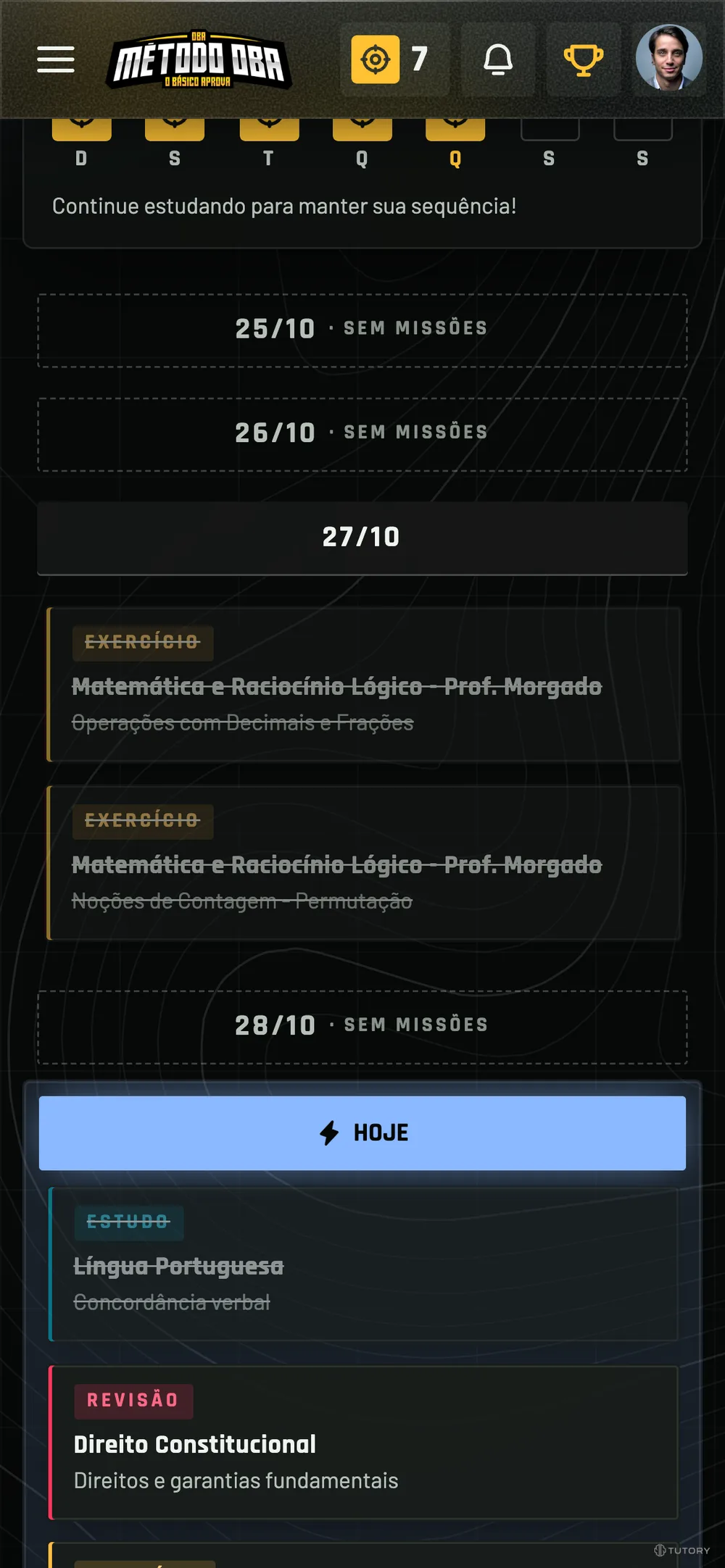
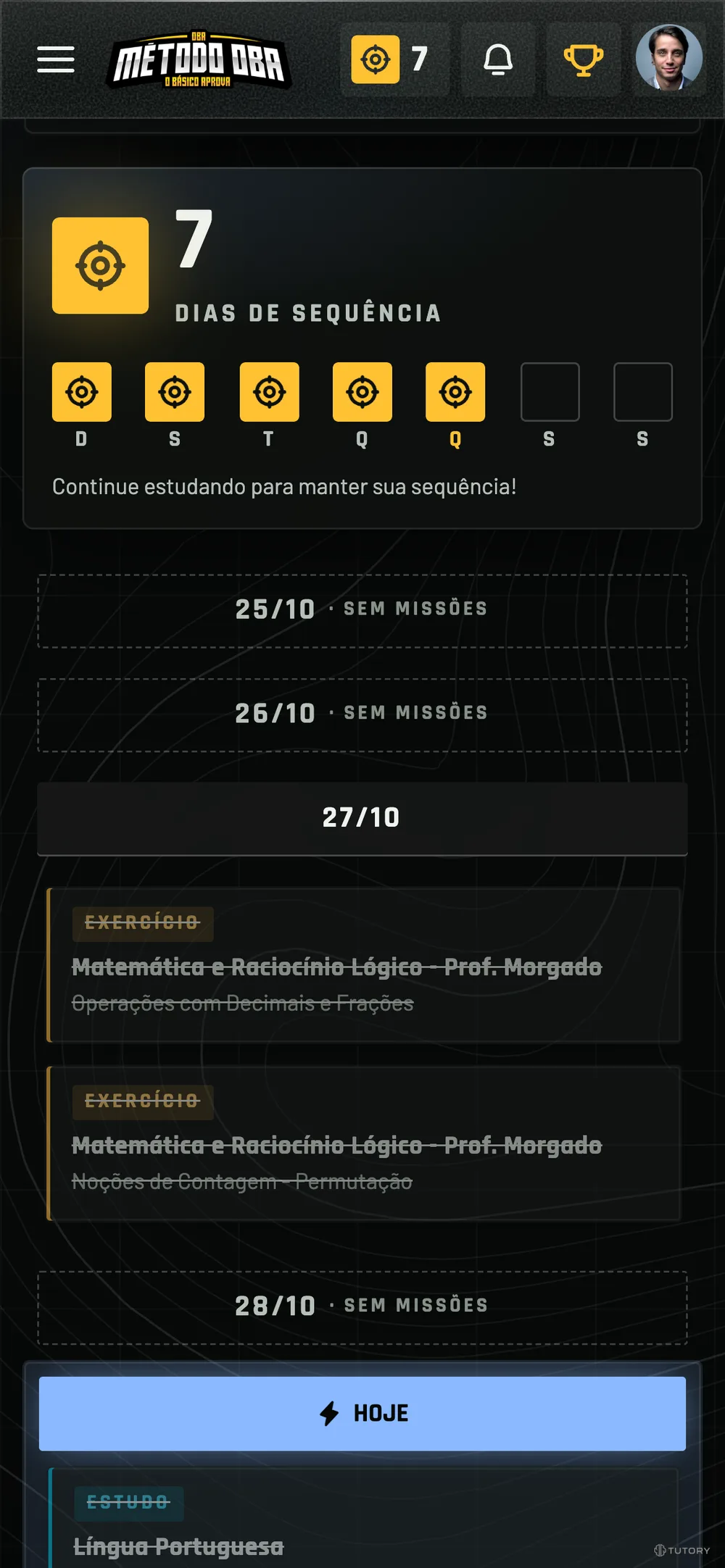
The current dashboard at 390 px: the desktop side menu pinned to the left, no phone header, and the content squeezed next to it
After

02 — On desktop

What improves: Polish and breathing room

Colors, type, icons and menu redesigned, with room for each piece of information to breathe.

ResearchNo. 02
20%

Users read about 20% of the text on a page, on average. Good design is led by visual hierarchy.

Nielsen Norman Group · How little do users read
Before
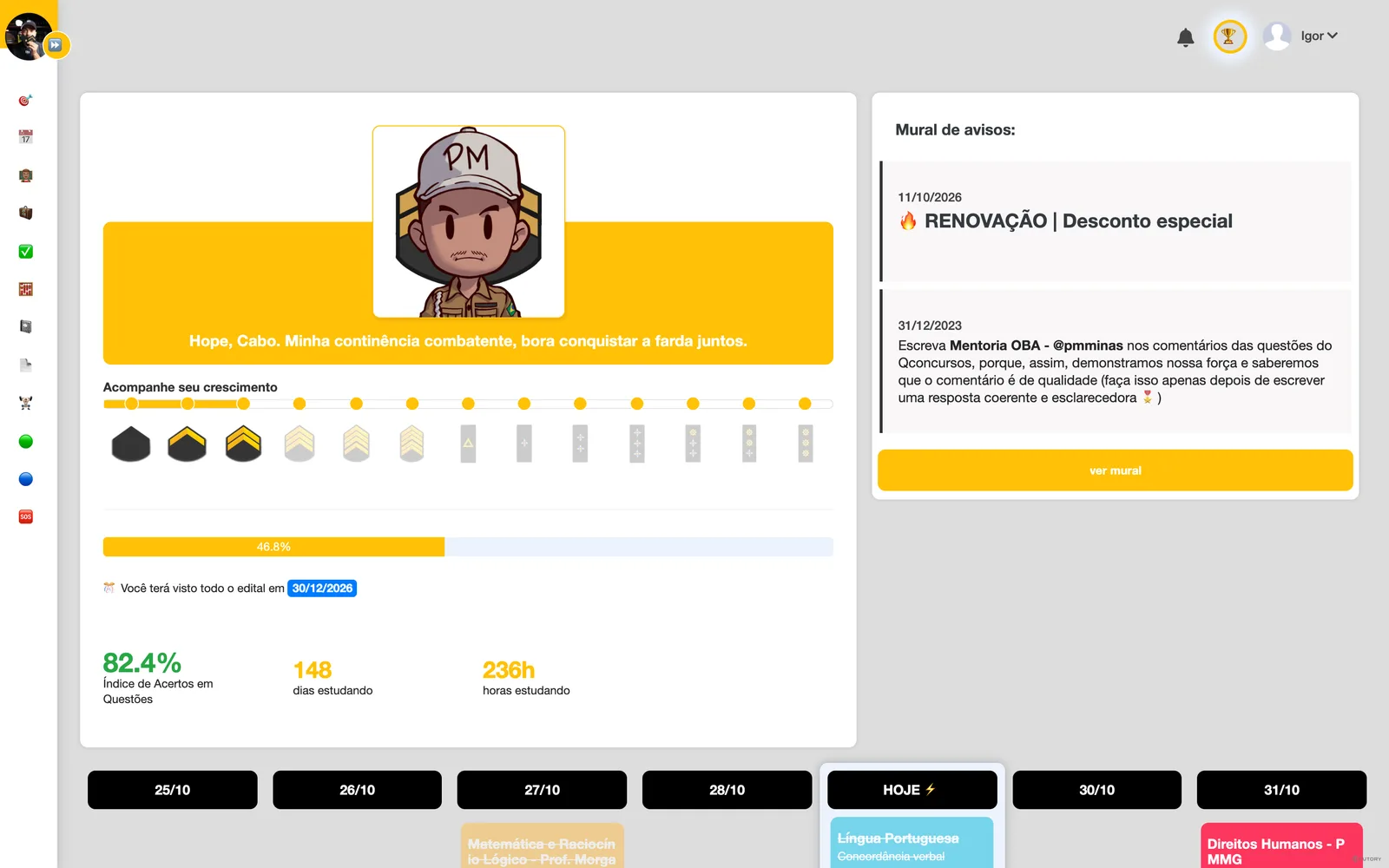
The current dashboard on desktop: white side menu, flat banner and indicators as loose numbers
After
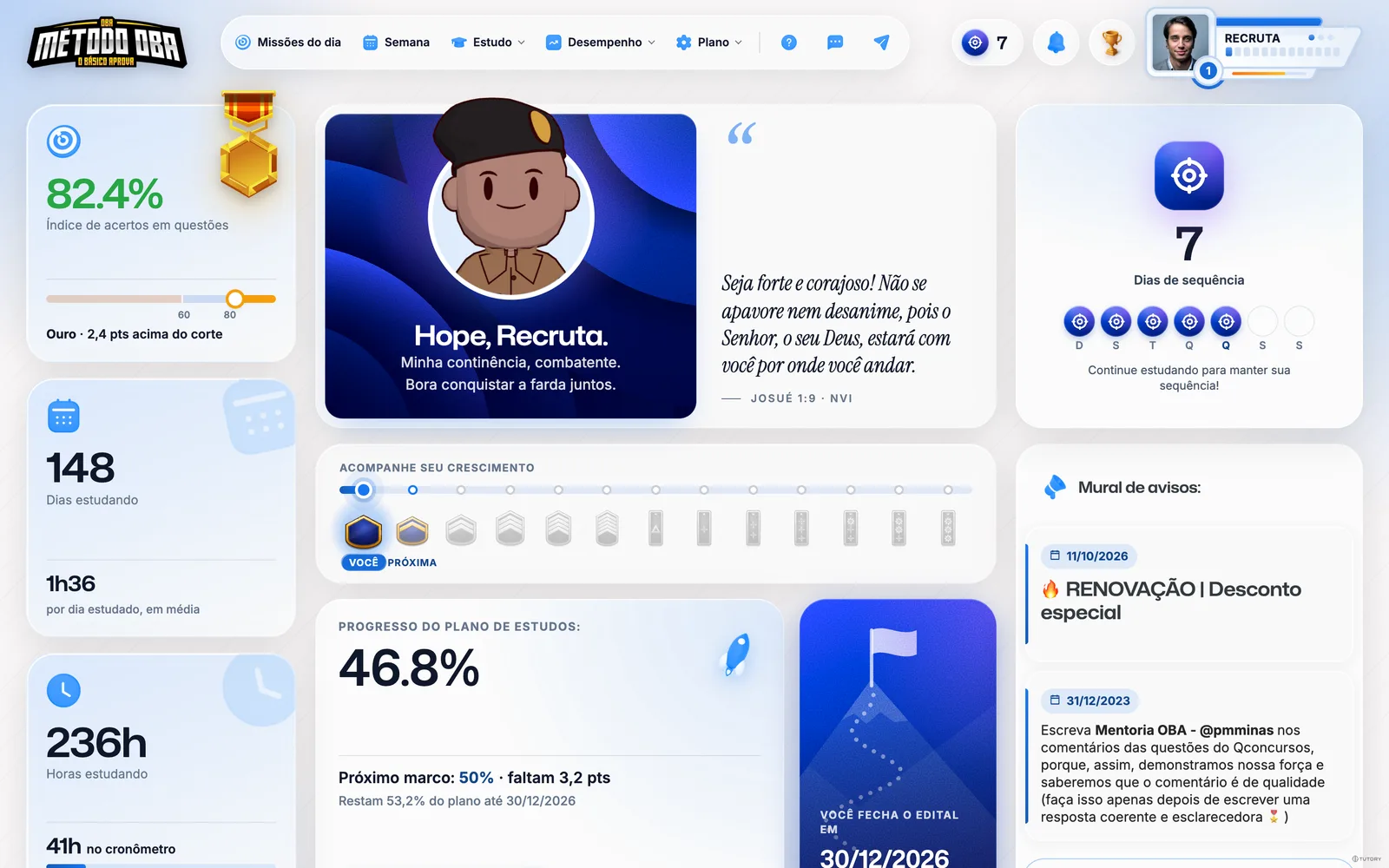
The new dashboard in cozy: pill menu at the top, player card, 3D rank avatar, light glass cards and the medal on the score card

02 — The rank

Visual overhaul

Students climb the ranks, from Recruit to Colonel, as they progress. Now the background, cards and icons change with the rank, and at the top the photo becomes a player card.

HeuristicNo. 02

Aesthetic-usability effect

What looks good feels easier to use.

Nielsen Norman Group · Aesthetic-usability effect
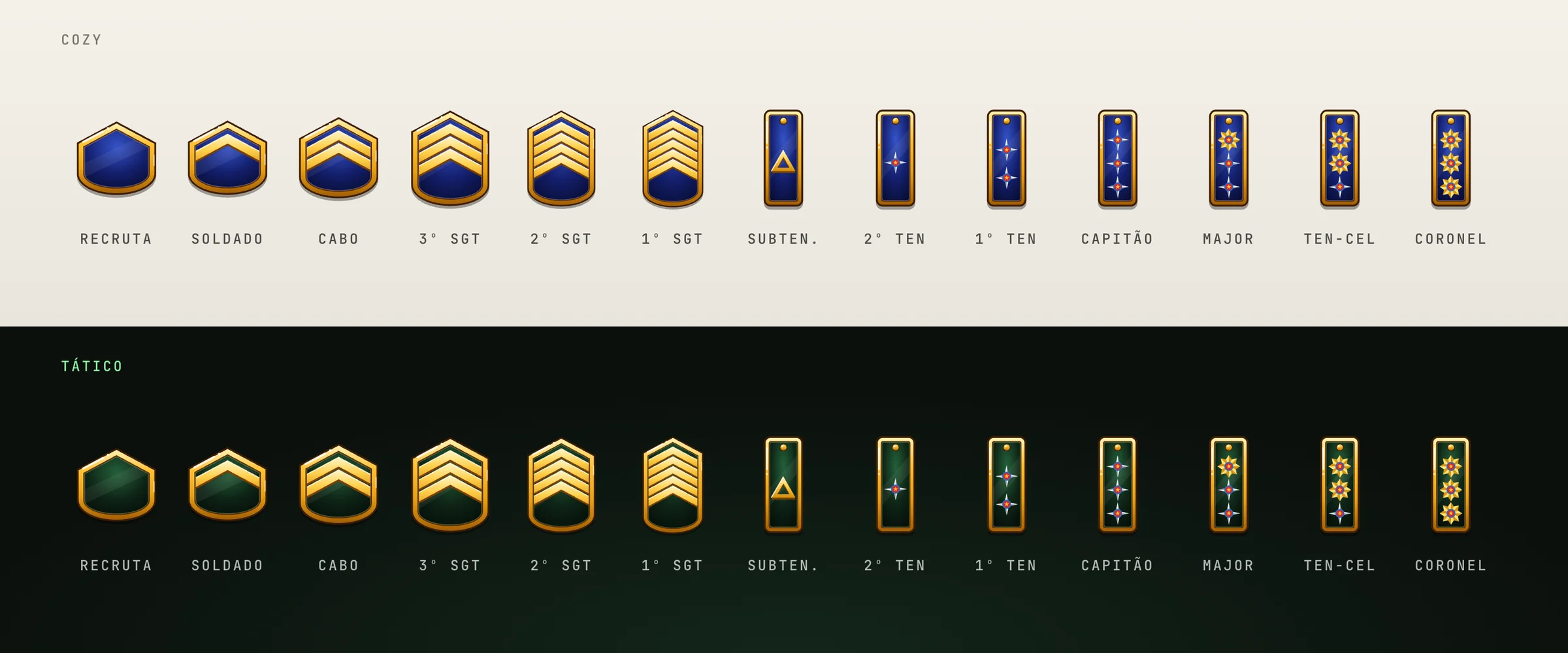
The 13 insignia, from the Recruit’s empty shoulder board to the Colonel’s three gold stars
13 PMMG insignia

Chevrons up to 1st Sergeant and stars for the officers, in both themes.

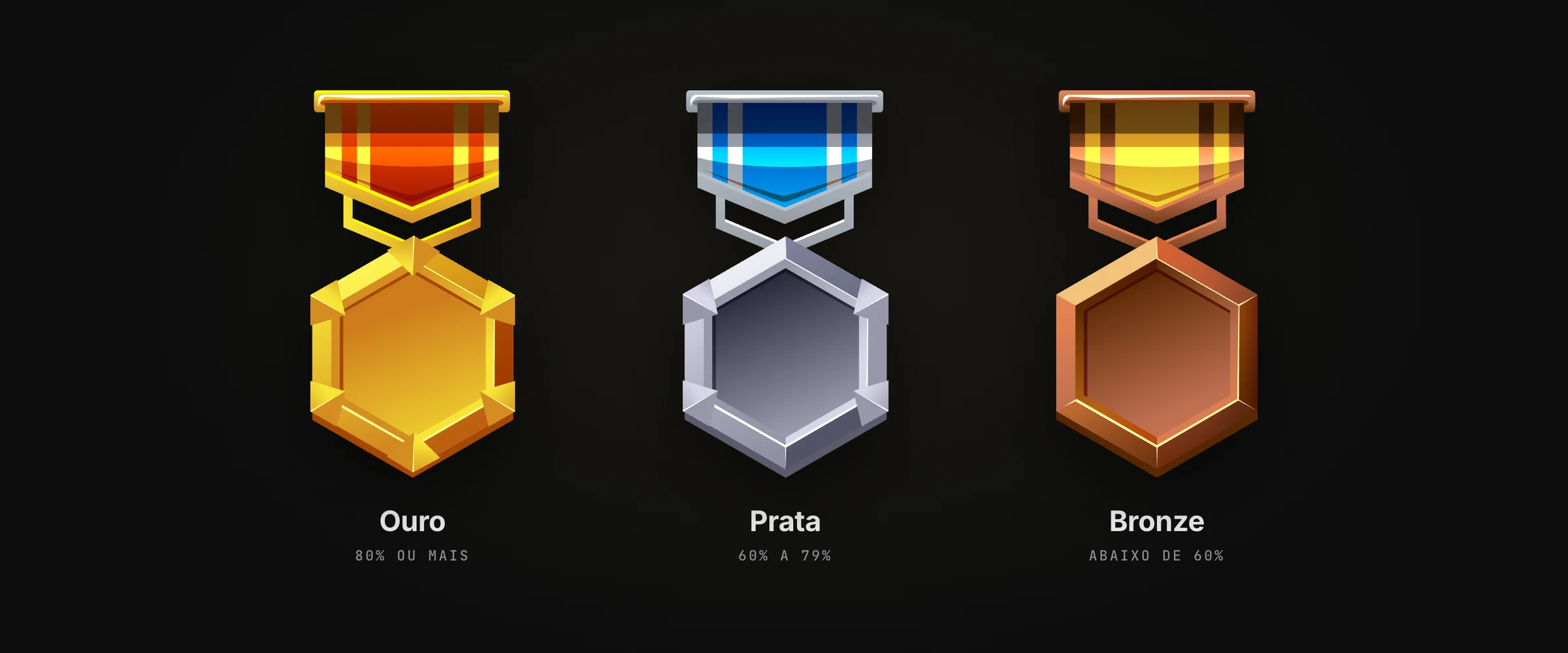
Gold, silver and bronze medals with ribbons, each with its score band
A medal for each score band

Gold from 80% correct answers up, silver from 60% and bronze below that.

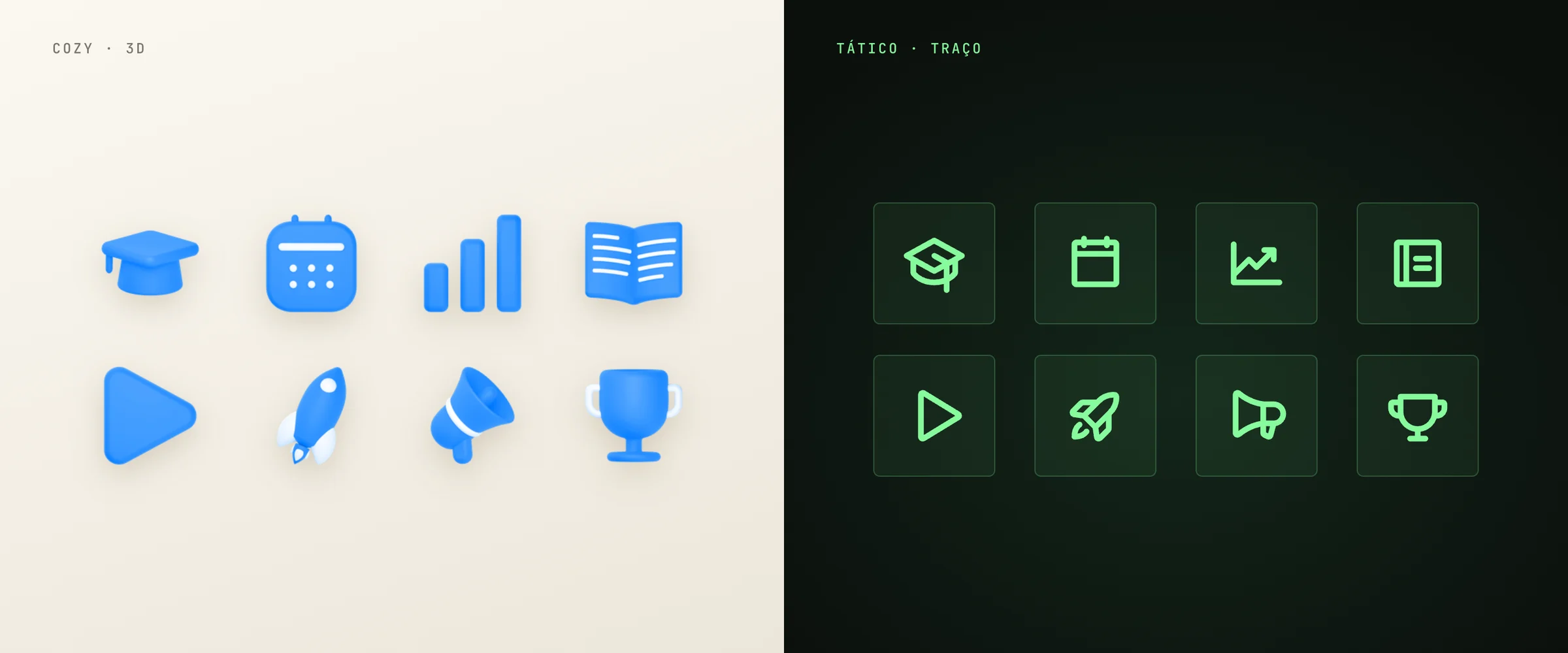
The menu icons in 3D, recolored by rank, and the same icons as Phosphor line icons
3D in cozy, line in tactical

Rank-tinted 3D icons in cozy and line icons in tactical, replacing the emojis.

03 — On the phone

On the phone, a block menu

The ☰ opens the items as blocks, like in an app.

See the ☰ on the phone

HeuristicNo. 03

Jakob’s law

Students expect the dashboard to work like the apps they already use every day.

Nielsen Norman Group · Jakob’s law

04 — Breathing room

Room to breathe

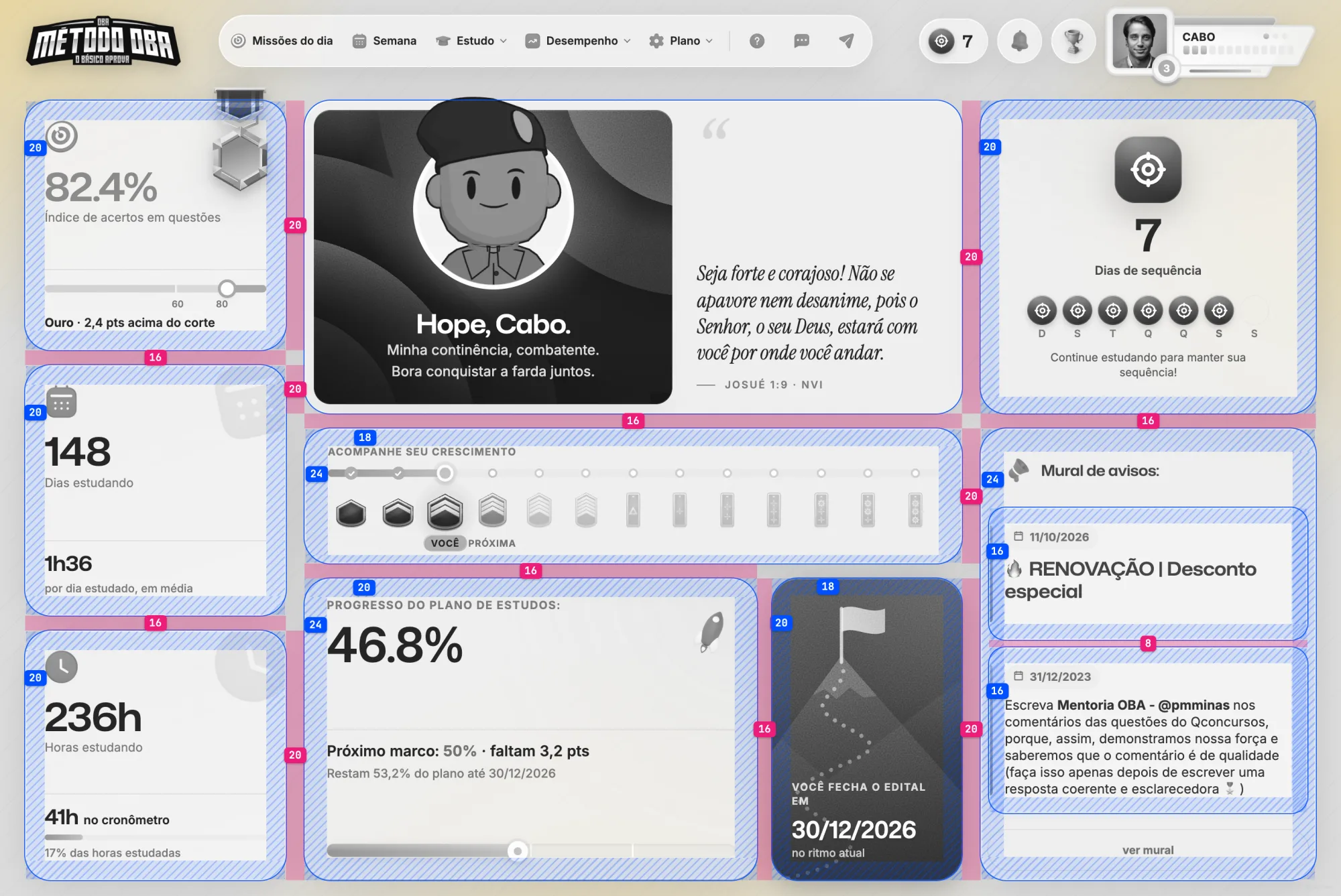
Every block has its own padding, and the same rhythm repeats from desktop to phone. The screen feels light, and students read without effort.

ResearchNo. 04
≈ 2×

Design-leading companies grow revenue at nearly twice the rate of their industry.

McKinsey · The Business Value of Design, 2018
  • Padding inside the block
  • Space between blocks
  • Touch target
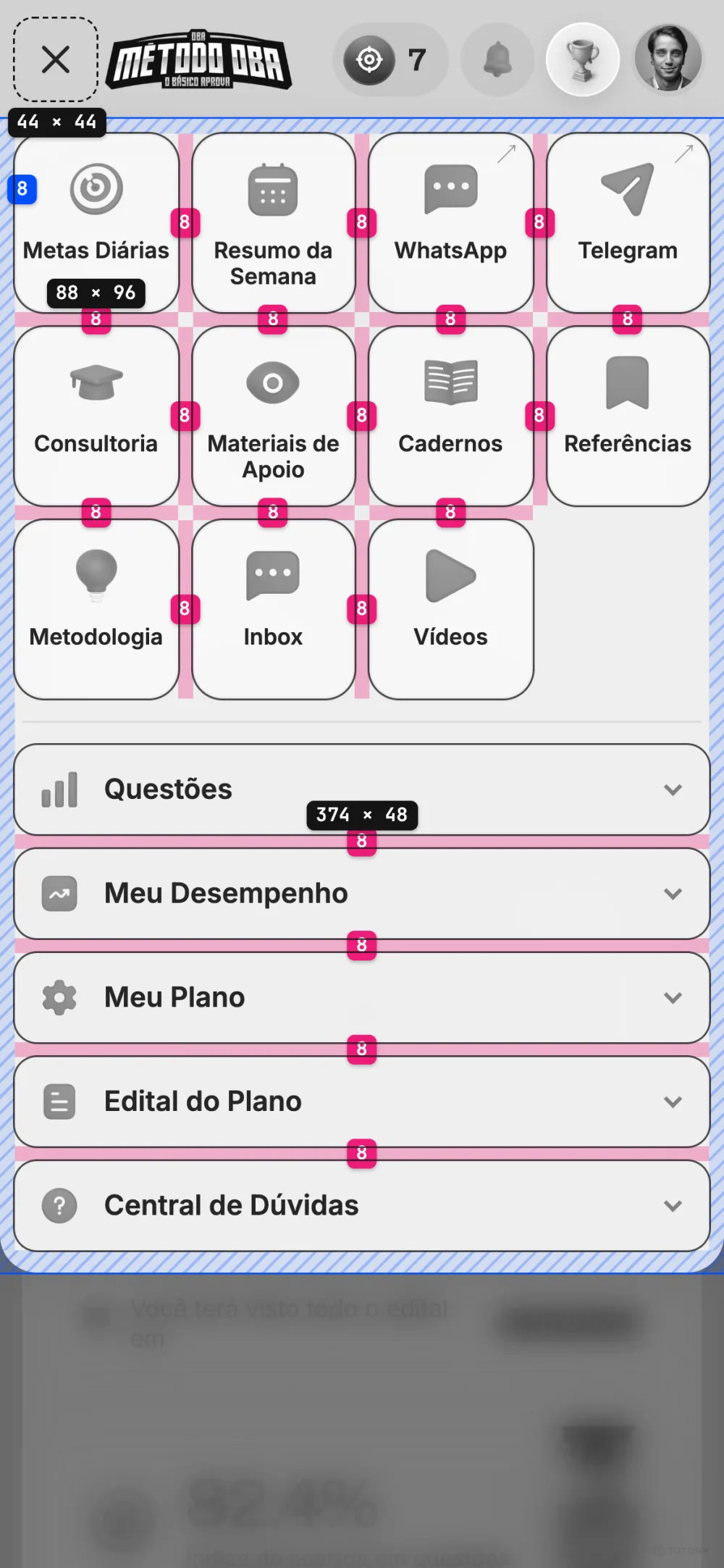
The desktop dashboard in gray, with each card’s padding hatched in blue (20 to 24 px) and the space between cards in pink (16 and 20 px)
Spacing

8-point grid

Spacing starts at 8 px, with 4 px half-steps to fit the phone well.

Google · Material Design
Proportion

Golden ratio

People tend to find what follows this proportion more beautiful, even without noticing.

Di Dio, Macaluso e Rizzolatti, 2007
Perception

Rhythm

Repeated spacing makes a screen easier to read, and what reads effortlessly looks better.

Reber, Schwarz e Winkielman, 2004
  1. 01

    Easier to use

    With space between blocks, students find each piece of information right away. On the phone, the finger hits the target.

    65%of connected Brazilians use the internet only on their phone.Cetic.br · TIC Domicílios 2025

  2. 02

    Higher perceived value

    A well-crafted dashboard suggests a well-crafted method. Students feel the value before reading a single number.

    46%of comments about a site’s credibility were about its look. It was the most-cited criterion.Stanford · Consumer WebWatch, 2002

  3. 03

    Consistency is finish

    The same spacing, corners and icons on every screen. Students learn the dashboard once and recognize the rest, and nothing looks improvised.

    50 msis enough to judge how good a screen looks. Simple, familiar ones come out ahead.Lindgaard et al., 2006 · Google Research, 2012

Where it stands

Next steps

The project is in the redesign stage. Next comes validation with Método OBA.

  1. 01
    Current stage

    Redesign

    The new dashboard experience, on desktop and phone. It’s what this page shows.

    83%On average, a redesign improves a product’s key performance indicators by an estimated 83%.Nielsen Norman Group

  2. 02
    Next

    Validation

    Método OBA reviews the proposal and approves what goes into the first version.

  3. 03

    Student testing

    Método OBA students use the prototype, and I fix whatever isn’t clear.

    5 studentsalready reveal about 85% of usability problemsNielsen Norman Group

  4. 04

    Development

    The theme is already in the platform’s code, behind a switch that’s off. After validation, it goes on in preview and then for everyone.

  5. 05

    Launch

    The new dashboard live for every Método OBA student.

Delivery · Design engineering

From diagnosis to the platform’s code

I didn’t just hand over screens. I covered the whole design engineering path: the strategy, the visual system, the coded prototype and the theme built in PHP, inside the platform, ready to be switched on in stages.

Design and code came from the same hands. Nothing gets lost in a handoff, and every decision on this page already has its place in the product.

  1. 01

    Strategy before screens

    25diagnosis points, D01 to D25

    Before designing, I mapped the dashboard in 17 documents: student context, tokens, gamification, voice, diagnosis and strategy, with a spec for each of the 16 components. The principle behind it all: the rank is the theme.

  2. 02

    A prototype in code, not in pictures

    9live screens on this page

    The prototype runs on the same HTML and CSS as today’s dashboard, with the platform’s Bootstrap and jQuery. What you click here is already the road to production, not a drawing for someone else to reinterpret.

  3. 03

    The theme in PHP, without risk

    60cases checked against the JS version

    I proposed and built per-mentor themes: a manifest says what each one loads, and a per-environment switch turns the theme on at three levels, off, preview and on. Off is the default, so merging changes nothing in production. Medal, streak and grouped menu moved out of JavaScript and now come ready from the server.

  4. 04

    Light on any device

    −43%off the 3D avatar: 532 to 303 KB

    The 3D avatar only loads on capable computers, runs in a Web Worker so the page never freezes, and falls back to a light PNG if it fails or lags. Icons and logo in WebP, self-hosted fonts, and the login loads only the CSS it needs, checked in CI.

Outcome

What’s ready

  • A UX map in 17 documents, the D01 to D25 diagnosis and a spec for each component
  • An interactive prototype with nine live screens, on desktop and phone, in three themes and all 13 ranks
  • The theme built in PHP, per mentor and behind a switch, changing nothing in production until it’s turned on
  • Medal, day streak and grouped menu rendered on the server, plus an achievement card students can share
  • A 3D avatar in a Web Worker with a PNG fallback, WebP icons and a lean login CSS

Tools

  • PHP
  • HTML, CSS and JavaScript
  • Bootstrap and jQuery
  • three.js
  • Web Workers
  • GitHub Actions
  • Phosphor Icons
  • AI agents

Does your product need a redesign?

I take it from diagnosis to a prototype you can click, with design and code, ready to validate with the people who use it.