Case Study — CareCloud
CareCloud
Helping re-platform a clinical suite from Adobe Flex to React: four months on-site in Miami, a five-person UX team and hi-fi flows tested with real doctors — design delivered hand-in-hand with the engineers rebuilding it.
- Client
- CareCloud · Health-tech, Miami (via App Theory)
- Year
- 2017 – 2018
- Role
- UX / Product Designer — five-person UX team
- Platform
- Web app · clinical EHR & practice management
- Context
- Re-platforming a core product from Adobe Flex to React
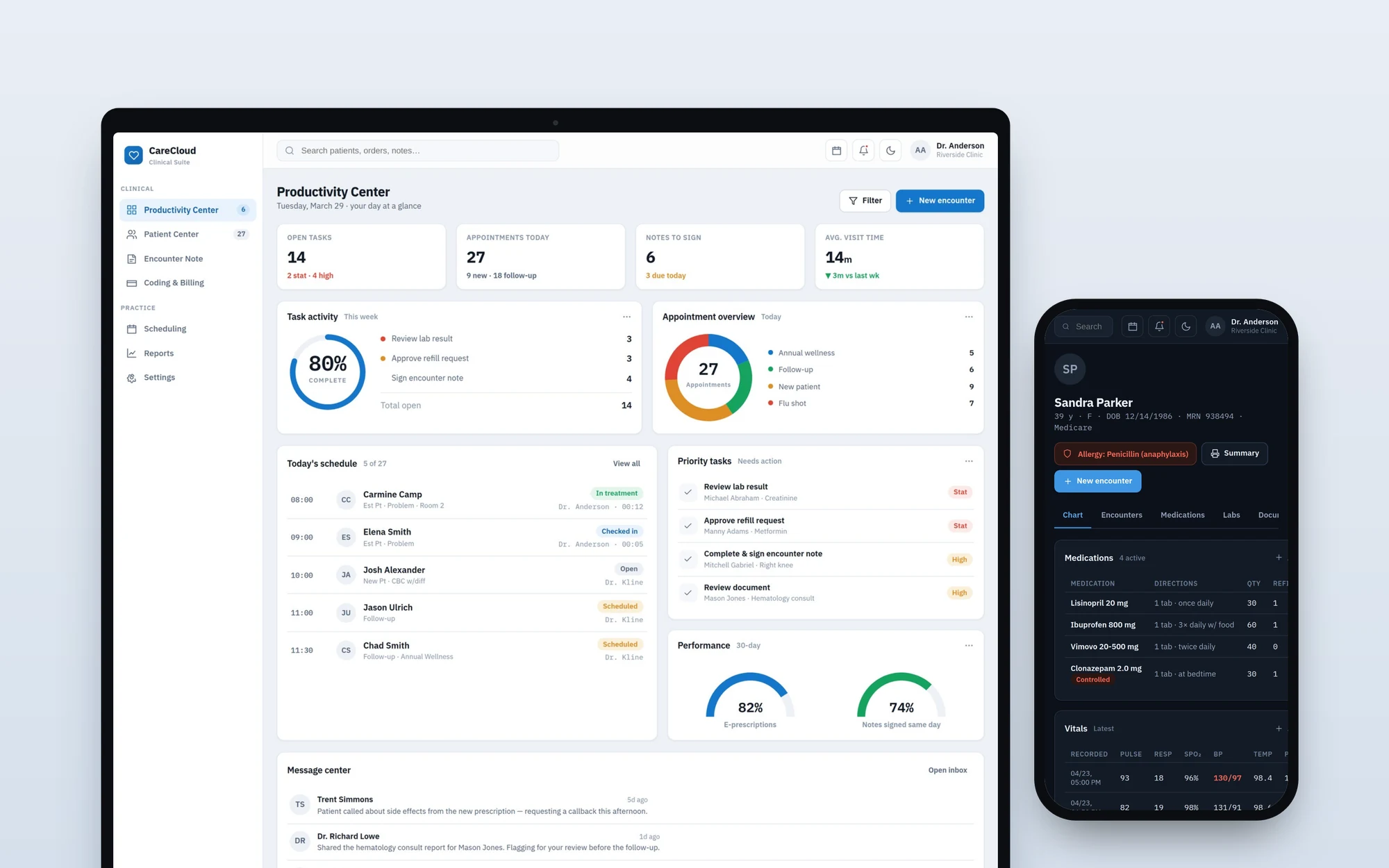
CareCloud is a US health-tech company whose platform runs the clinical and administrative side of medical practices — charting, prescriptions, scheduling, billing. When I joined, through the product studio App Theory, the company was re-platforming a core product from Adobe Flex to React.
I came in as part of a five-person UX team, working on-site in Miami for four months and remotely for the rest of roughly a year. The job: redesign the clinical screens for the new stack and validate them with the people who live in this software all day — doctors, nurses and front-desk staff.
What I did
01 — The product
A clinical workspace, re-platformed
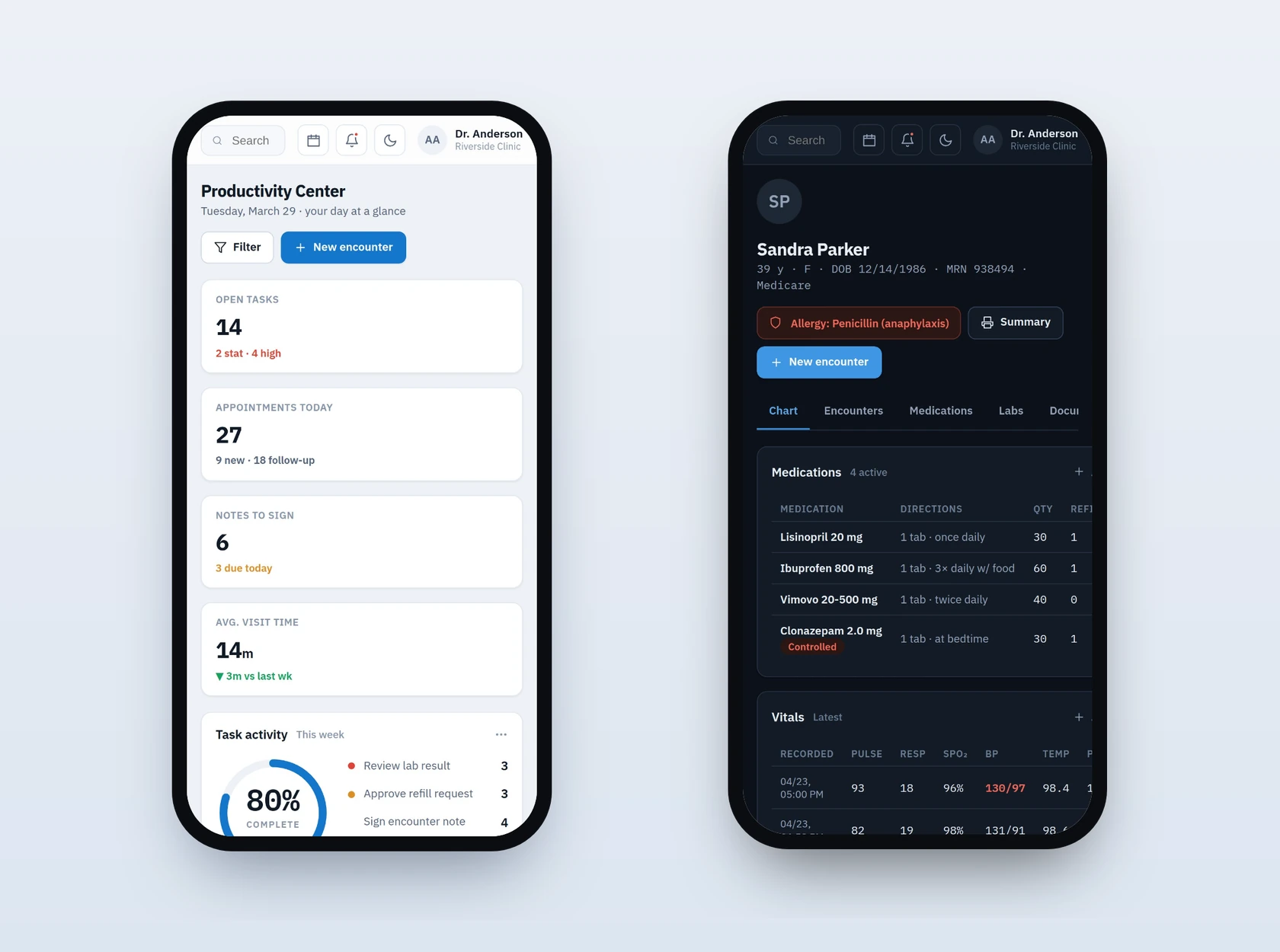
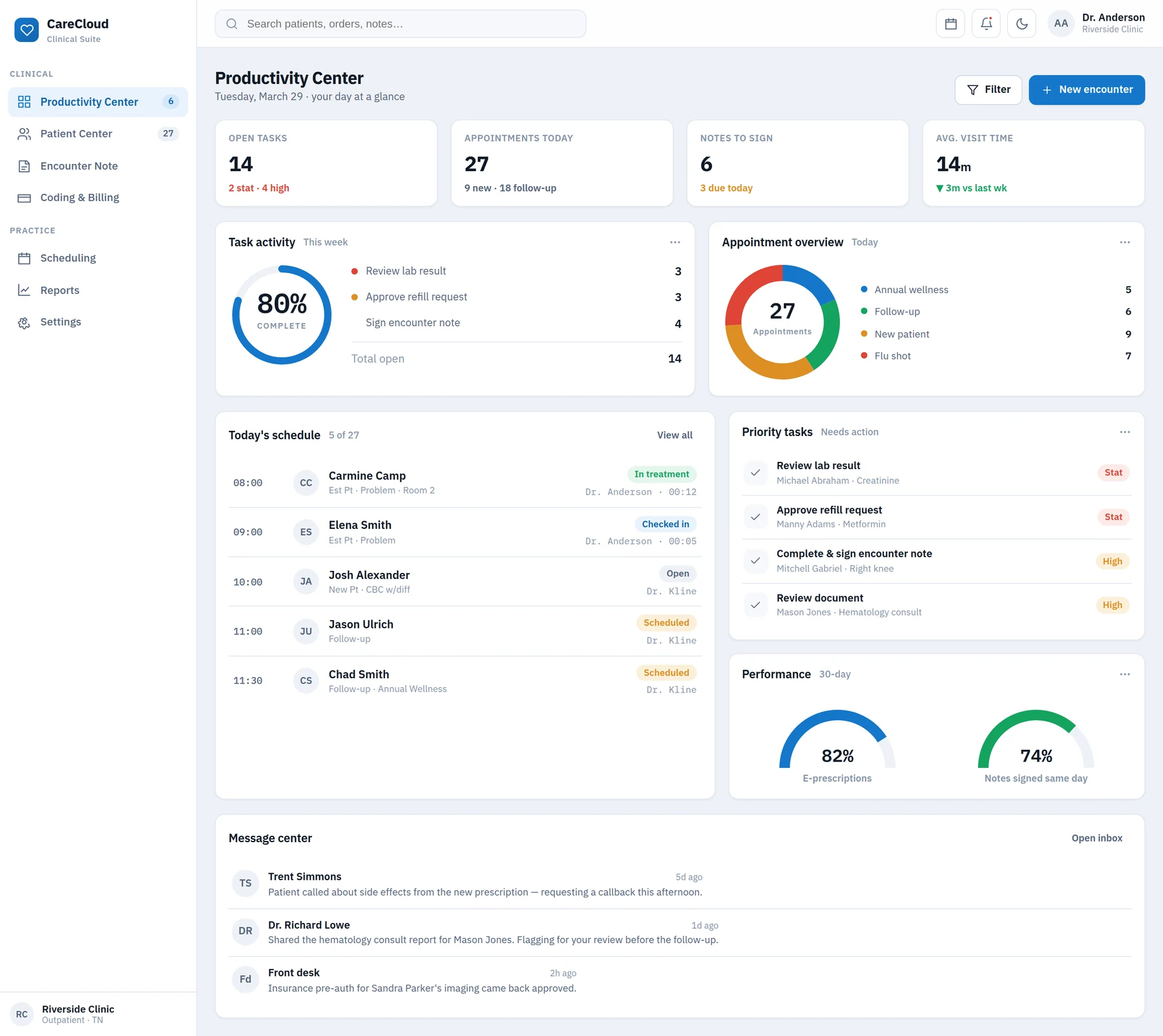
The product is where a practice runs its day. The Productivity Center is the provider’s home base: the day’s tasks, the appointment load, the message center and performance metrics, all on one screen. My job was to make that density legible — a lot of information, read at a glance, acted on in a click.
Everything had to be redrawn for React. The legacy was built in Adobe Flex, a technology on its way out; the rebuild was a chance to rethink the interface, not just port it.
02 — The chart
The whole patient, in one view
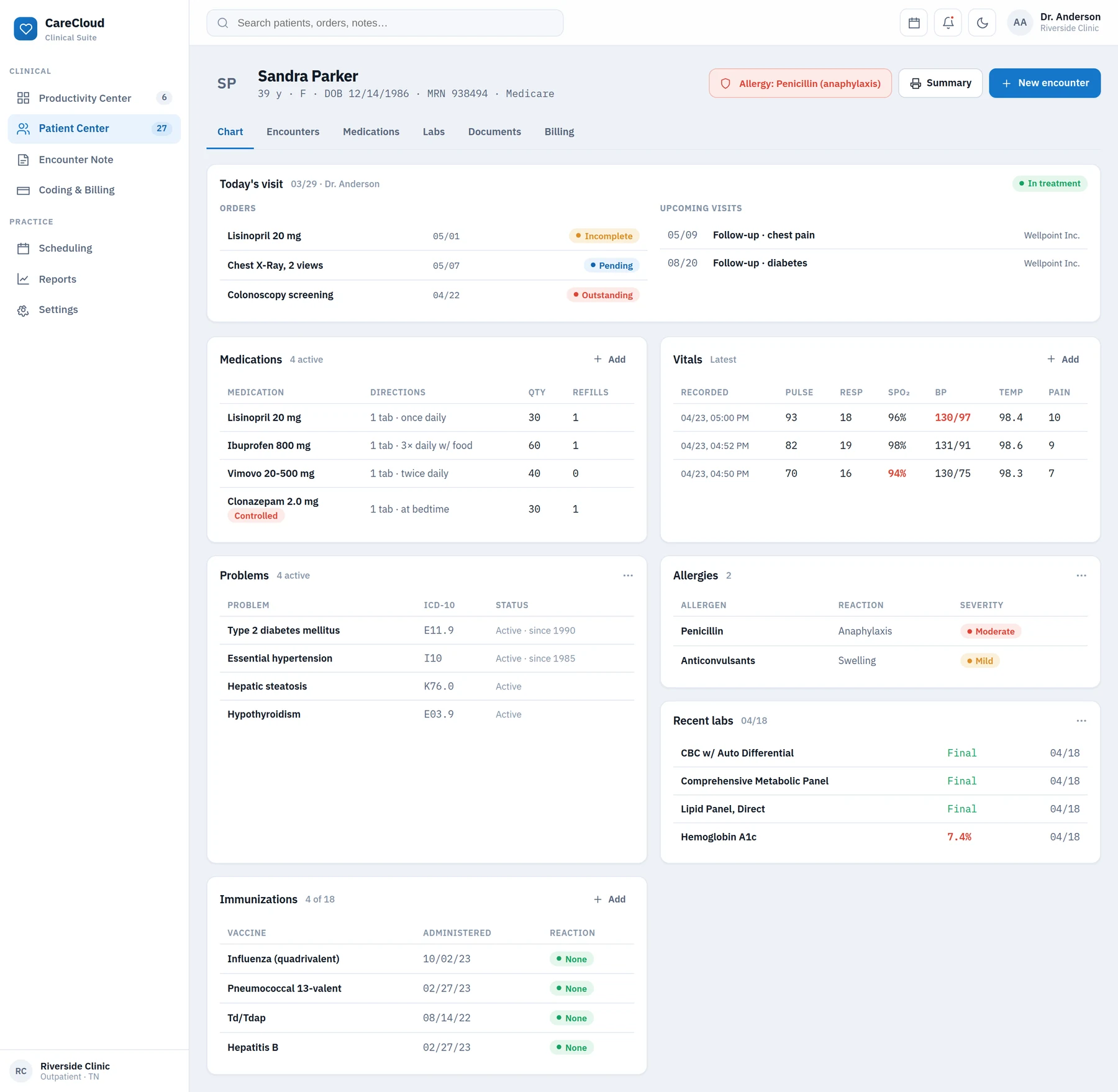
From the dashboard the provider moves into the chart. The Patient Center pulls the whole patient into one screen — orders, upcoming visits, vitals, medications, immunizations, problems, allergies — each block a module to scan or open. The design job was hierarchy: what a clinician needs first, what stays one tap away.
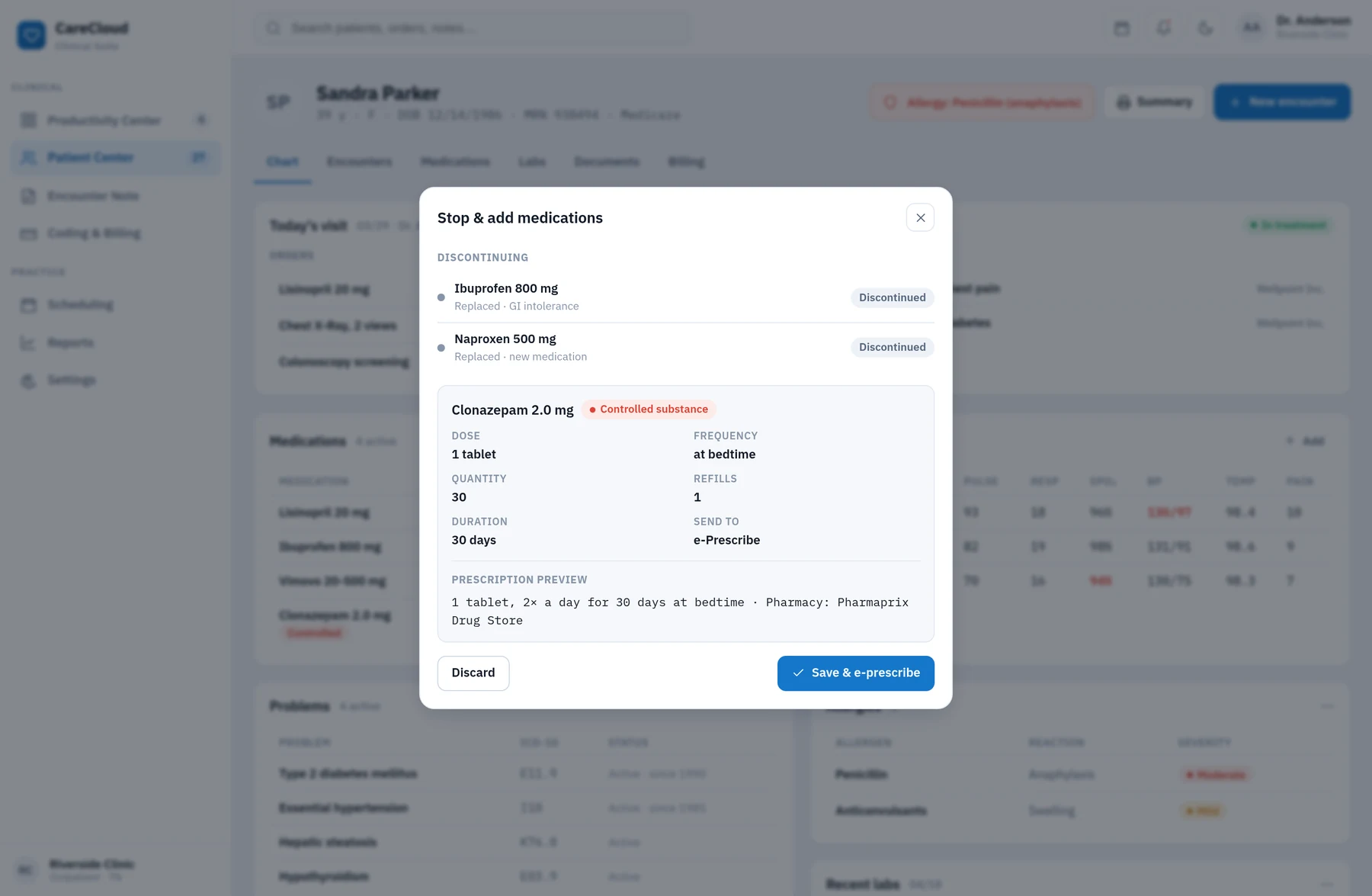
Prescribing lives inside that screen. Swapping one medication for another is a single modal: what goes out, why, what comes in, with a preview of the script and the pharmacy already picked — and a red badge when the substance is controlled.
03 — The visit
From intake to billing without switching tools
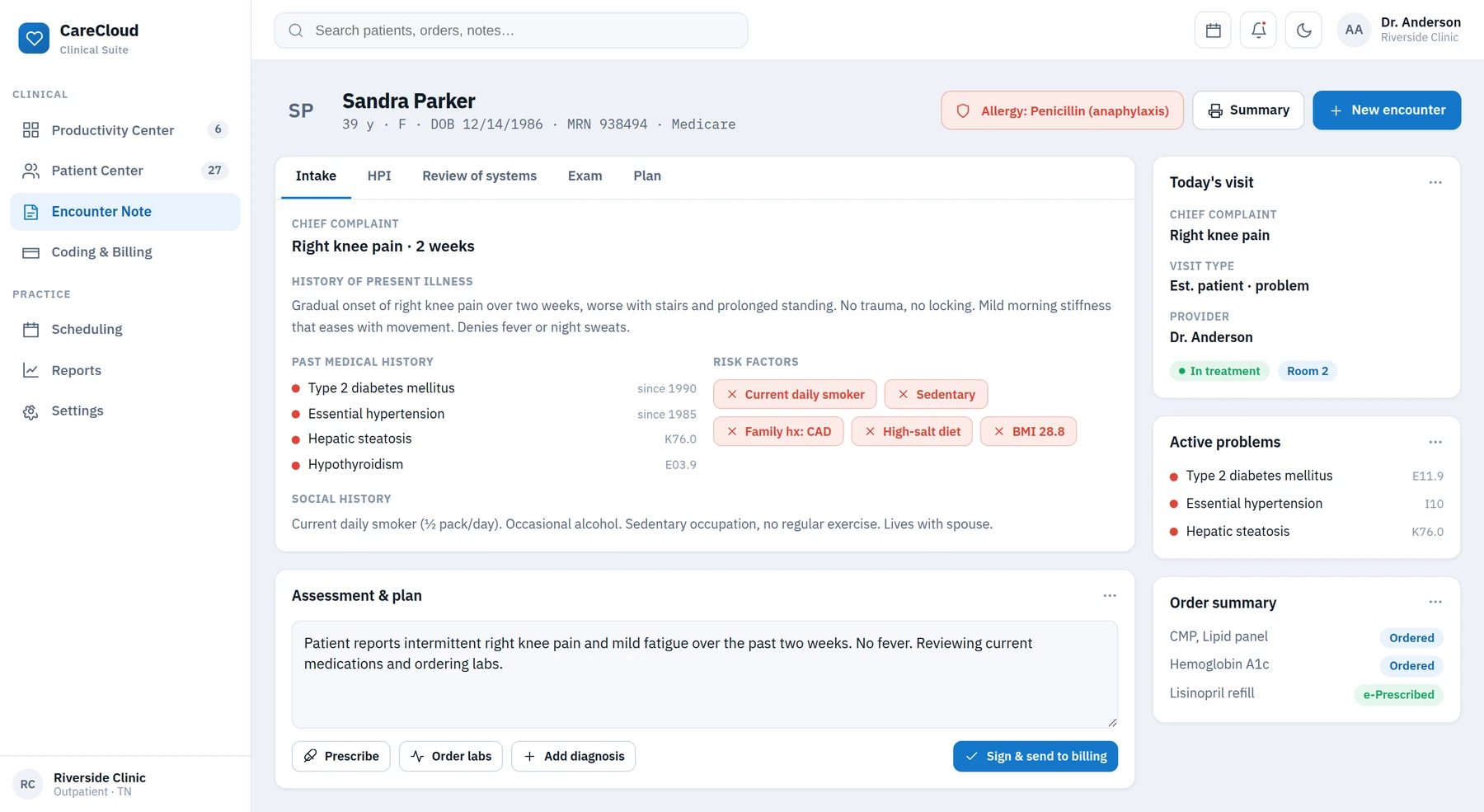
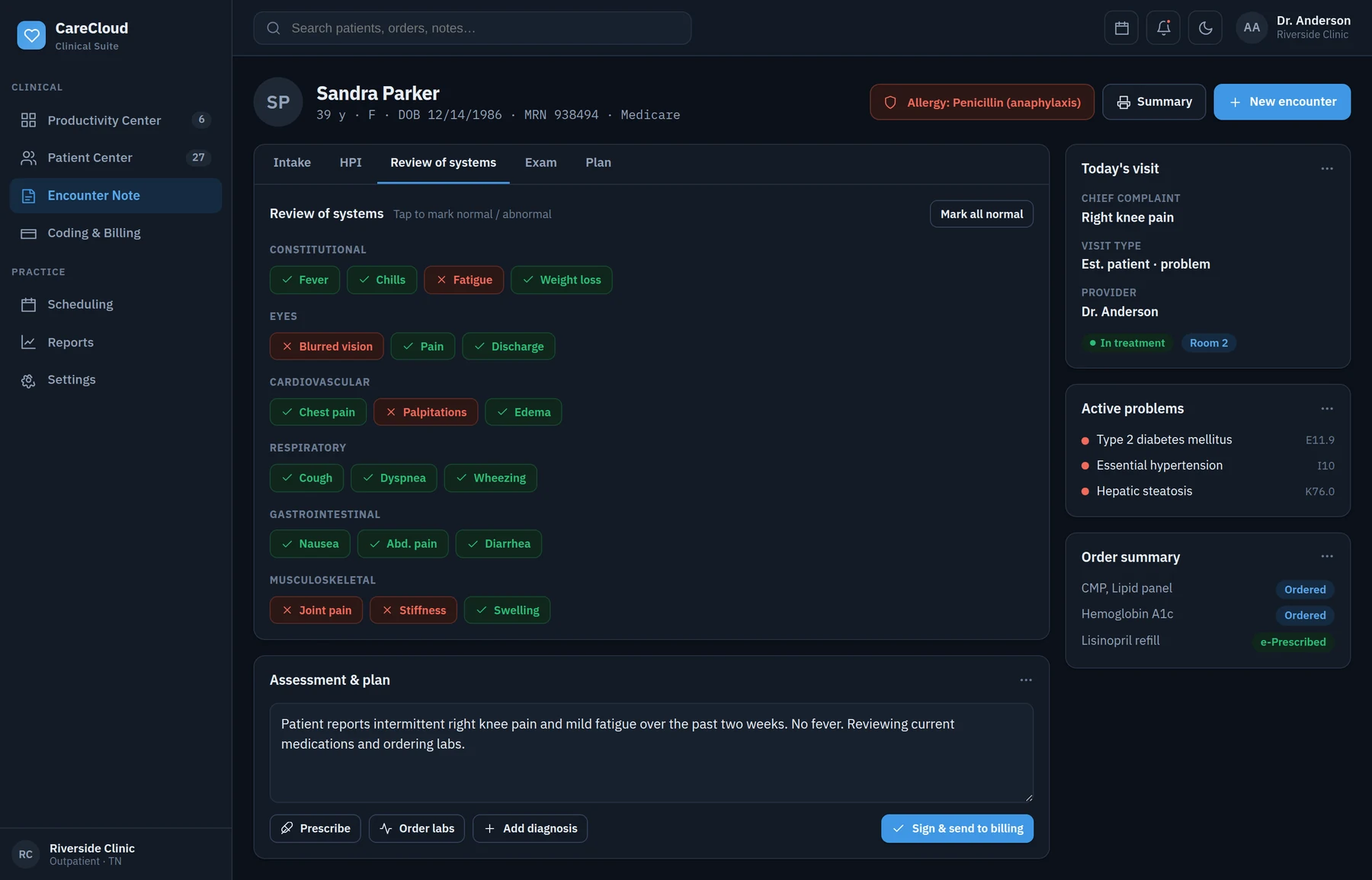
The encounter is the heart of the visit. I designed the note-taking flow — intake, history, review of systems, exam, plan — as a sequence of steps with progress always in view. In the review of systems, colour-coded chips let a doctor mark findings fast without leaving the keyboard: green is normal, red is a finding, grey is not yet assessed.
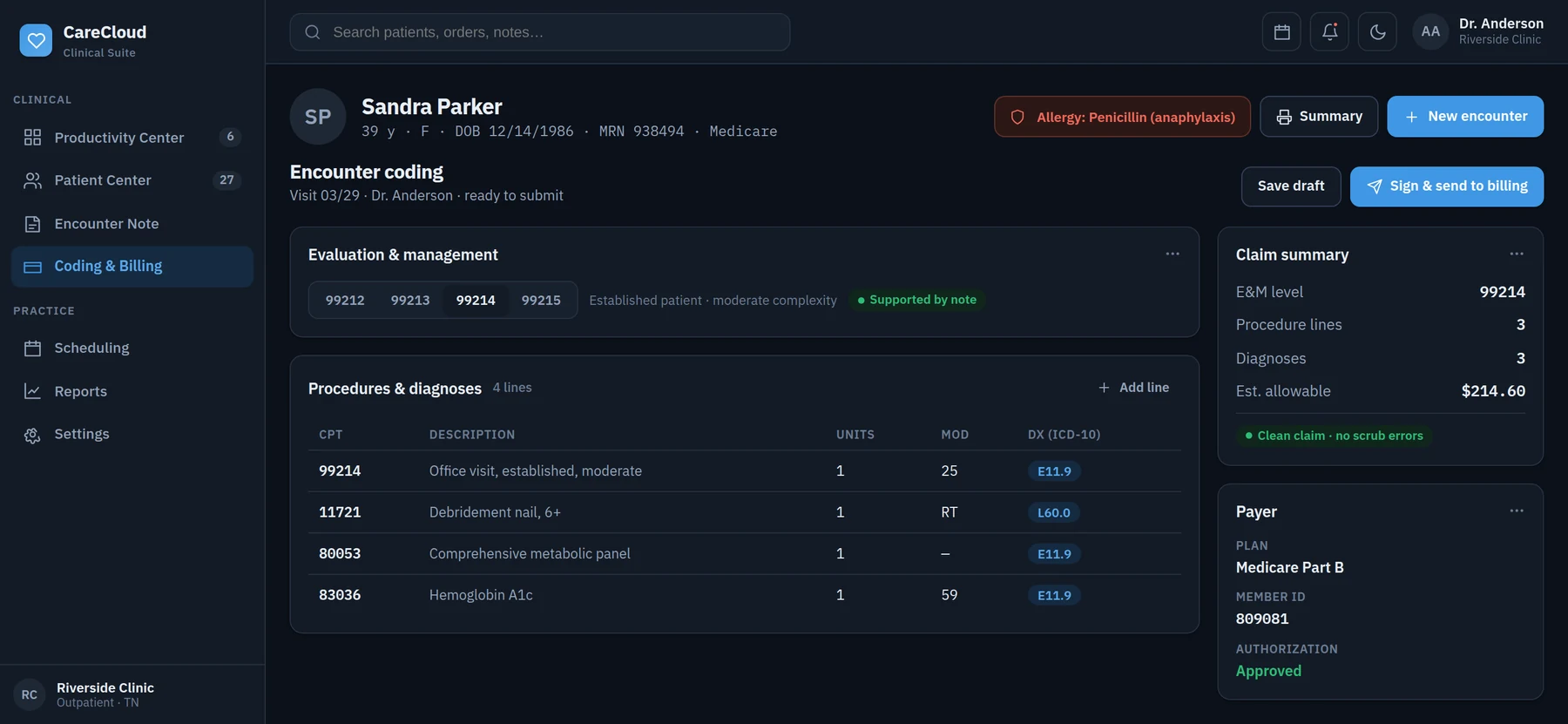
The plan closes the visit. E&M code, procedures and diagnoses live on the same screen as the note, with one button to sign and send to billing — the visit ends without opening another system.
04 — The details
The decisions a screenshot hides
Clinical software is decided in the details: the colour of a chip, an icon next to a blood pressure out of range, the badge that says “controlled substance” before the doctor signs. Each of these was designed, tested with clinicians and adjusted. A few that mattered most:
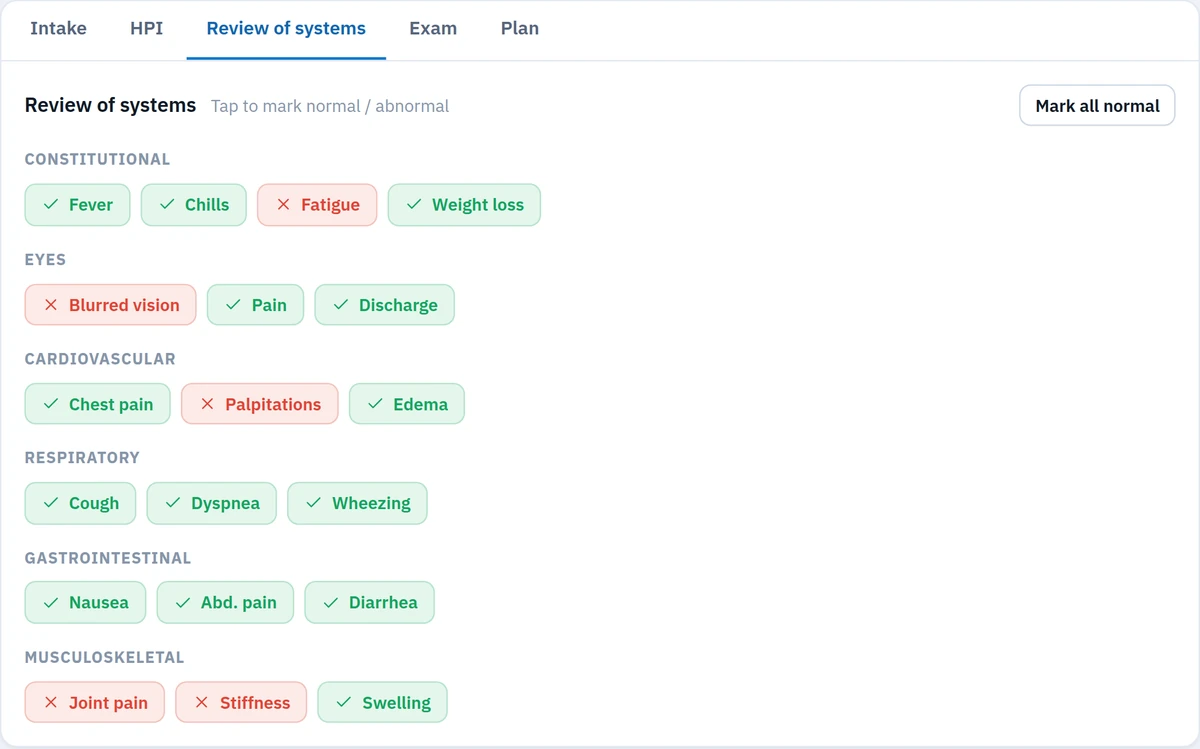
Green for normal, red for a finding, grey for what has not been assessed yet. The doctor marks the whole review without leaving the keyboard and reads the result from across the room.
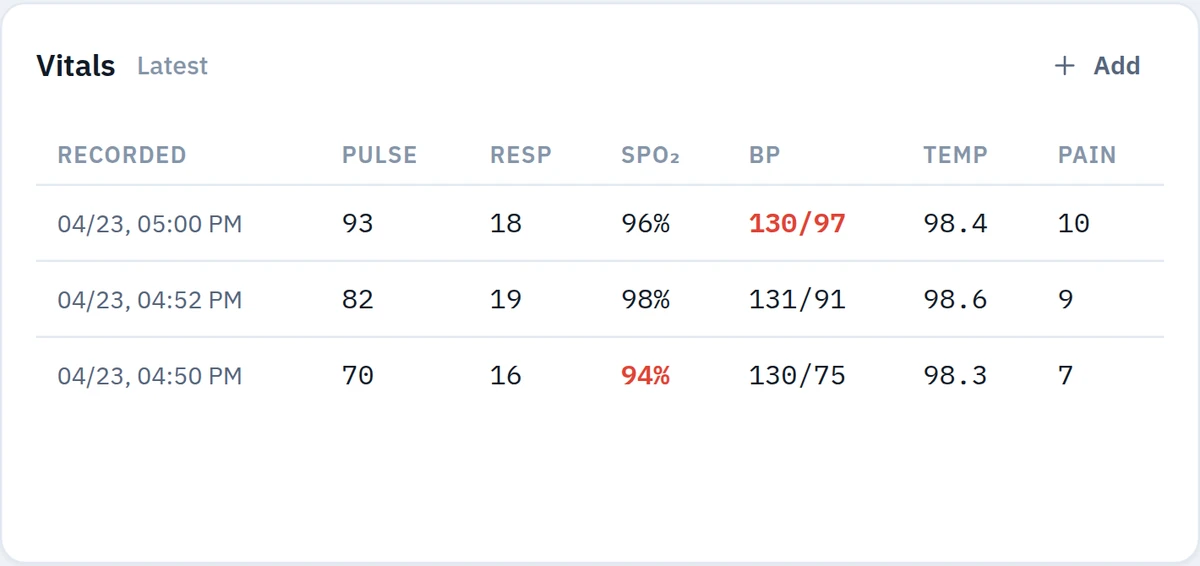
Blood pressure and pain out of range get the icon in the cell itself. Nobody has to memorise the threshold to see the problem.
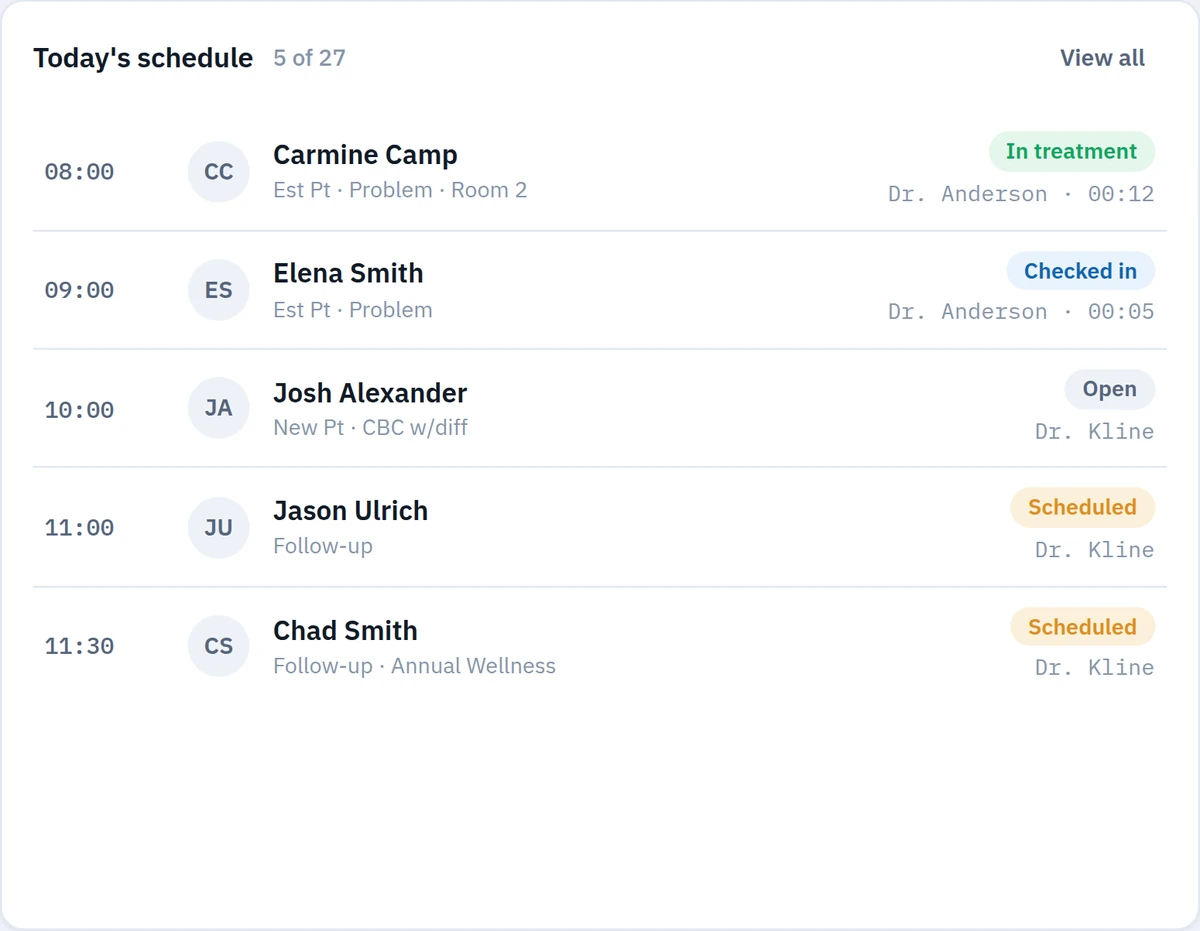
Every patient carries their status, their room and how long they have been waiting. Colour warns before text does.
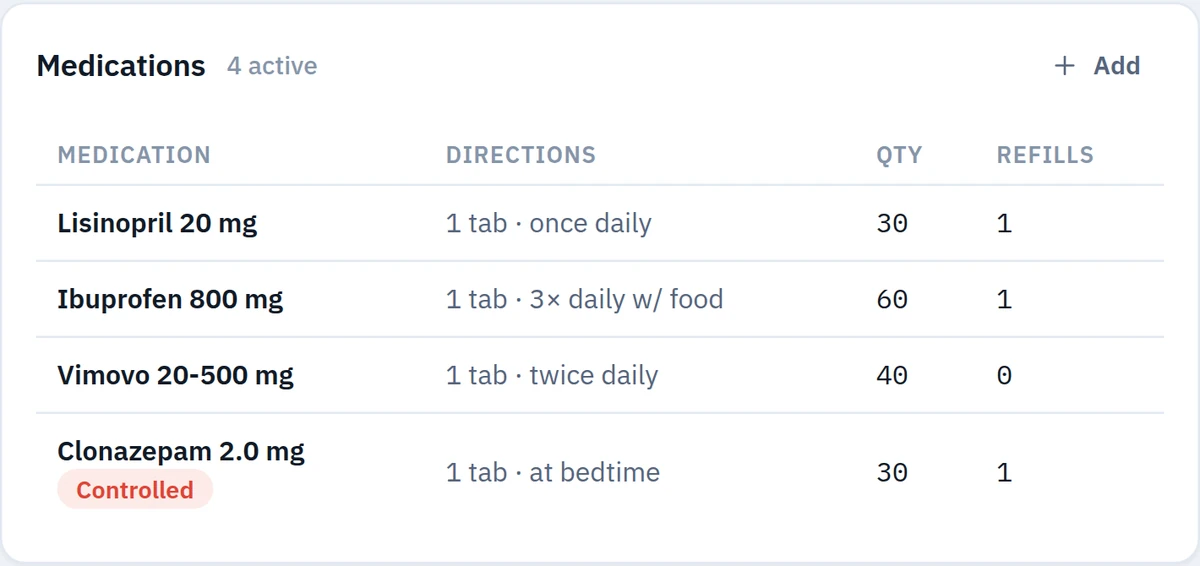
The badge sits on the prescription row, before signing. The preview says exactly what the pharmacy will receive.

The four levels as side-by-side options, with modifiers and diagnoses on the same row. Billing starts inside the visit.
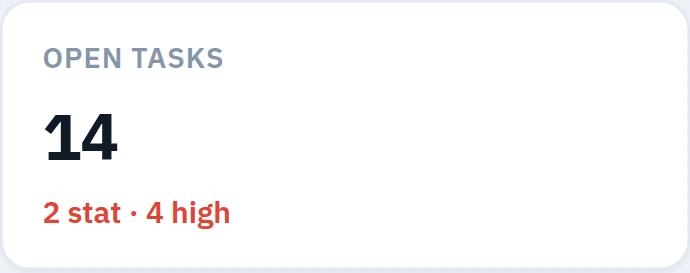
The ring says how much is already done; the list next to it says what is left, by type. One glance, one decision.
05 — The method
On-site with the people who use it
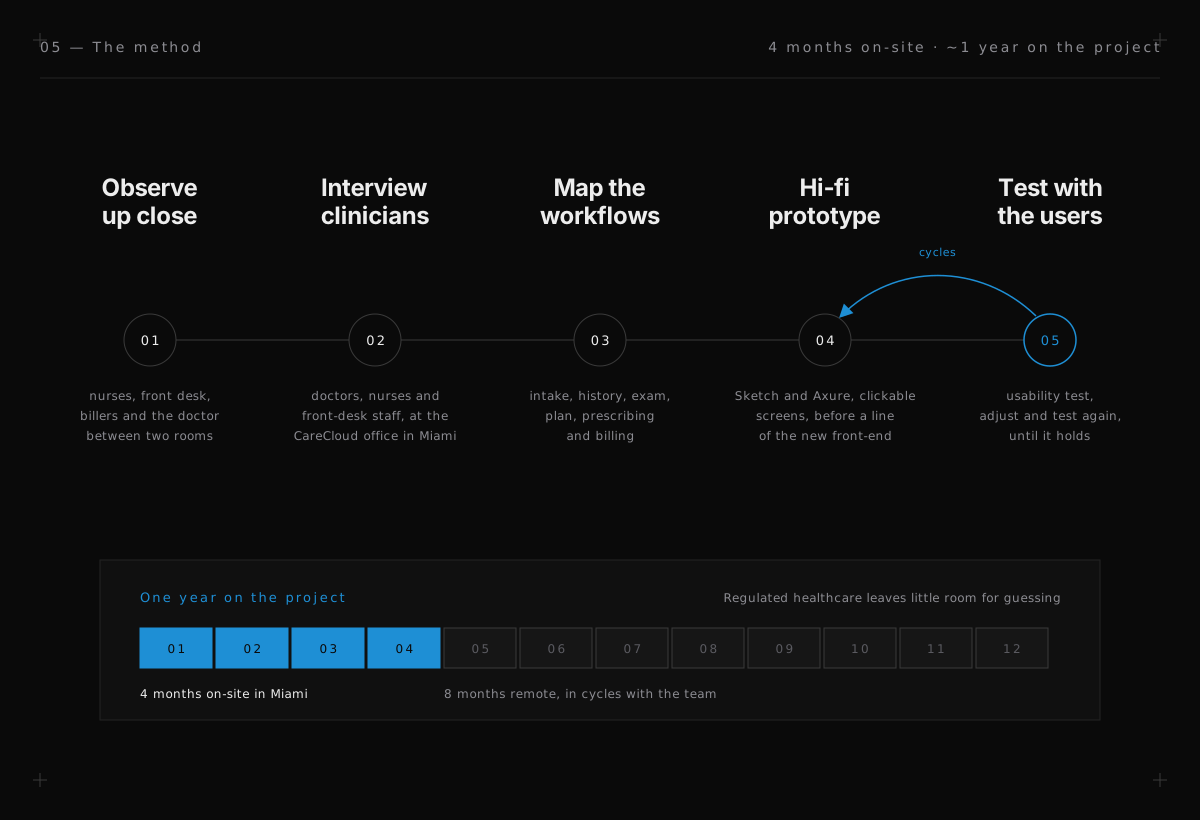
For four months I worked out of CareCloud’s Miami office, next to product, engineering and the clinical experts. That proximity was the point: healthcare software is full of rules you only learn by watching someone work — how a nurse rooms a patient, how a biller reads a code, what a doctor does in the ninety seconds between rooms.
I ran interviews and usability tests with real clinicians, mapped their workflows, and built hi-fidelity prototypes we put in front of users before a line of the new front-end was written. We tested, I adjusted, in cycles — regulated healthcare leaves little room for guessing.
06 — Design → code
Designing hand-in-hand with the rebuild
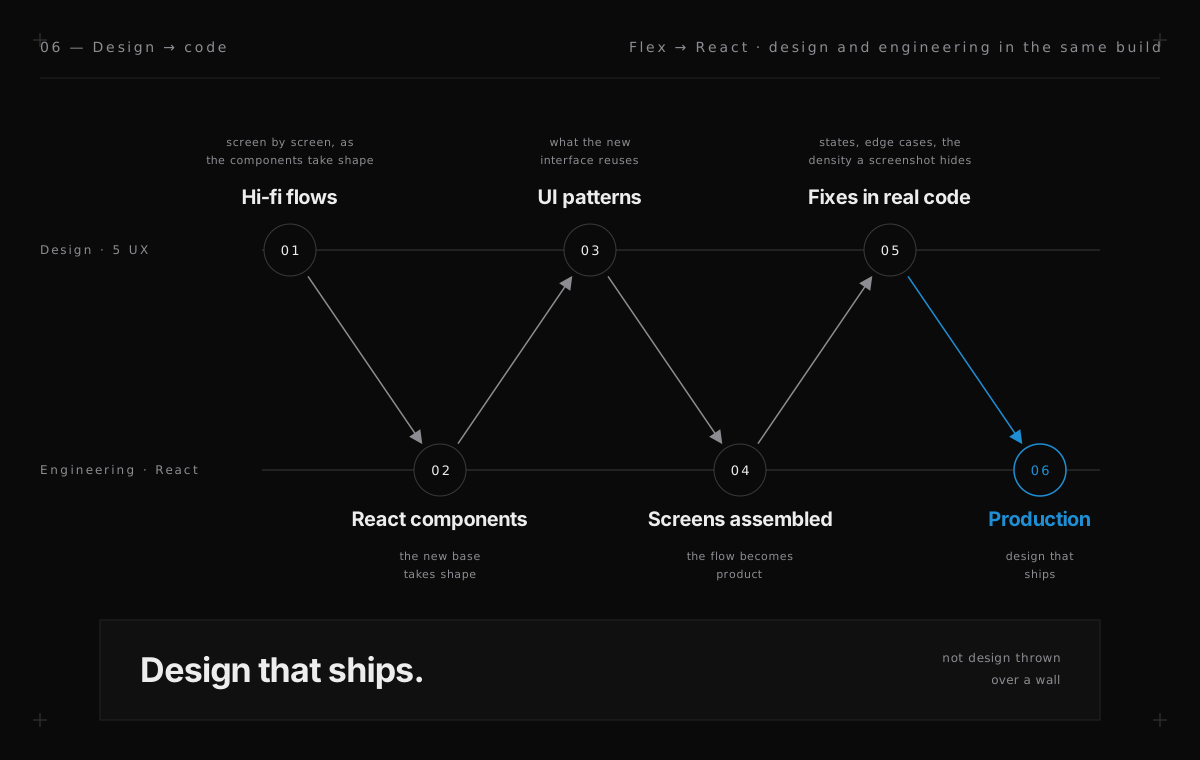
Because the product was being rebuilt in React, design and engineering had to move together. I handed off hi-fi flows as the components took shape, defined the UI patterns the new interface would reuse, and sat with developers to resolve the gaps that only appear in real code — states, edge cases, the density a screenshot hides.
Working this close to the build is the part I carried into everything since: design that ships, not design thrown over a wall.
07 — Outcome
A legacy suite, redrawn for its next decade
Across roughly a year, the clinical product moved off Adobe Flex toward a modern React front-end, with the provider workspace — charting, prescribing, scheduling and billing — redesigned and validated with the clinicians who use it every day.
It was my deepest immersion in regulated, workflow-heavy healthcare software, on a cross-functional team, inside the client’s own building — and the project that set the way I still work: research close to users, design close to code.
Outcomes
What the work delivered
- +A core clinical product moved off Adobe Flex toward React
- +Provider workspace redesigned: charting, e-Prescribe, billing, scheduling
- +Hi-fi flows validated with real doctors and clinical staff
- +Four months on-site in Miami with stakeholders and users
- +Design delivered alongside the engineering rebuild
- +Reusable UI patterns for the new platform
Stack
Have a complex product that needs re-platforming?
I design close to the users and close to the code — from research to a front-end that ships.