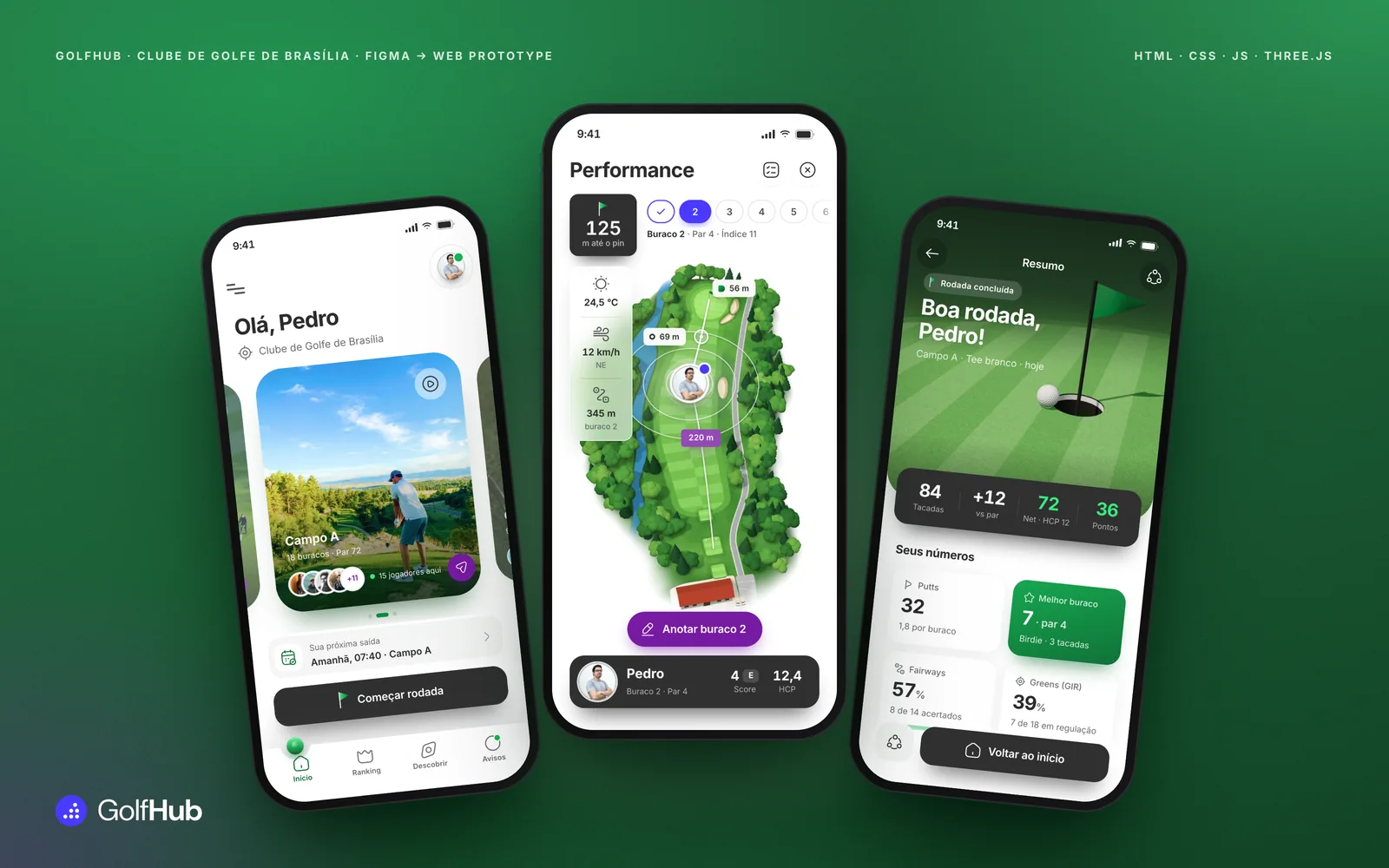
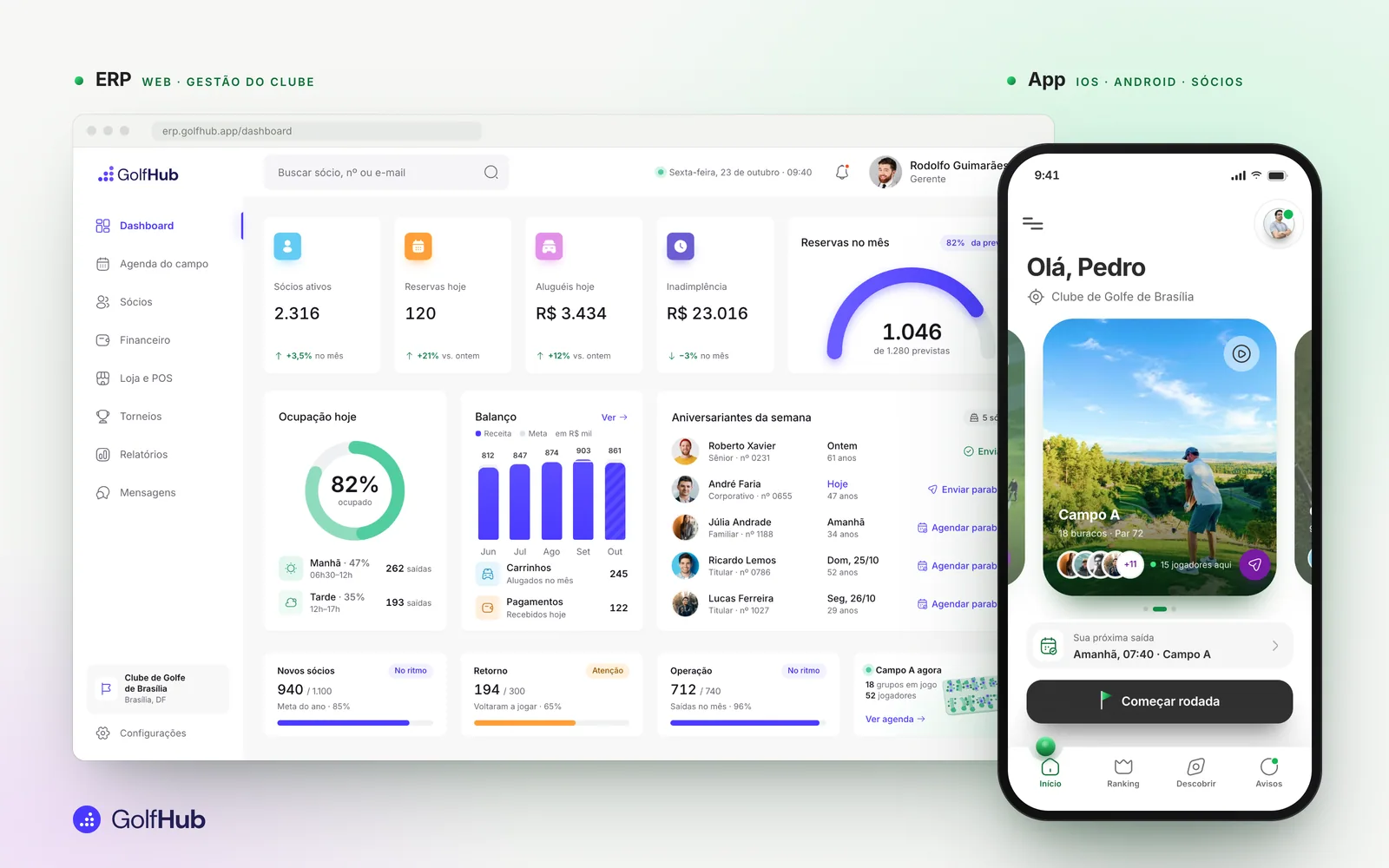
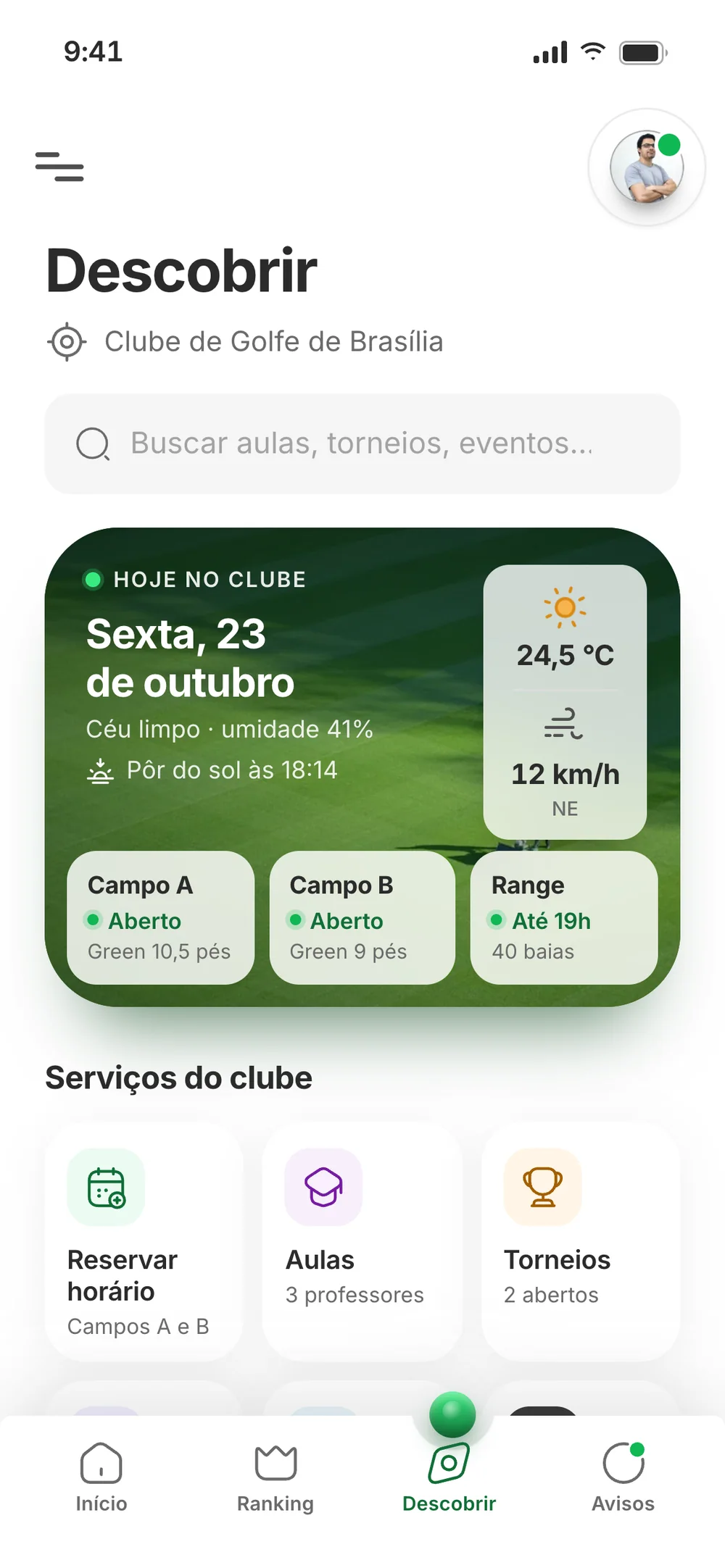
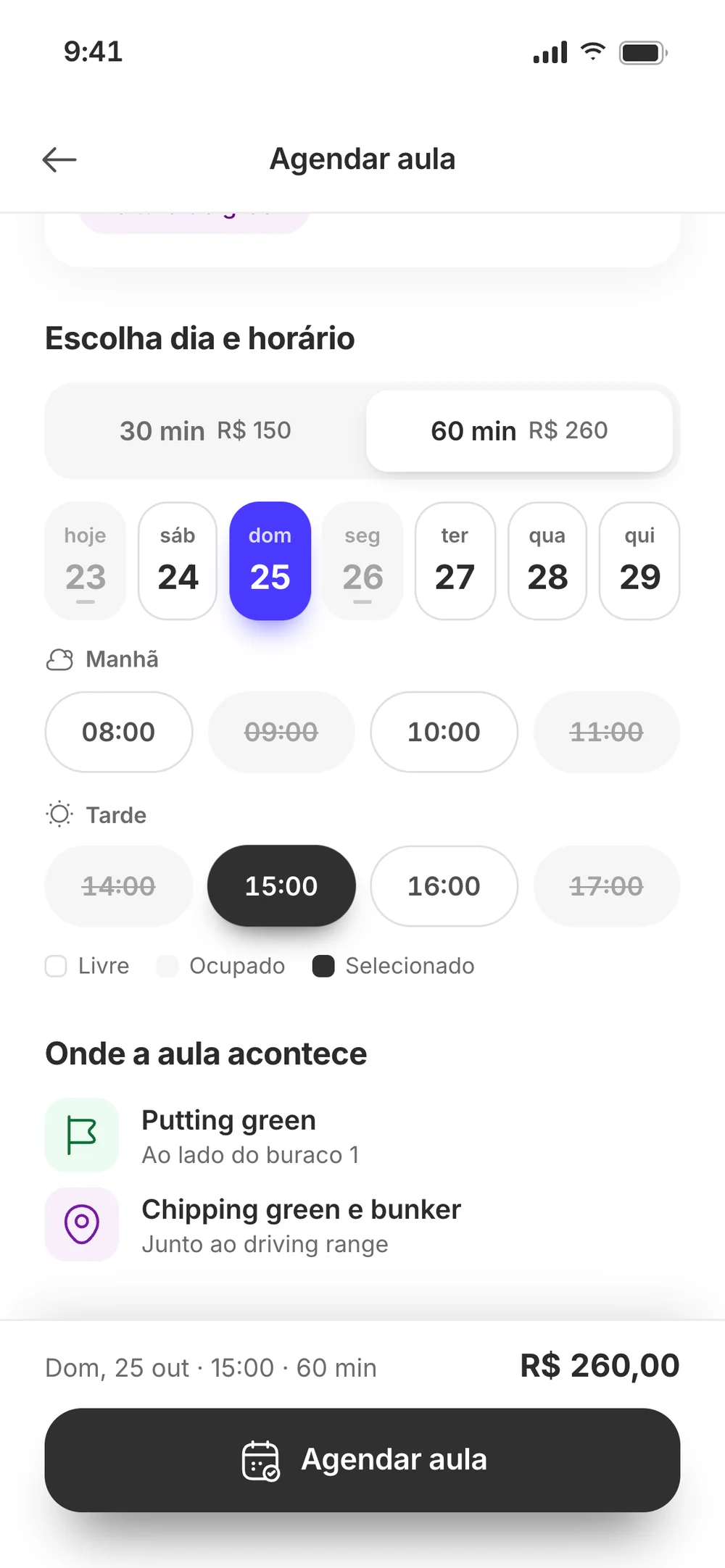
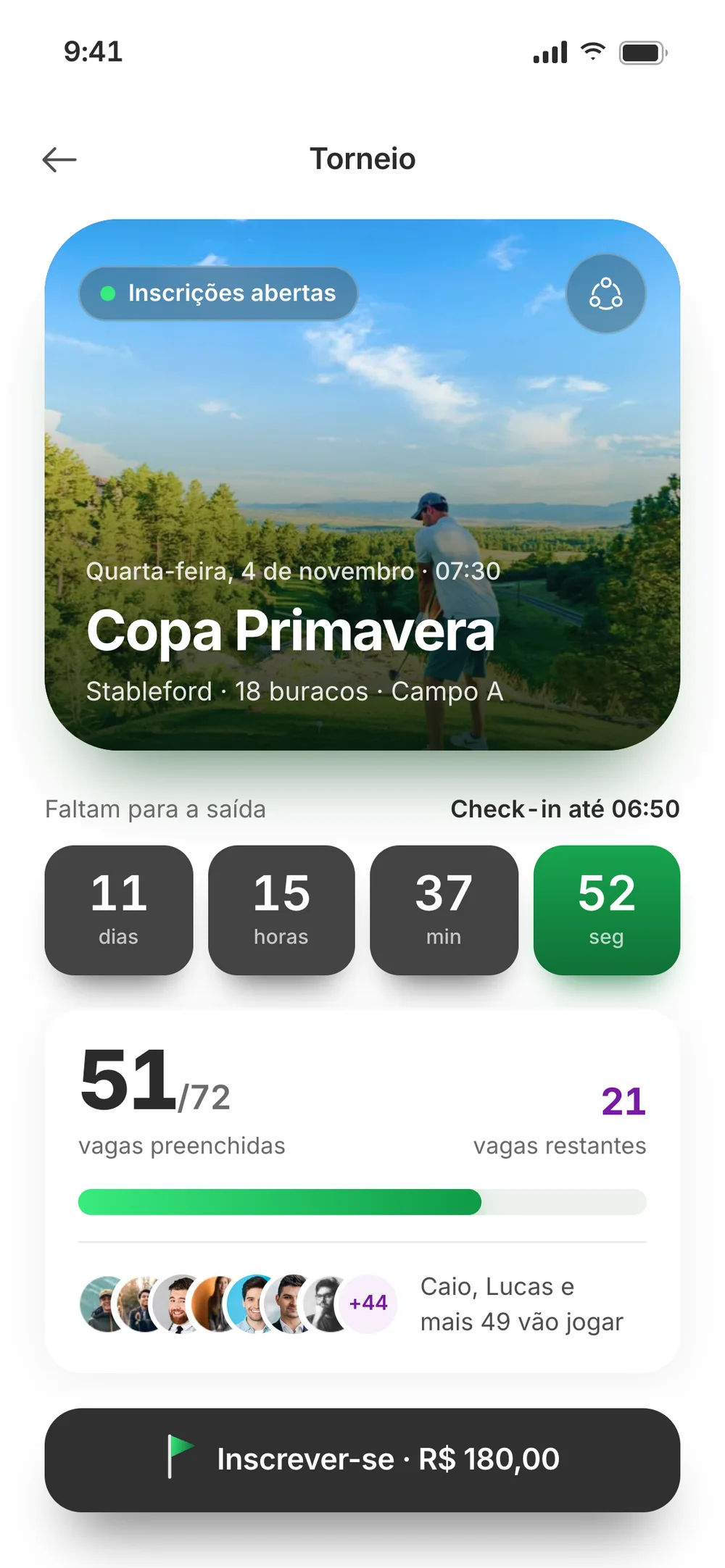
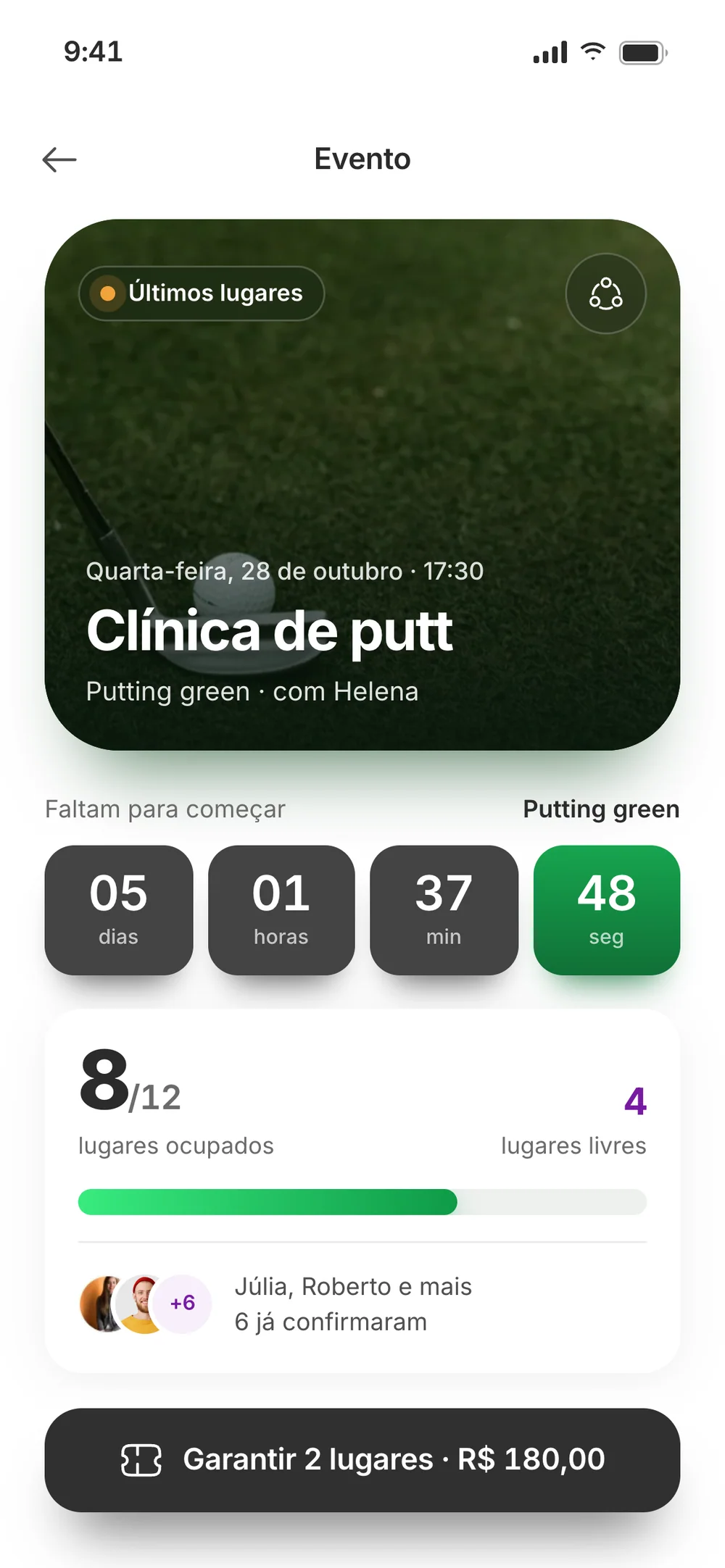
A proposal for a golf club stalled at four screens in Figma. It became a product you can use: the members’ app and the club’s ERP, 21 clickable screens and a 3D golf course you turn with a finger.
Client
Clube de Golfe de Brasília (proposal)
Year
Proposal in 2023 · prototype in 2026
Role
Solo, from proposal to code
Delivered
Members’ app and club ERP, clickable in the browser
In 2023 I pitched two products to the Clube de Golfe de Brasília: an app for members to book, pay and follow their own game, and an ERP for staff to see the club’s day at a glance. The proposal stalled at four screens in Figma. Four screens can’t show what it’s like to book a tee time, pay and play a round.
In 2026 I turned the proposal into something you can use. I worked out the missing screens from the club’s own rules, kept the original identity and turned the static hole map into a 3D scene. That’s what I deliver: a product that’s thought through, designed and working, in days.
What I did
Product strategyProduct designUI and interactionUX writingFront-end3D in three.jsAI agent orchestration
21clickable screens, from 4 in Figma
16proposal modules, each placed in the app or the ERP
1person from proposal to code, with AI doing the build
2products, app and ERP, on the same data
18holes in 3D, generated in code
3ways to pay: card, Pix or the monthly bill
01 — The problem
Four screens don’t sell a club
There were two audiences. Management needed bookings, members and cash in one place. Members wanted to book, pay and track their game from their phone.
Figma had the home screen, the hole map, the membership screen and the dashboard. What was missing was the part that persuades: the whole flow working, from booking to the round summary.
The proposal’s two products, working: the club’s ERP and the members’ app.
02 — The prototype
Try it before you read
It’s 17 app screens, and what you do is saved. Book a tee time and it becomes a voucher. Play a round and the scorecard adds itself up. Or let the tour run through the screens.
Jump to
Use it like a phone: book a tee time, pay with Pix and play a round. On the hole, drag to turn it. The data is fictional and stays in your browser. The interface is in Portuguese, as it was for the club.
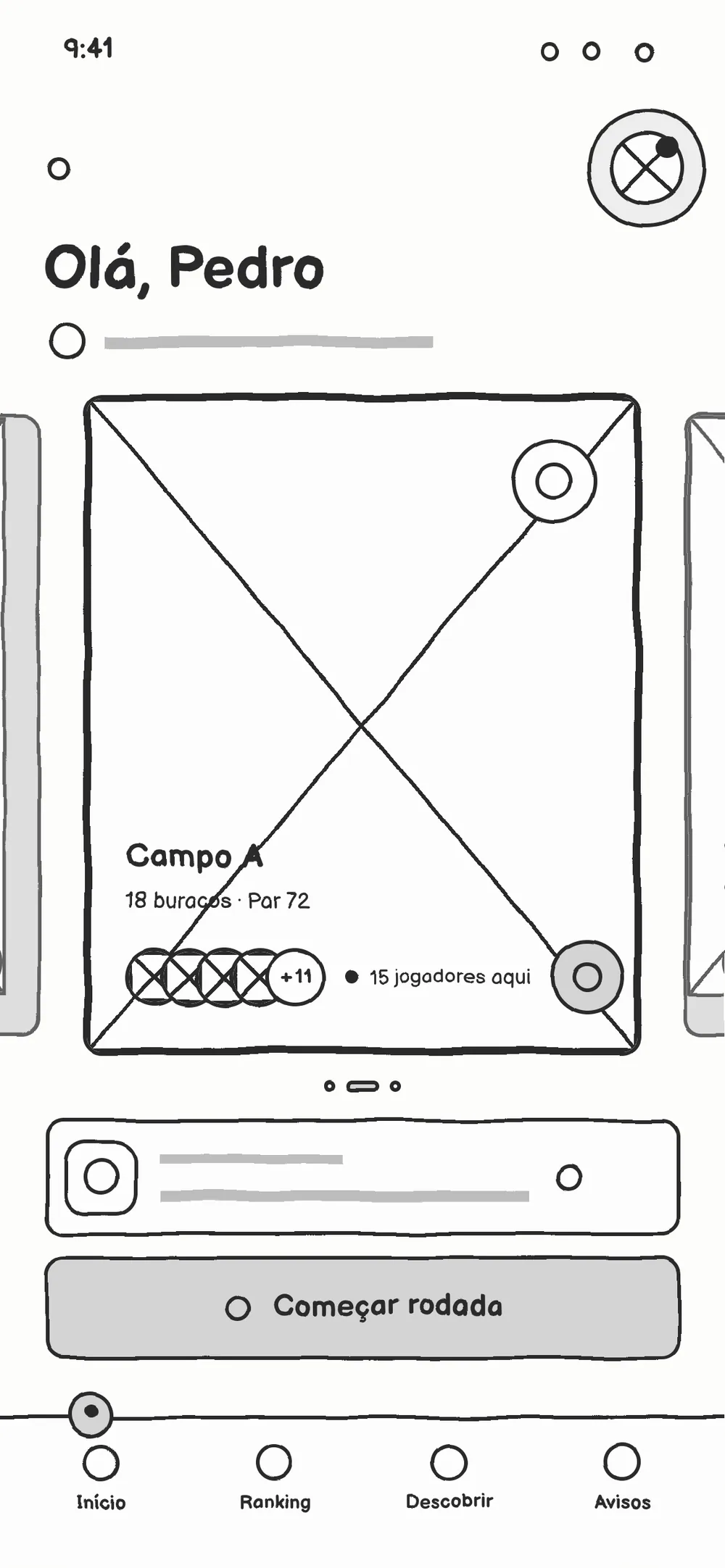
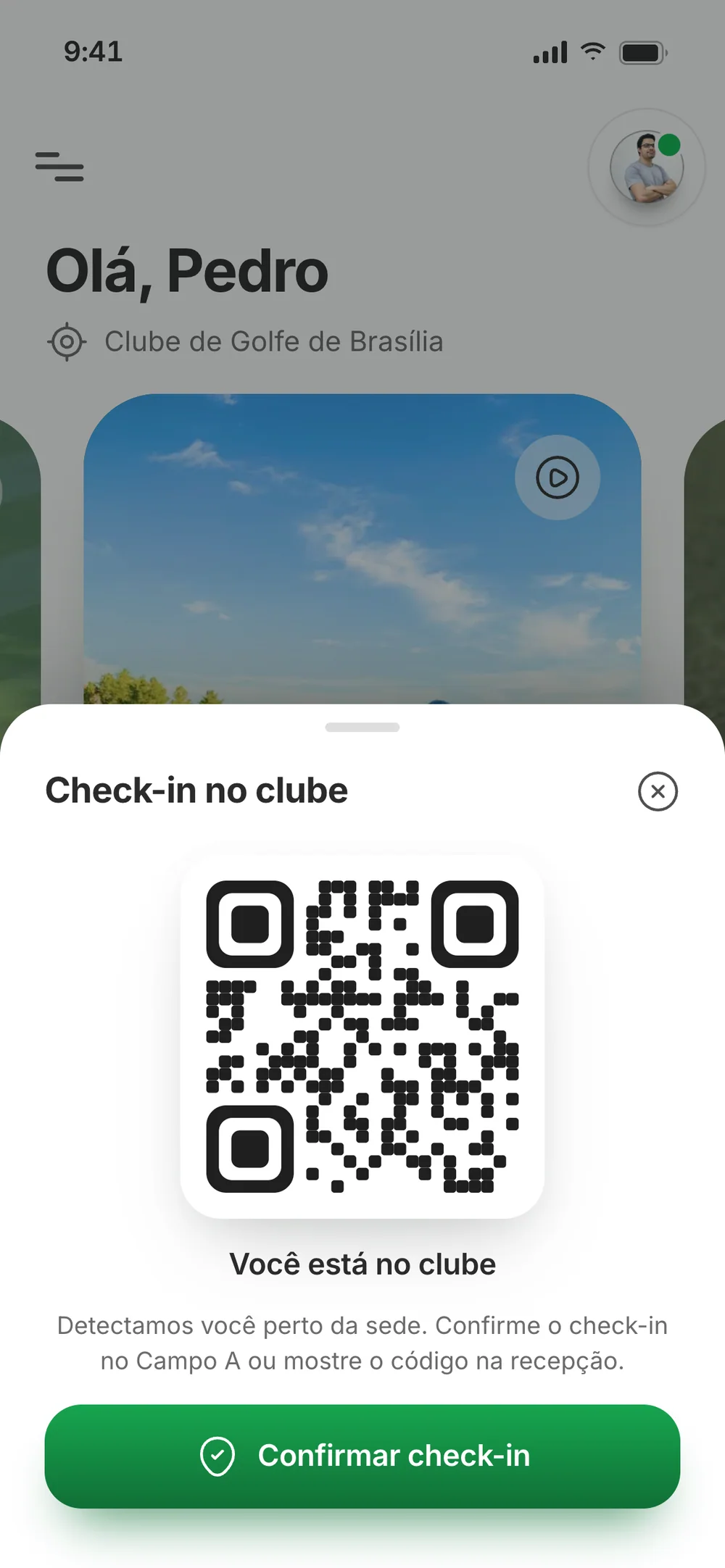
I didn’t invent features. The scope came from what the proposal already promised: the tab bar, the menu and the deck’s 16 modules. Each new screen started as a wireframe, with the business rule settled before any colour. Members pay no green fee; guests do. A booking can go on the monthly bill, since members already have a club account. Check-in happens from the voucher itself.
Wireframe
Prototype
01 — Home
Decision: One main action
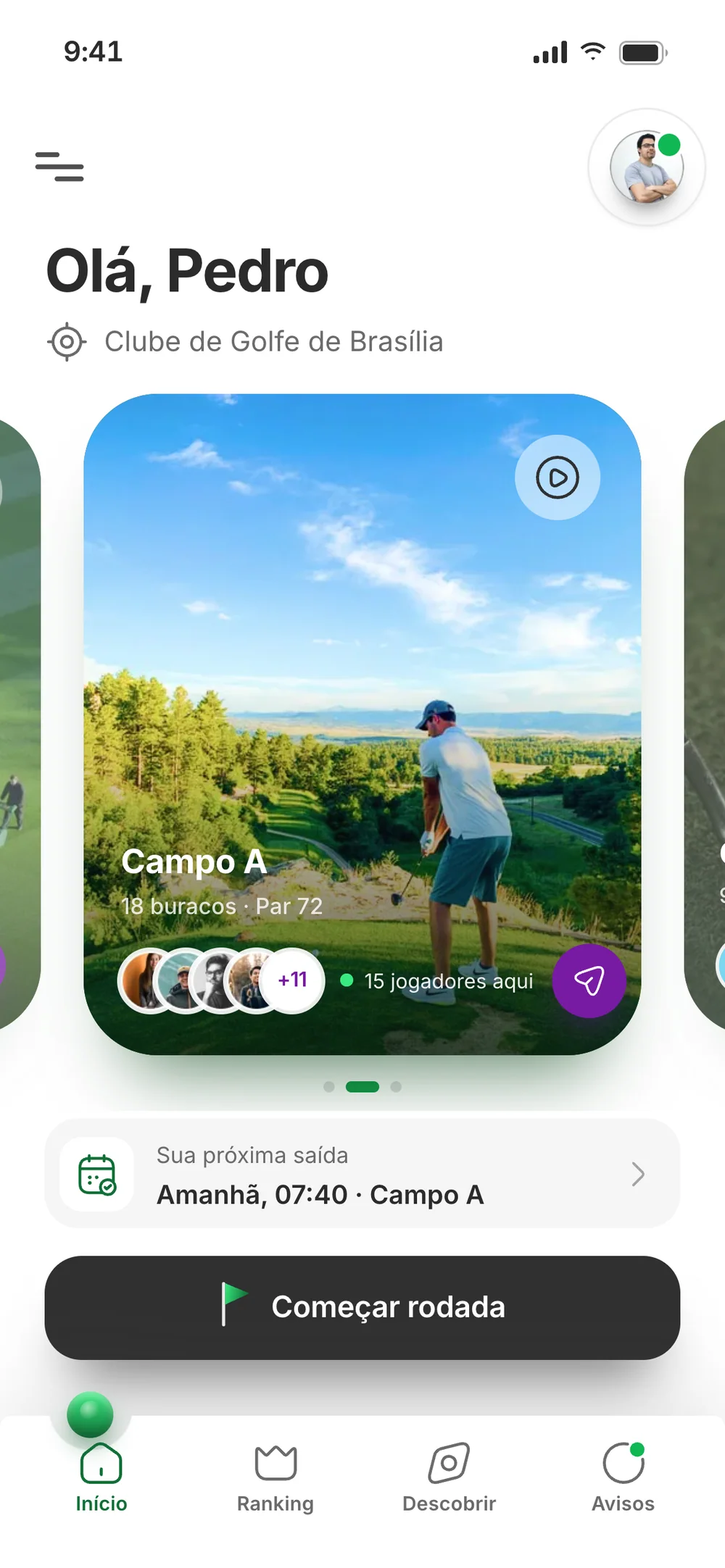
Hierarchy first: who the member is, where they play, when their next tee time is, and a single button, Começar rodada (start round).
In the final pass, the course card shows who’s playing right now and opens a 3D fly-over of the course.
Wireframe
Prototype
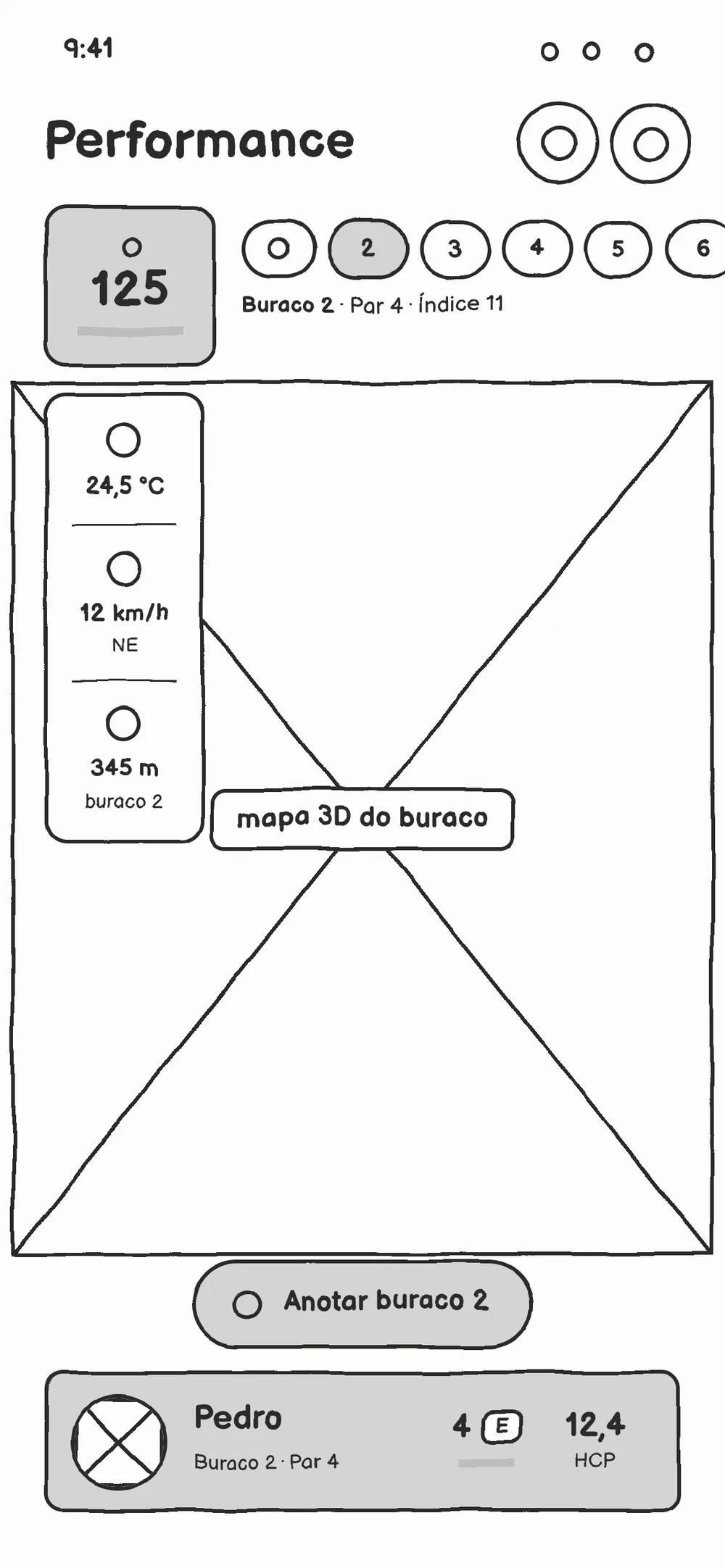
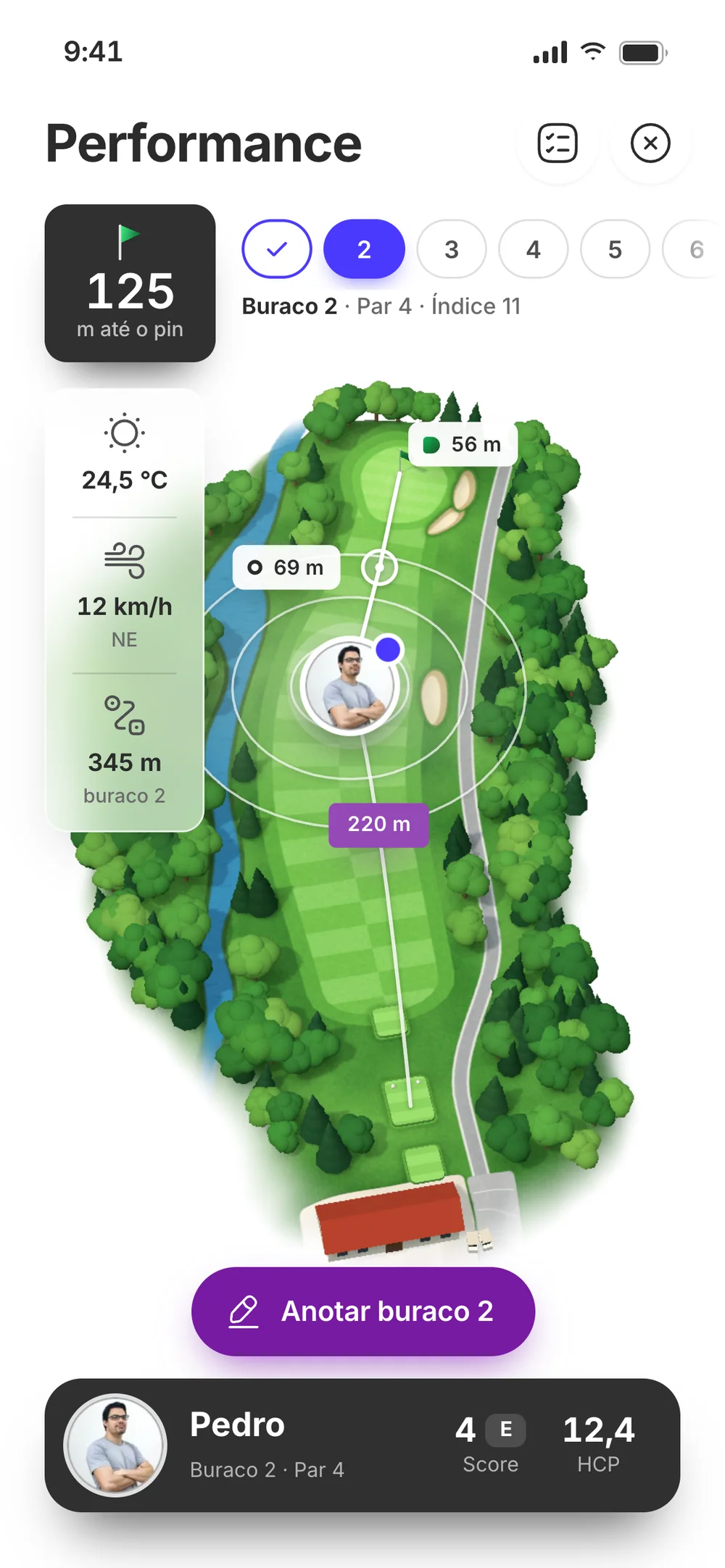
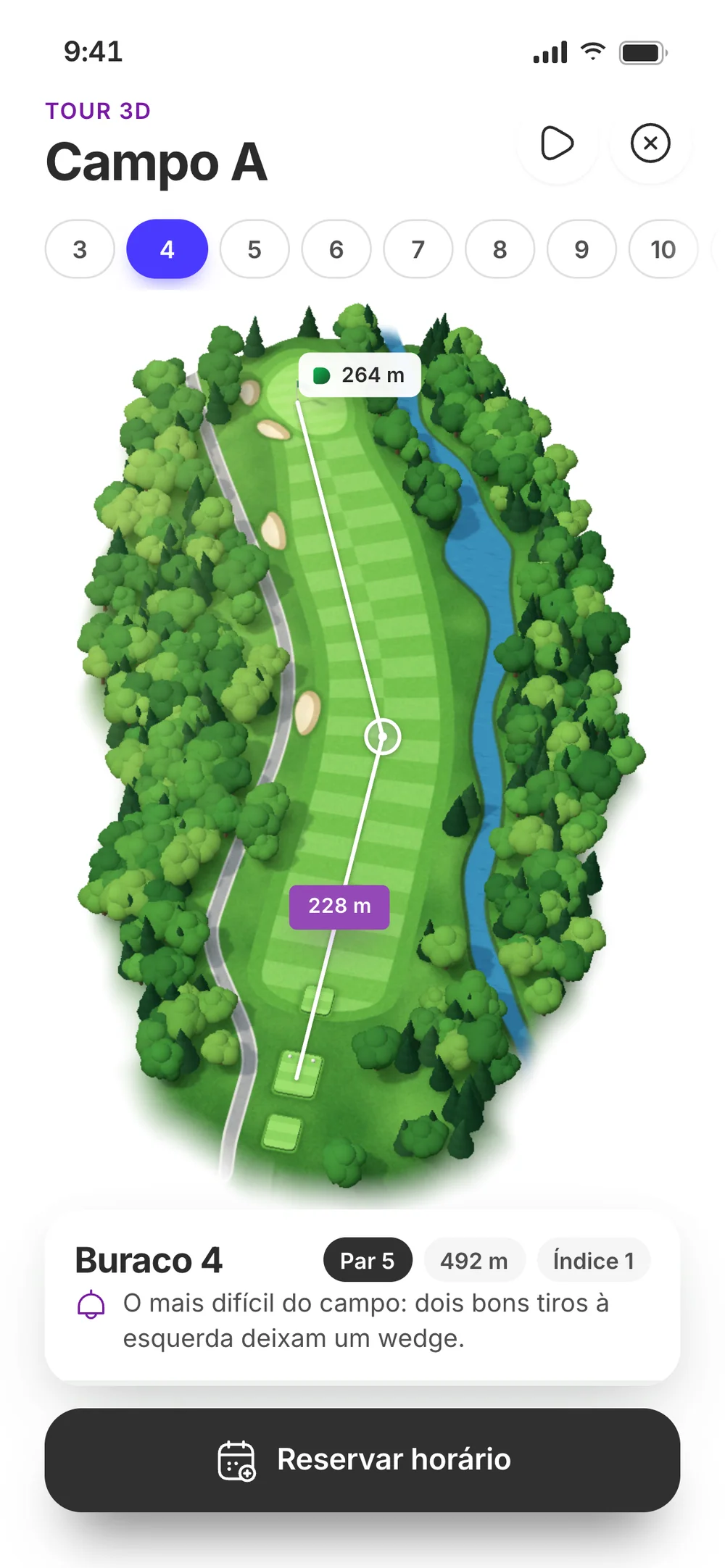
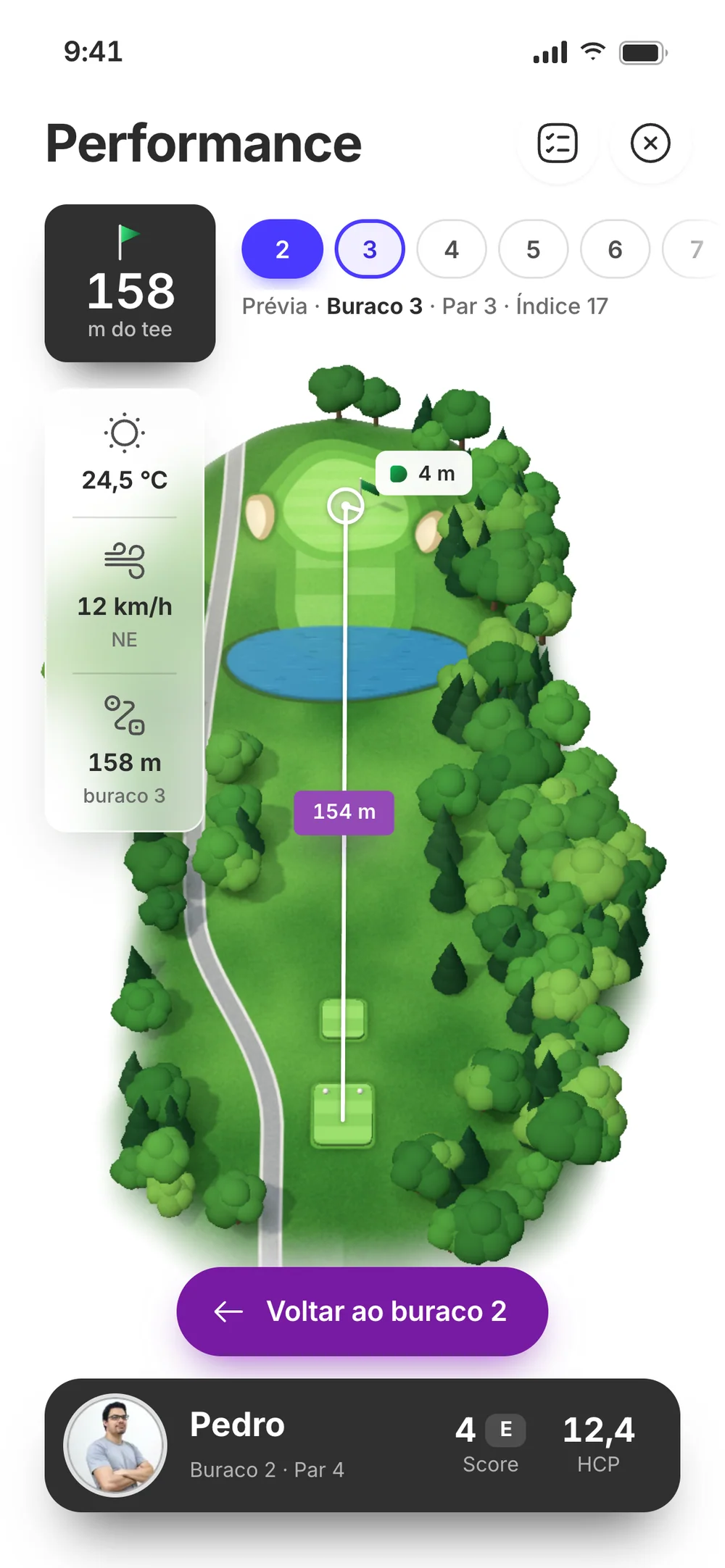
02 — The hole
Decision: The data a golfer uses
On the tee, a golfer wants three things: how far to the flag, the wind, and where the ball landed.
It’s the screen that stays open all round, so it got the 3D. Everything in metres, with the drive drawn on the fairway.
Wireframe
Prototype
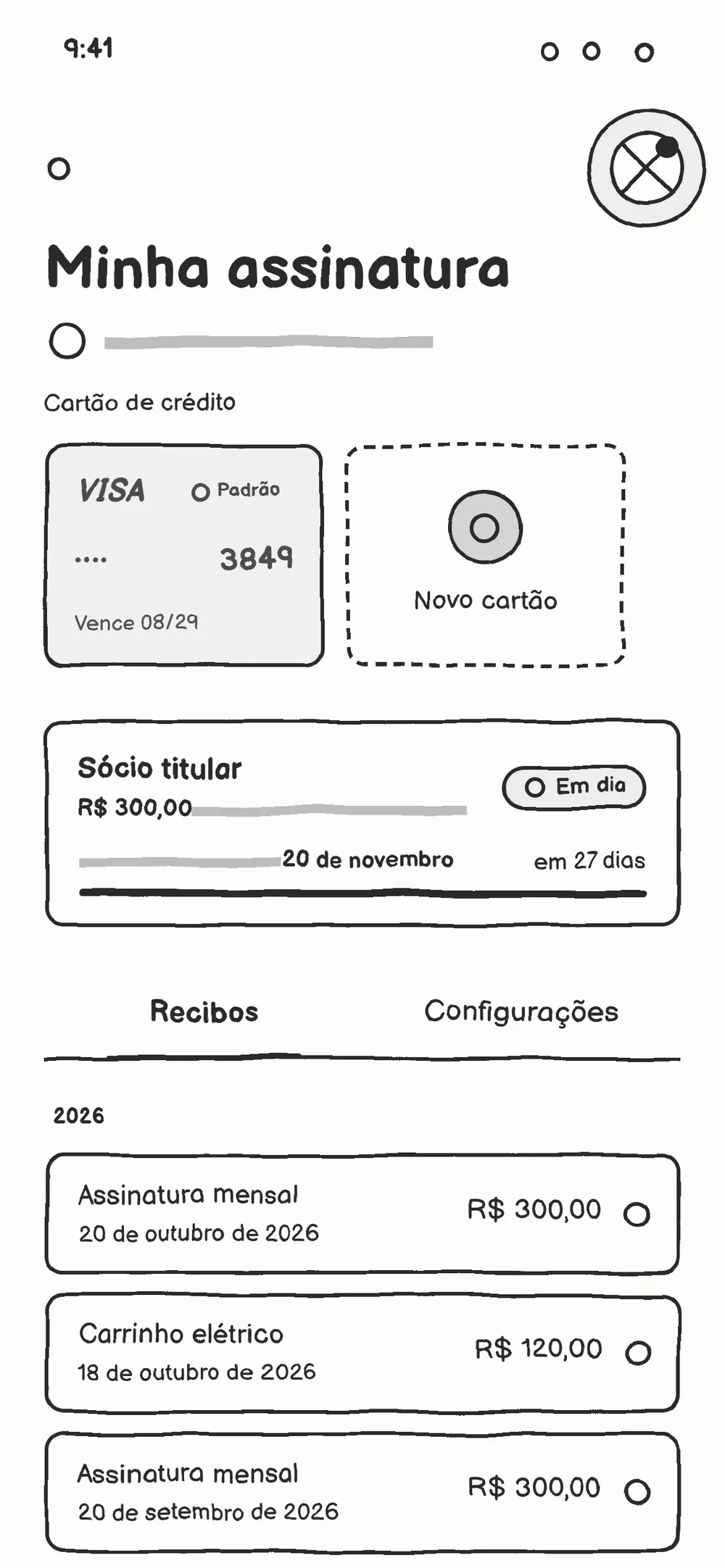
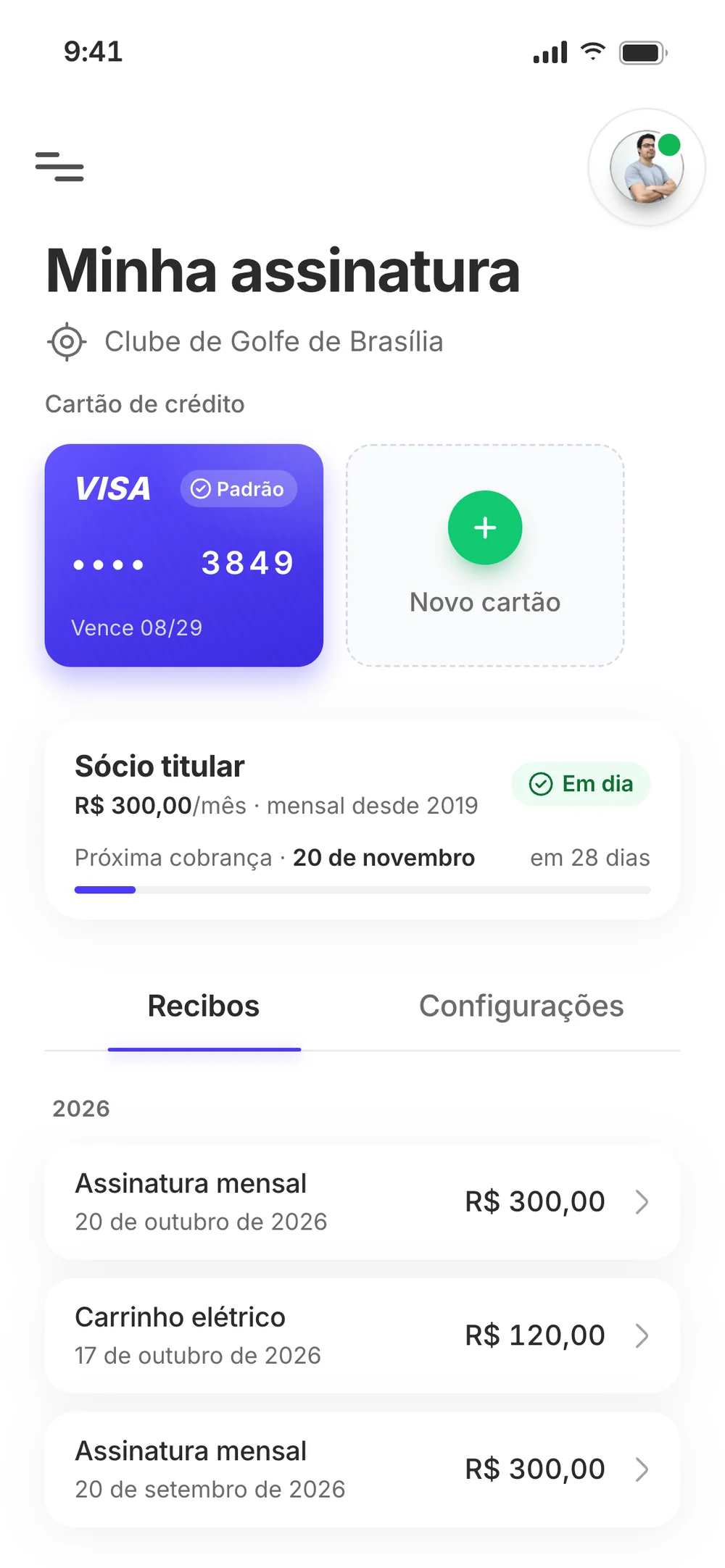
03 — Membership
Decision: Prevent the error
Payments are where a mistake costs the most. The structure puts the card, the plan, the next charge and the receipts in plain sight.
The card form checks the number, expiry date and CVV as you type, and every receipt opens its proof of payment.
04 — The ERP dashboard
Decision: Numbers with context
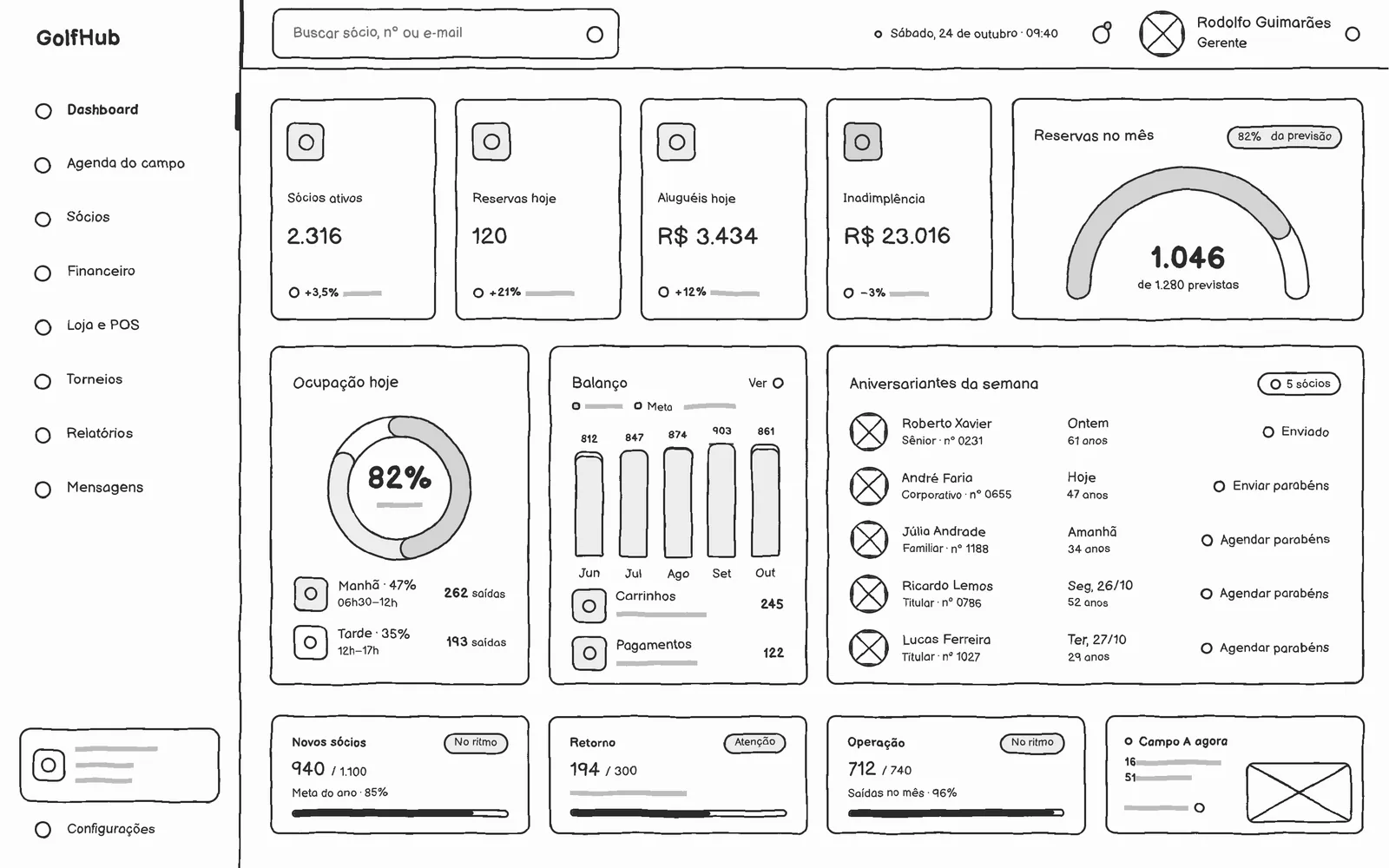
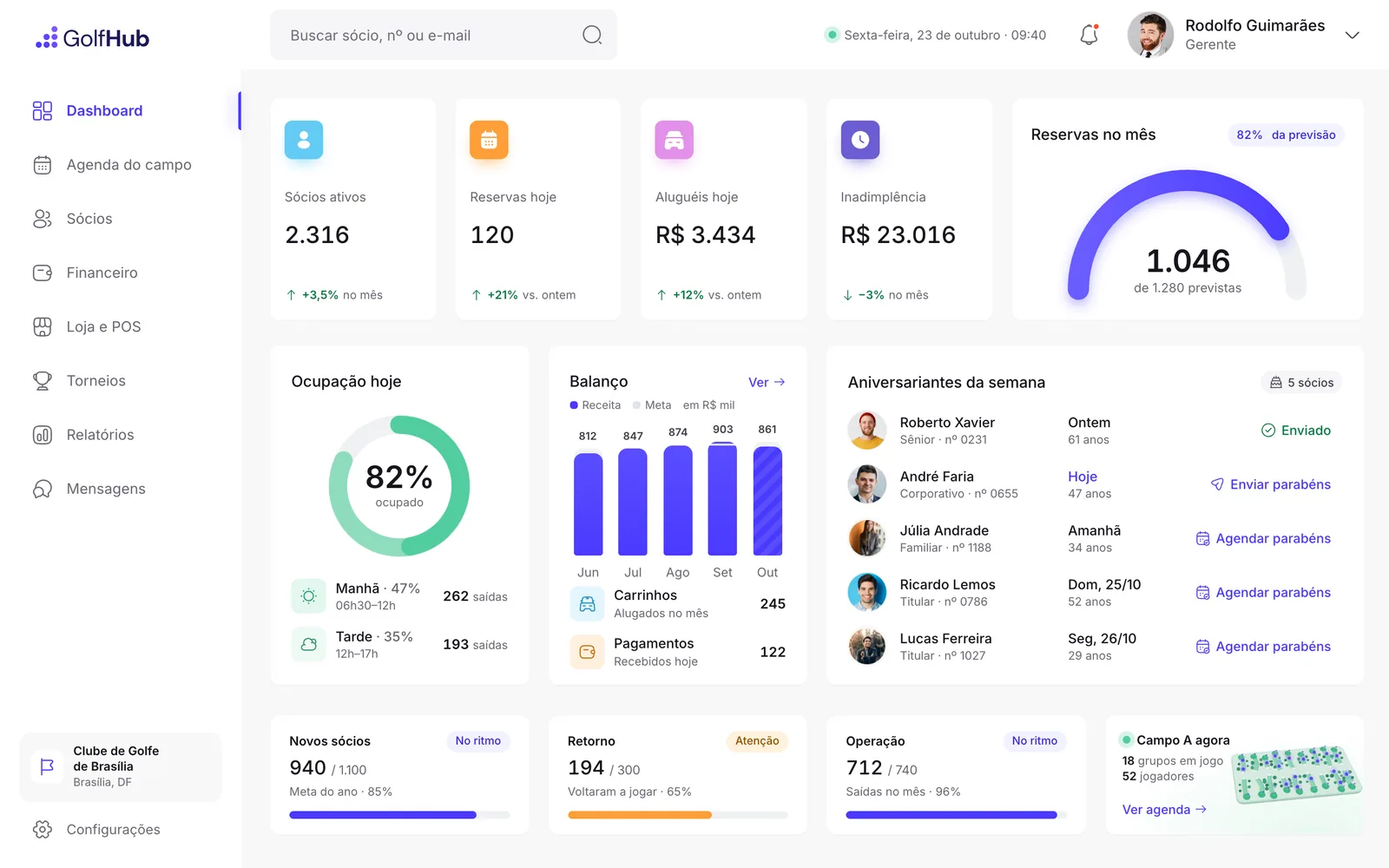
A number on its own doesn’t tell you whether the day is going well. In the wireframe, every indicator already had room for a reference next to it.
In the prototype: bookings against the forecast, occupancy by shift and revenue against the goal. Birthdays come with a one-tap congratulations.
Wireframe
Prototype
04 — Decision: identity
Complete the brand, don’t reinvent it
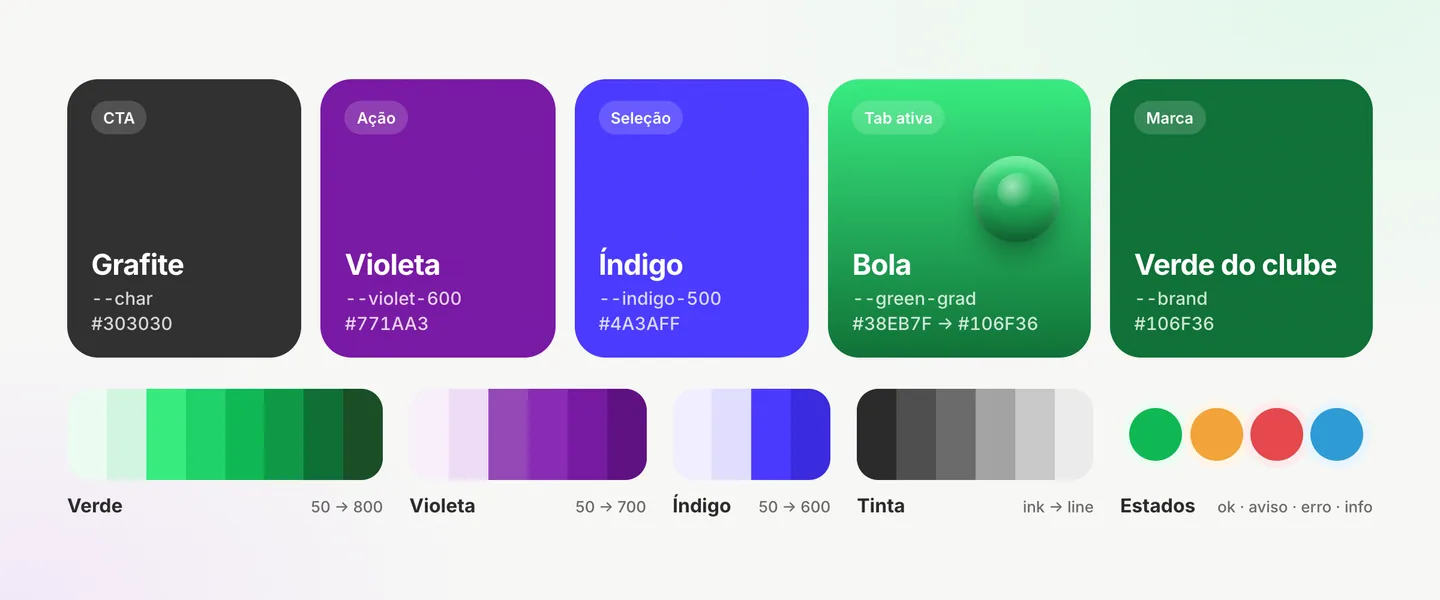
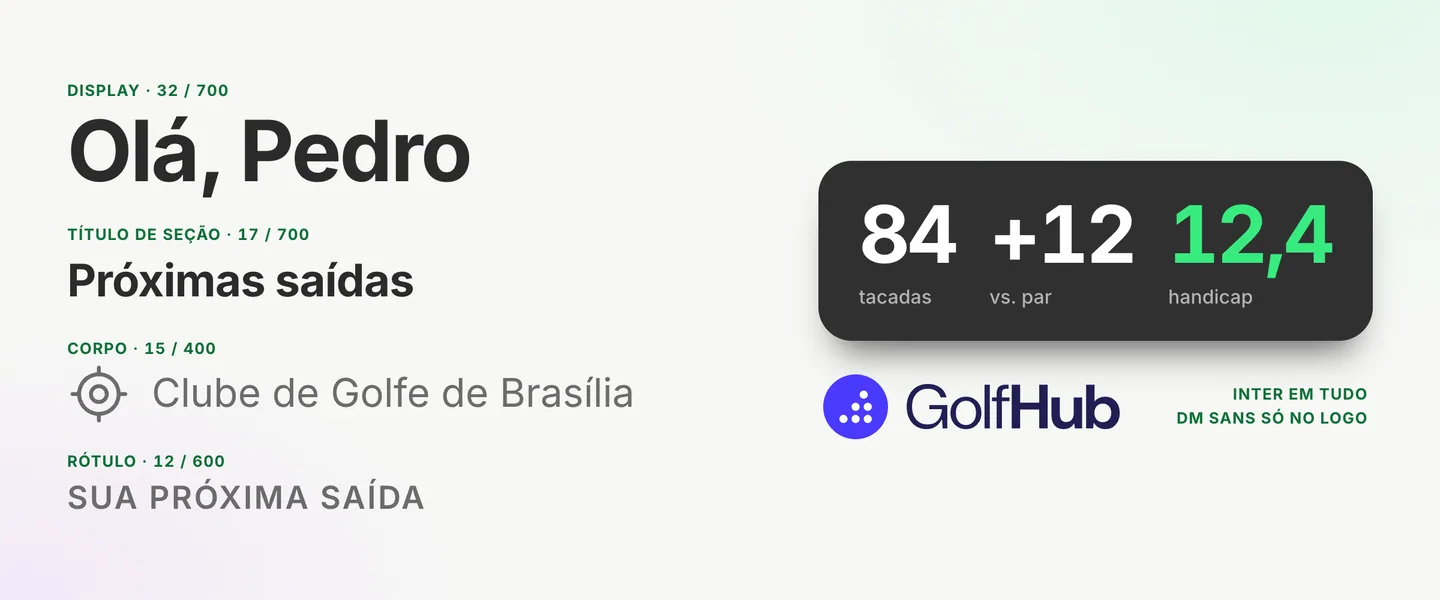
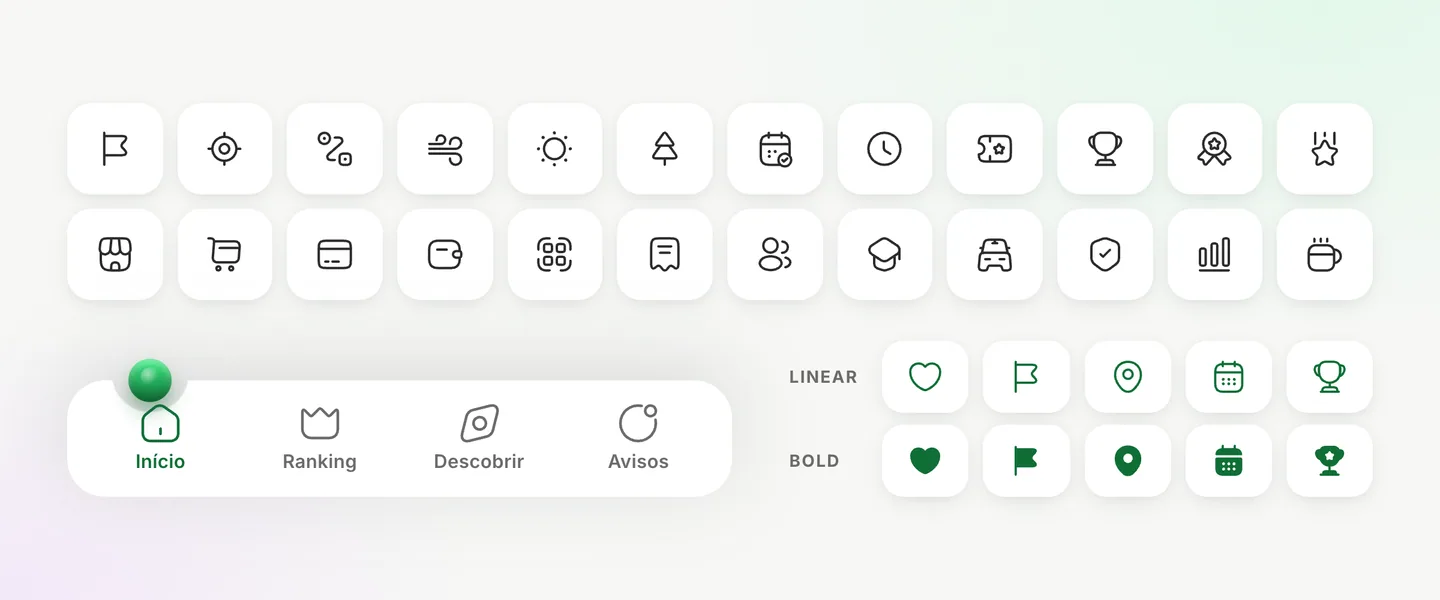
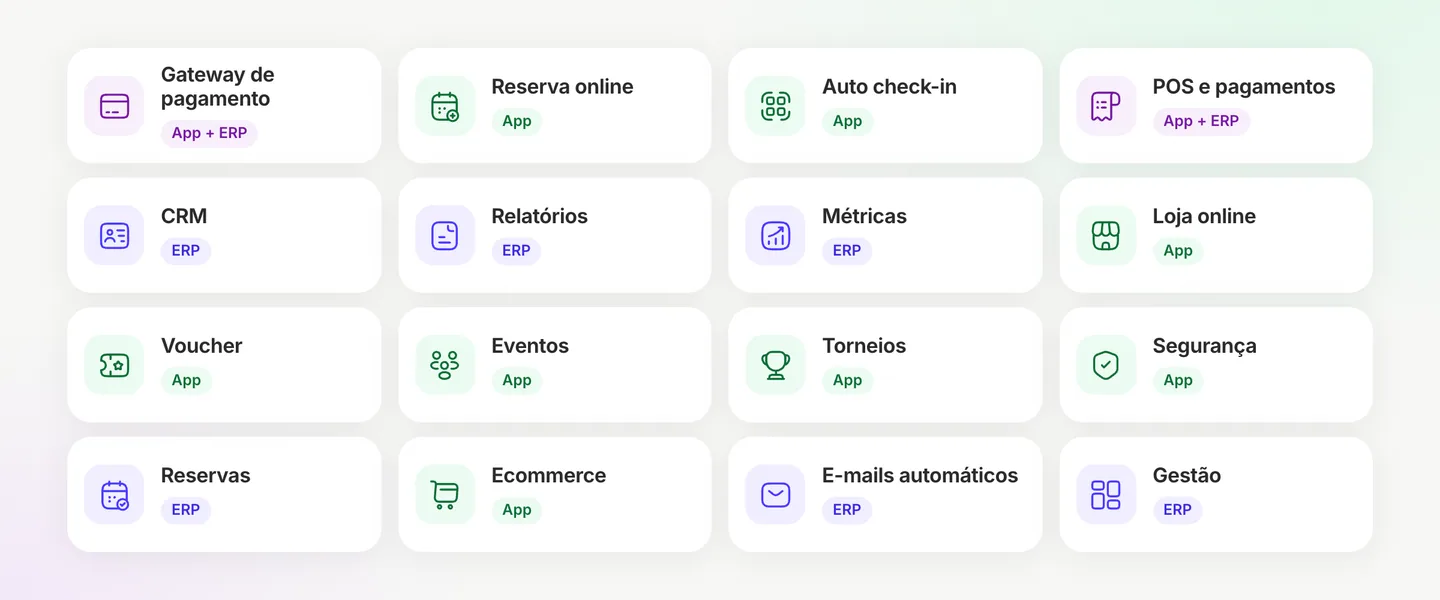
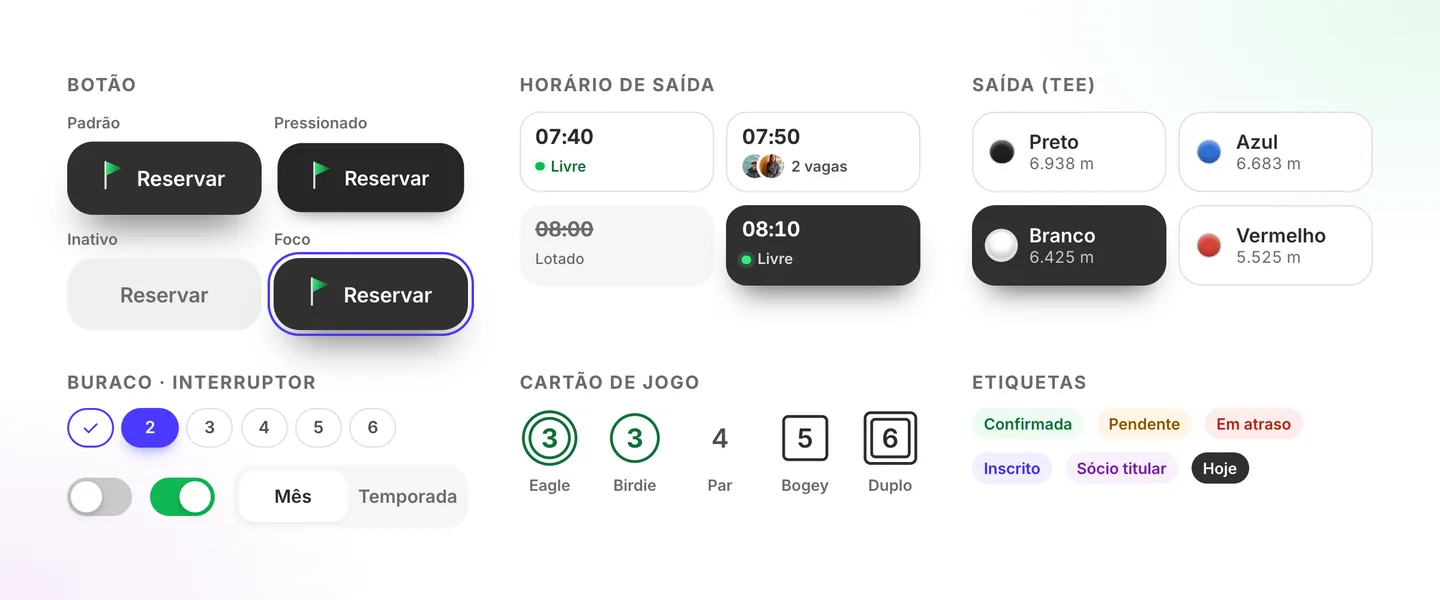
The proposal already had a look: Inter, charcoal, indigo, violet and the club’s green. I kept all of it and filled in what was missing, like states, contrast and a single icon set. The deck’s 16 modules each got a home in the app, the ERP or both.
The proposal’s colours
The file’s own colours, now as tokens. Charcoal to act, violet to highlight, indigo for selection and the green ball on the active tab.
Inter, from heading to scorecard
One typeface for everything, with the round’s numbers up front. DM Sans stays in the logo.
One icon stroke
Iconsax Linear on every screen. The tab bar, which only had icons, got labels.
16 modules, each with a home
Every module from the deck now points to where it lives: the members’ app, the club’s ERP or both.
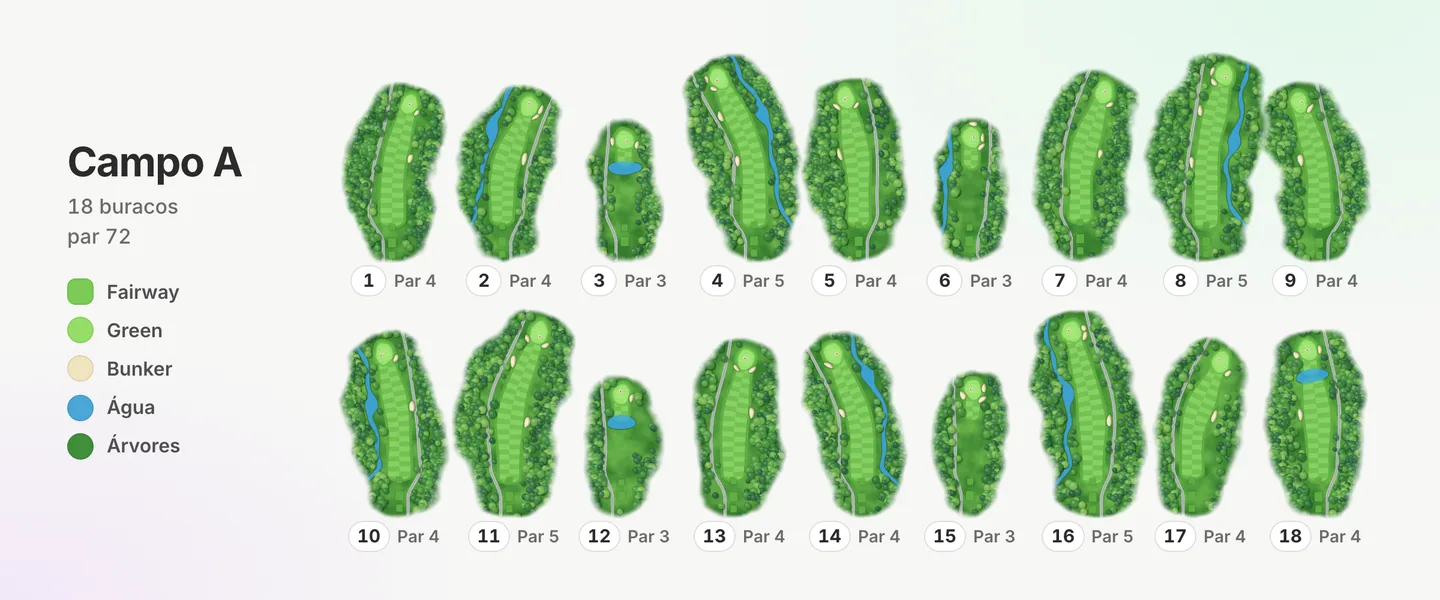
A whole course in code
All 18 holes come from the same code that builds the 3D. Each one starts from a few facts, like par, length and layout.
The missing states
The file showed each component one way. The prototype has default, selected, full, disabled and a visible focus.
05 — Decision: where to invest
The 3D went to the screen members open on the tee
If the effort was going to one place, it was the hole. It’s the screen that stays with the member for the whole round, and the one that sets the product apart from an ordinary booking system. The static map became a course you turn, zoom and aim with a finger.
3D has a cost, and I planned for it. On devices without support, the flat map comes back. With reduced motion on, the camera doesn’t fly.
The fly-over of Campo A, the par 3 over the lake and the ball dropping into the cup at the end of the round.
06 — The round
Log a hole in a few taps
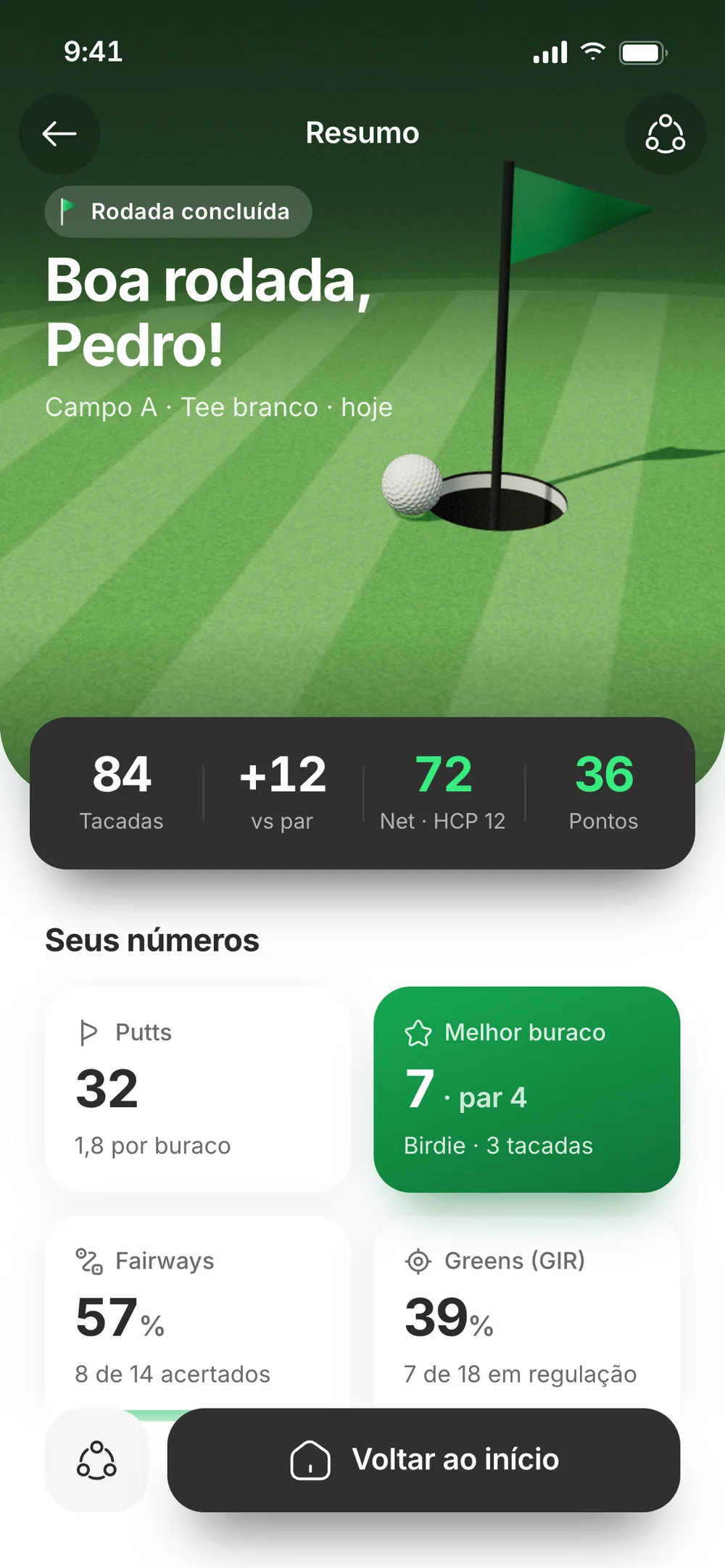
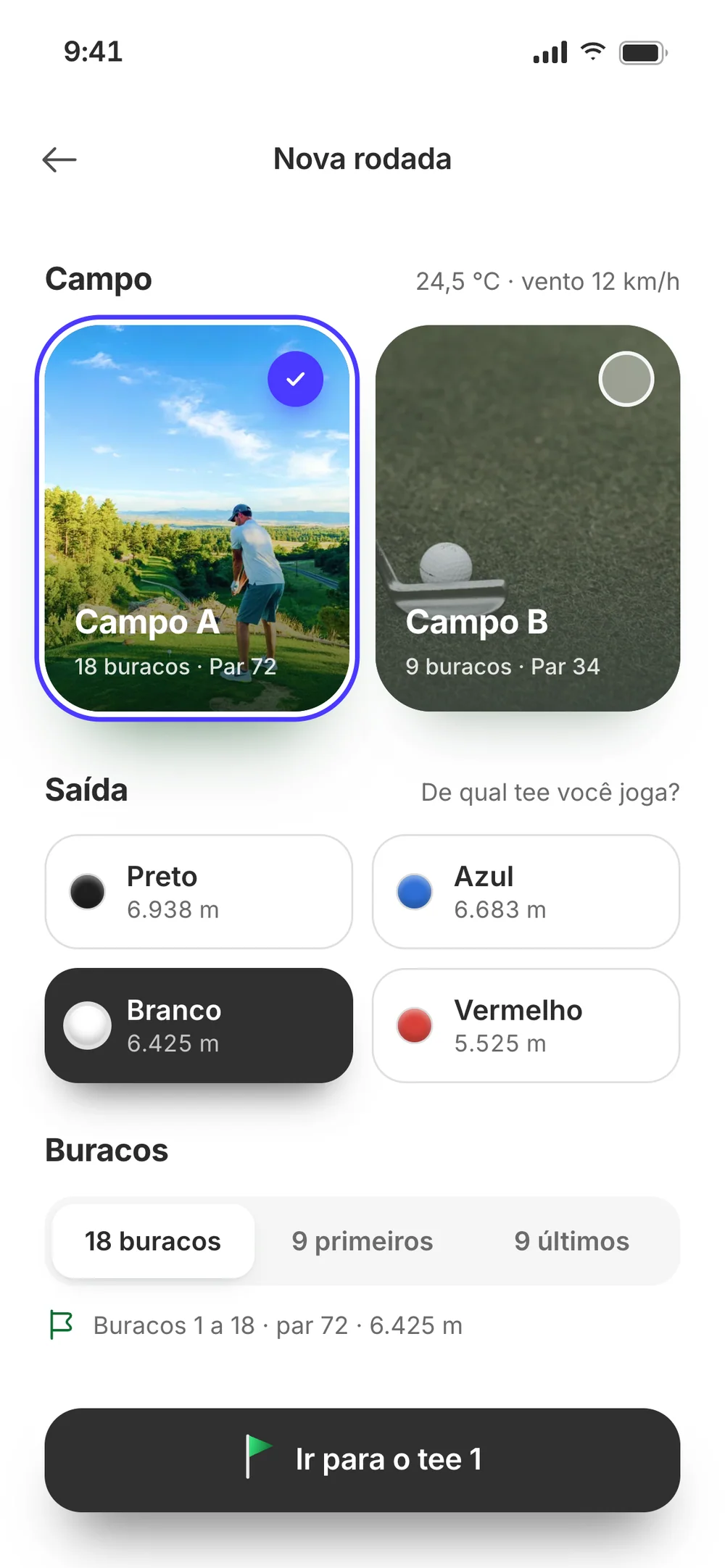
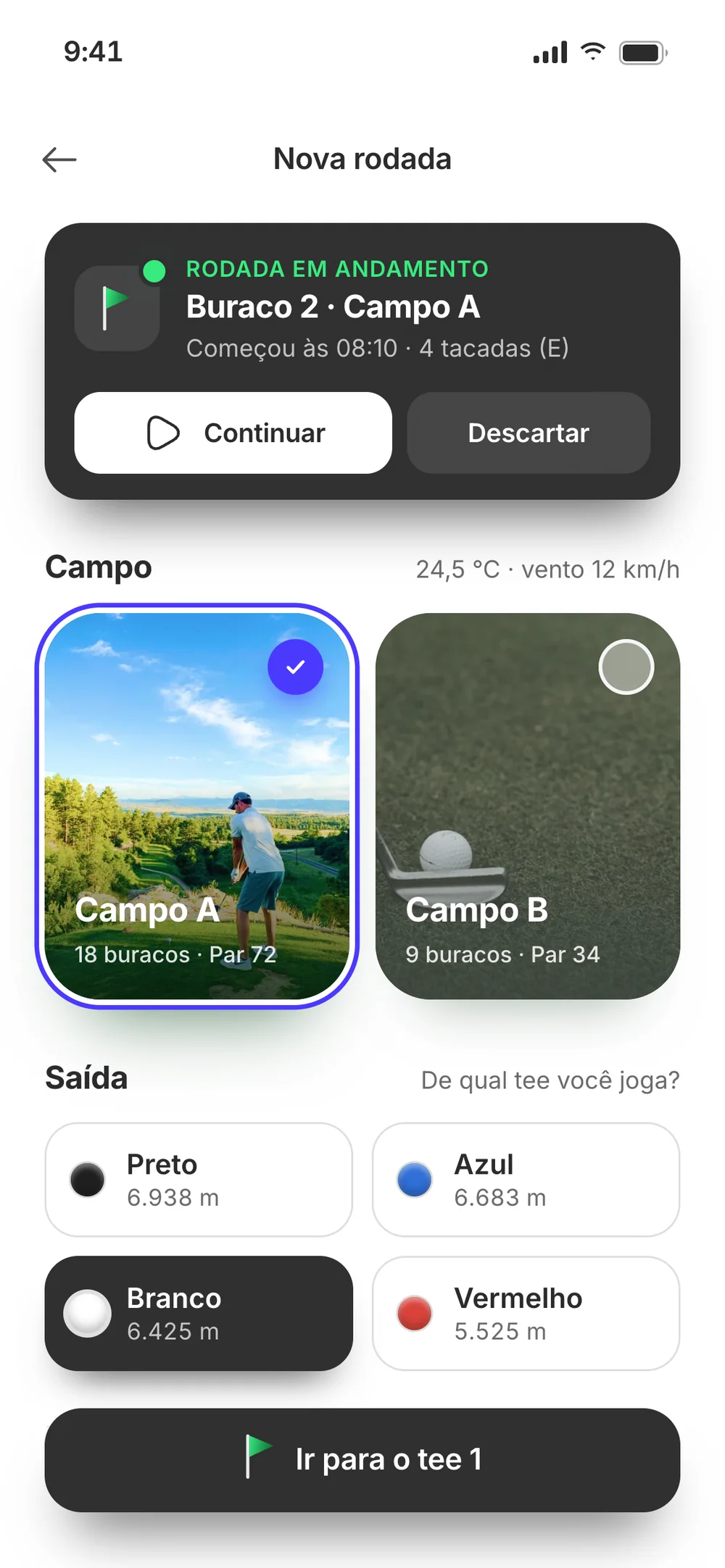
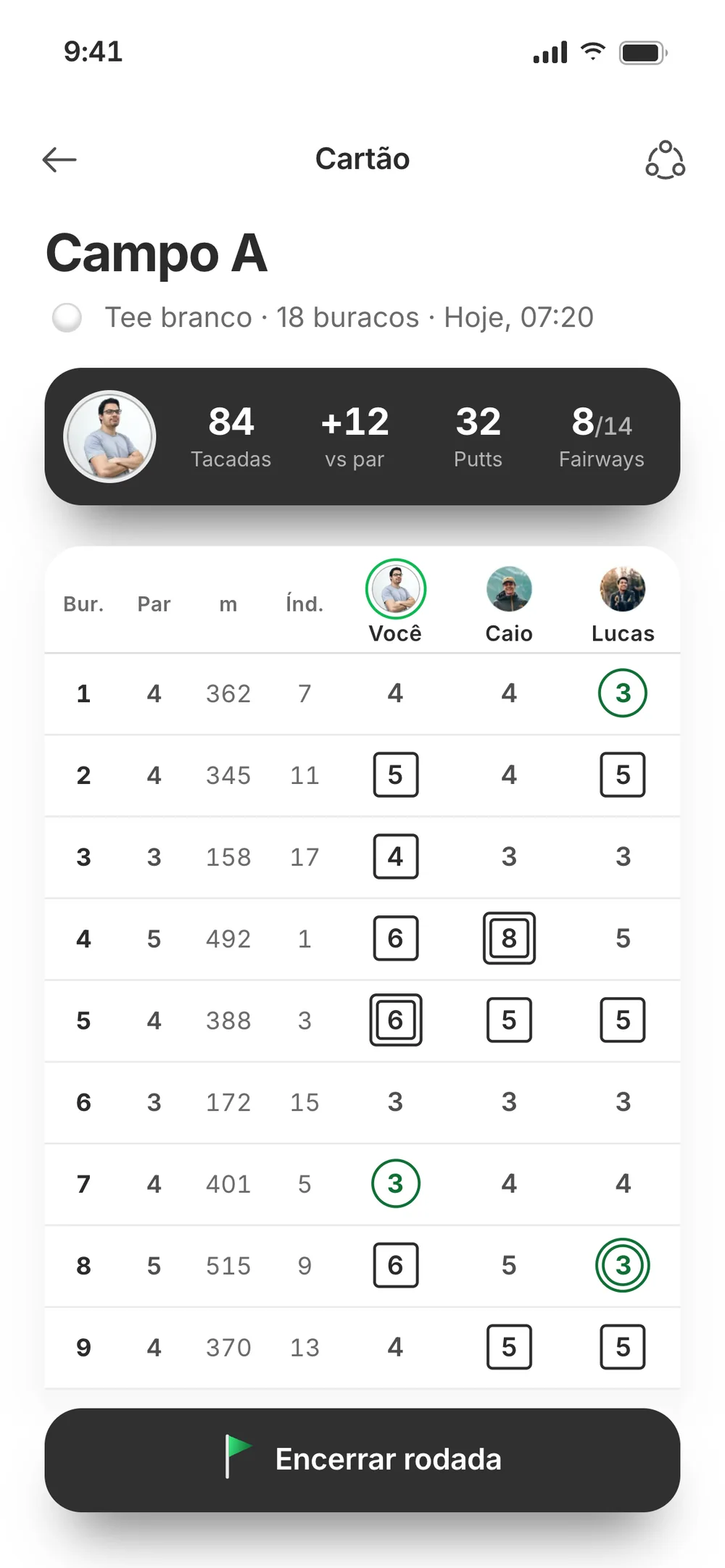
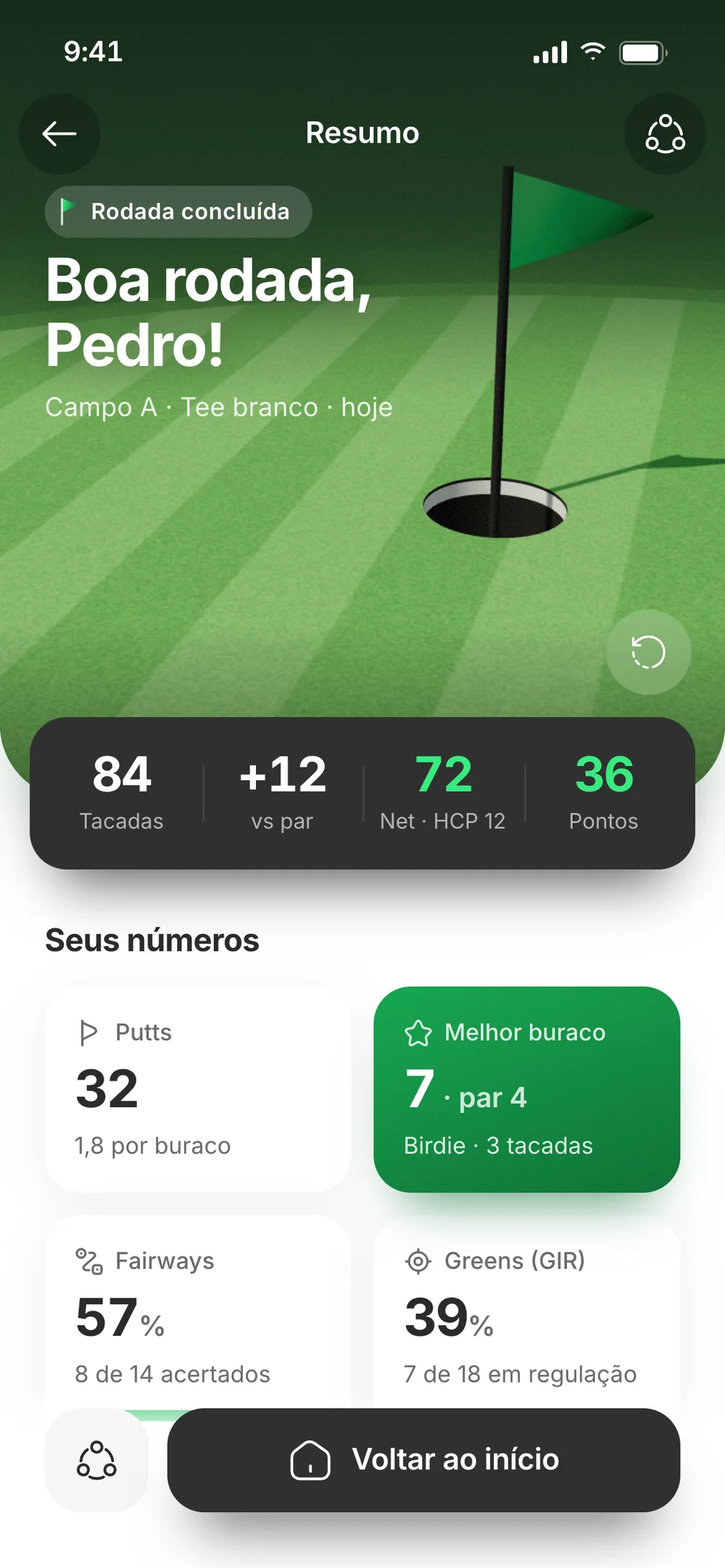
Nobody wants to type mid-game. A round starts with three choices: course, tee and 9 or 18 holes. Then each hole takes strokes, putts and whether the drive found the fairway. The scorecard uses the notation golfers already know, and the summary shows what matters: score against par, net and points. If a round is interrupted, it picks up where it stopped.
07 — Book and pay
From tee time to check-in, on your phone
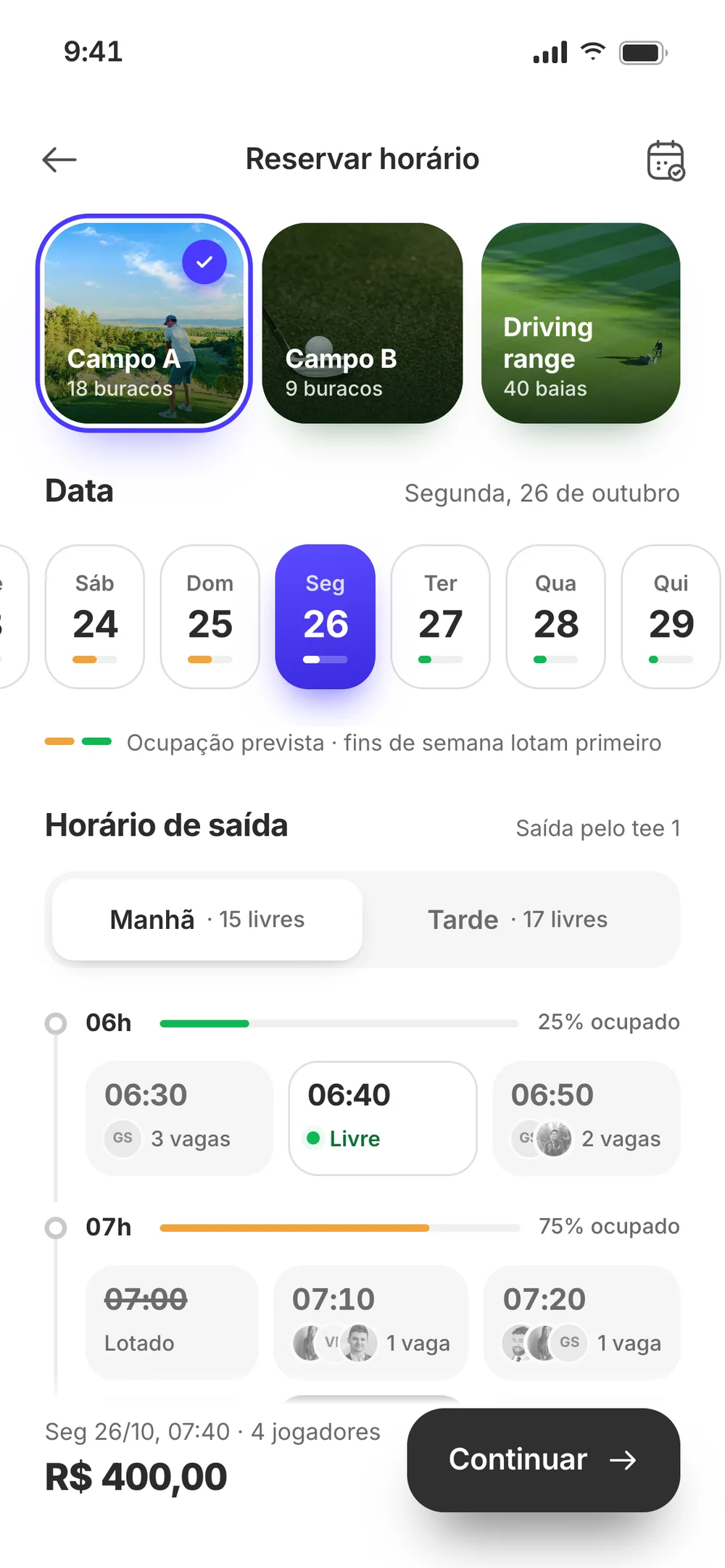
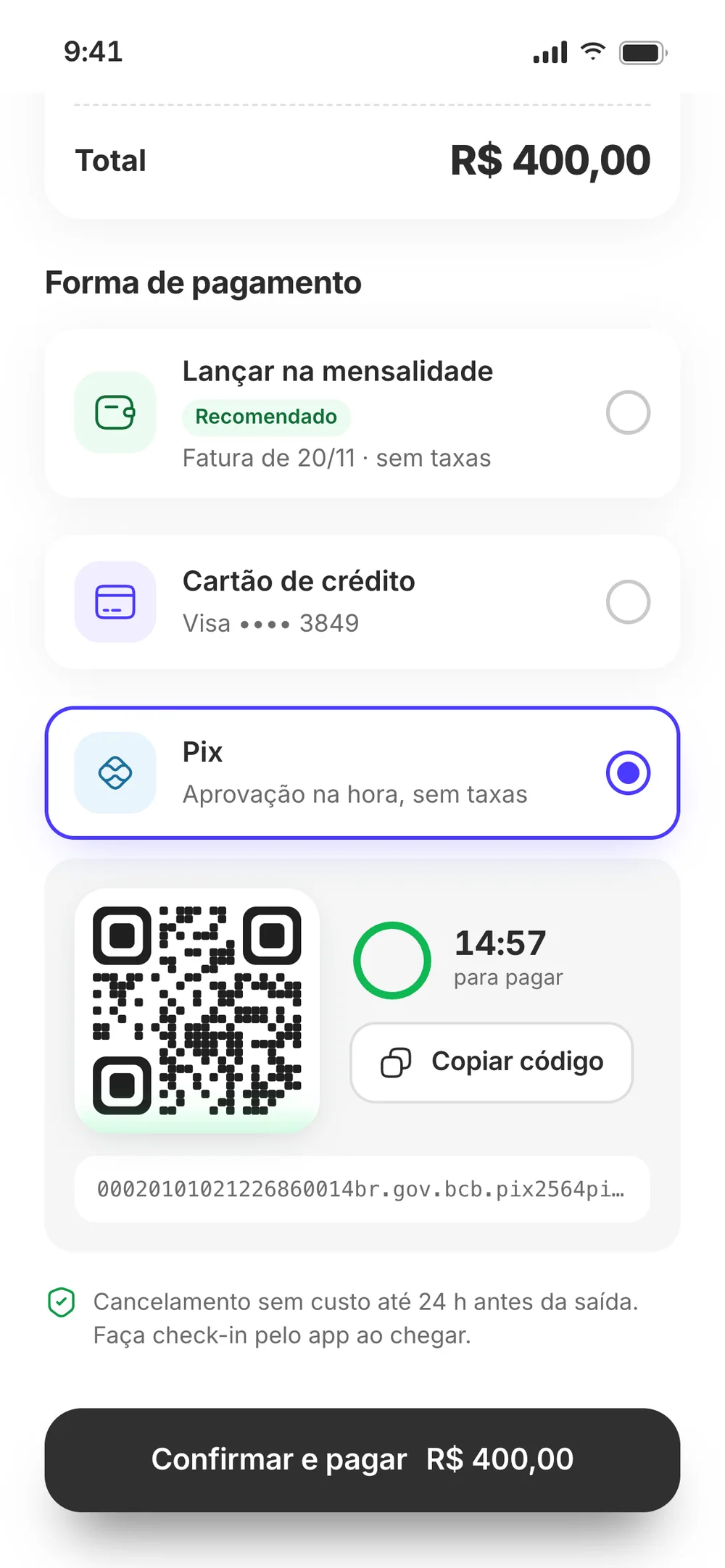
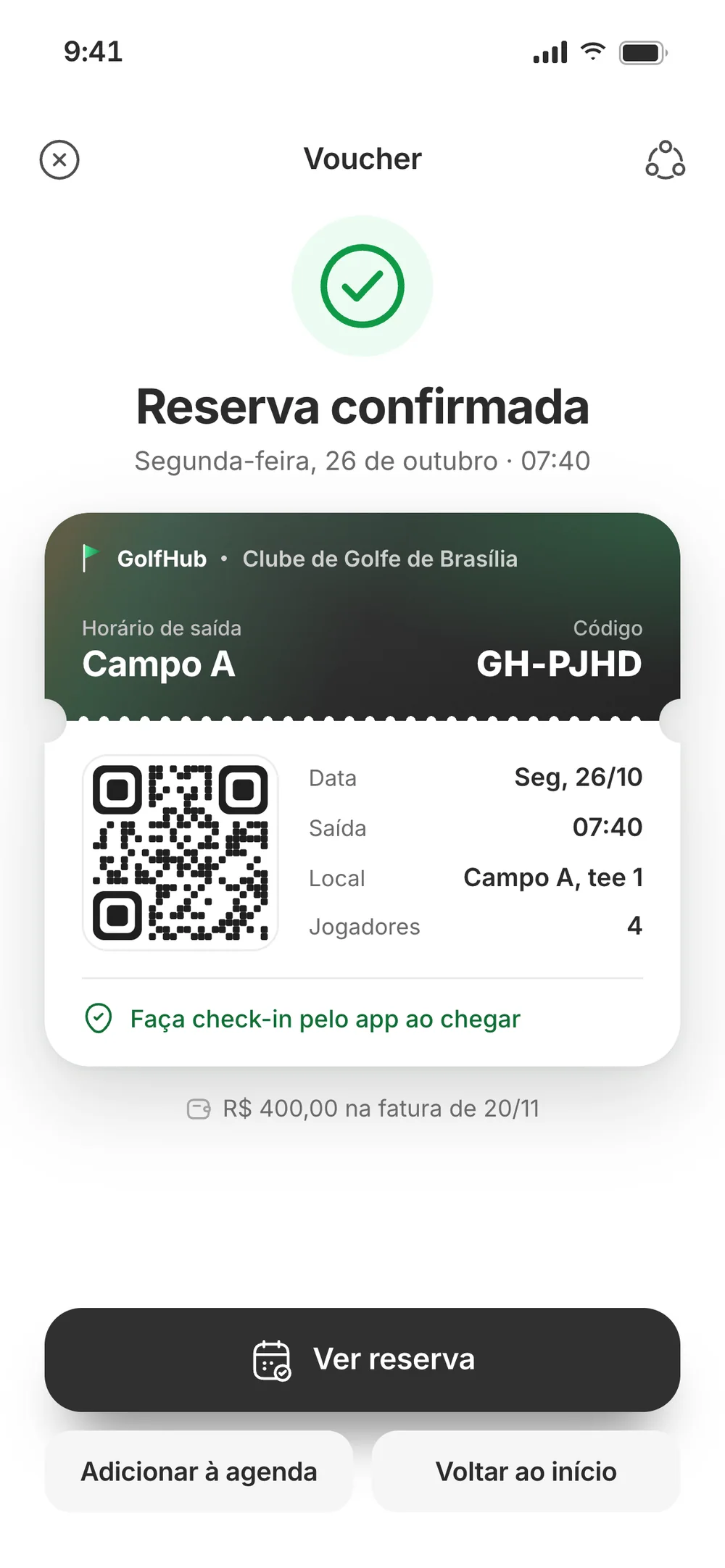
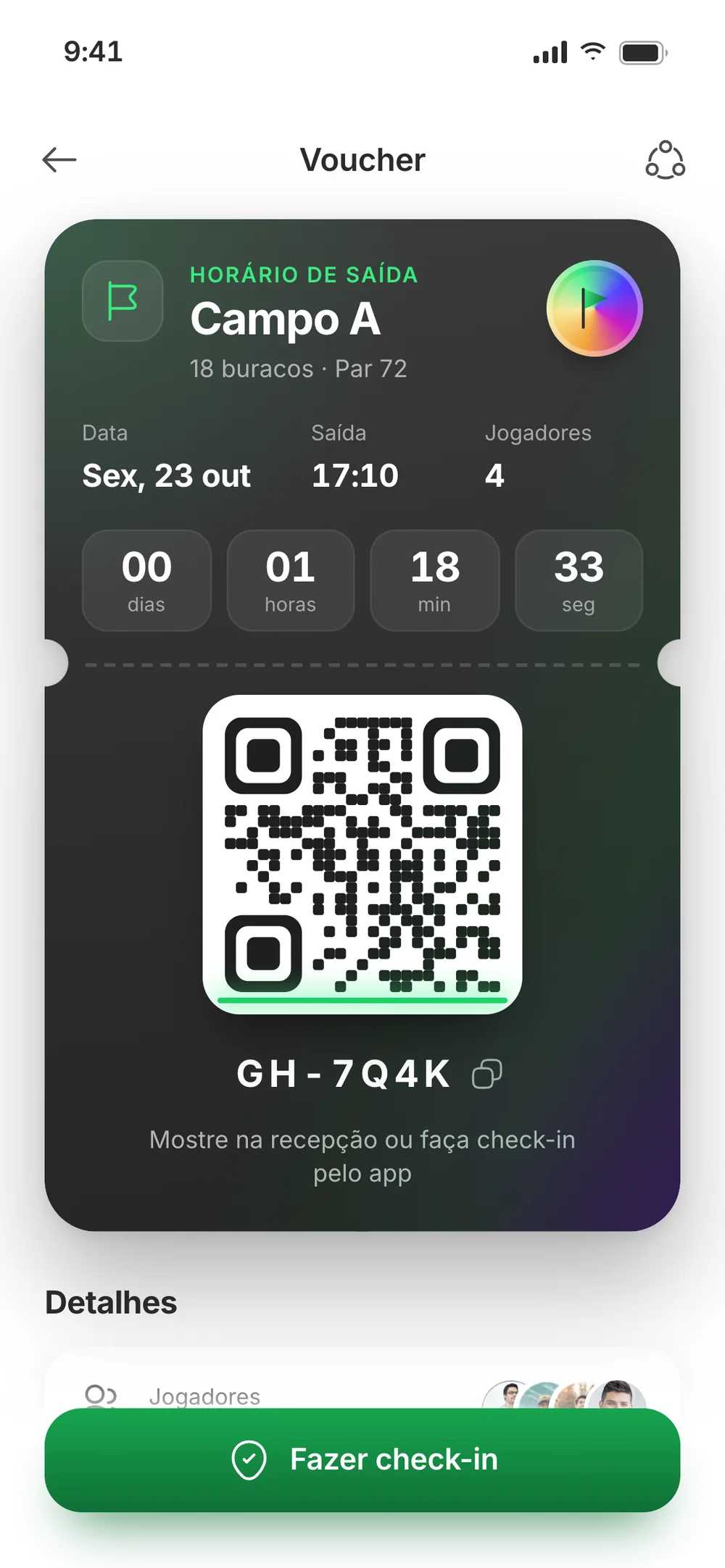
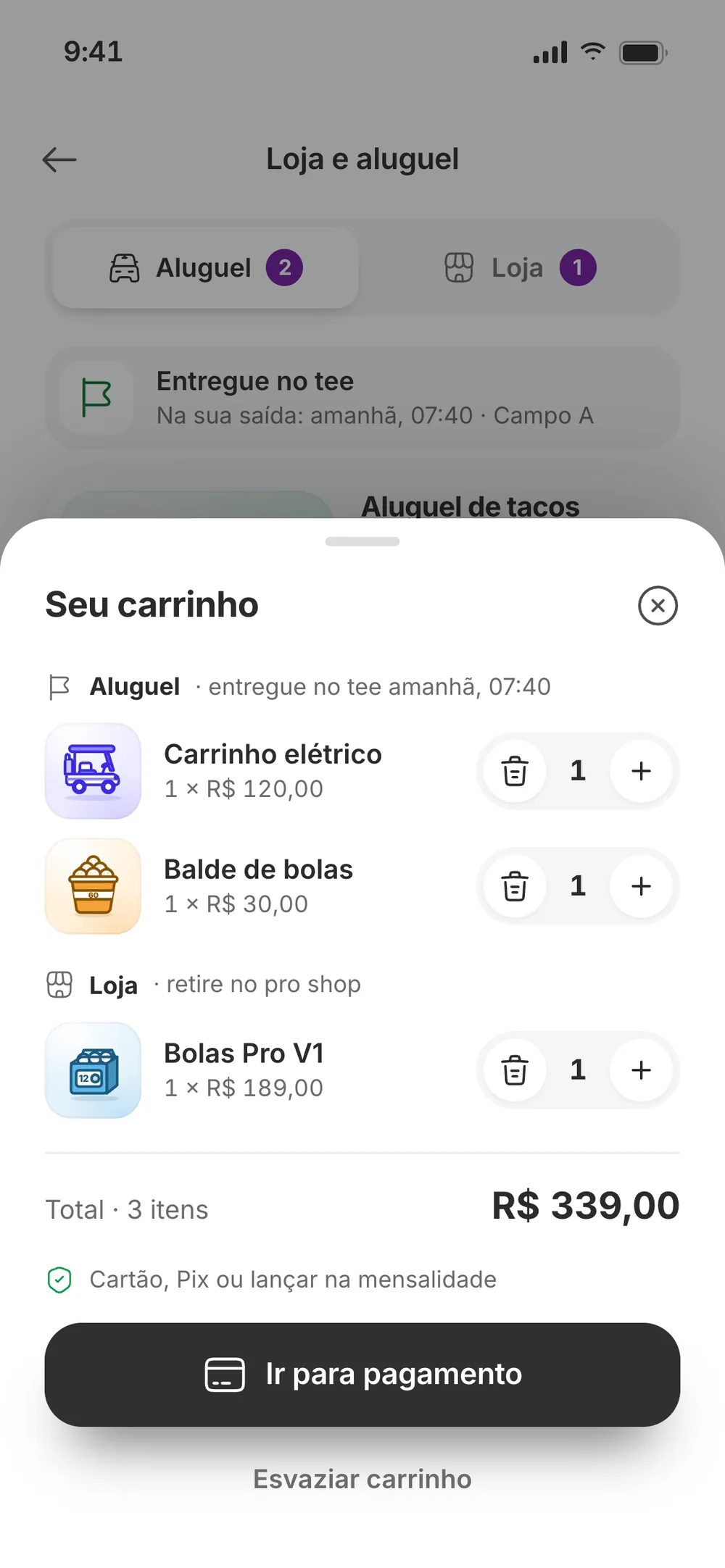
The grid shows how full each time slot is before you pick one. Pricing follows the club’s rules: members pay no green fee, guests do, and the cart goes on the same bill. You can pay by card, Pix or on the monthly bill. The booking becomes a voucher with a QR code and in-app check-in, and it can be cancelled free of charge up to 24 hours before.
08 — Club life
Reasons to open the app between rounds
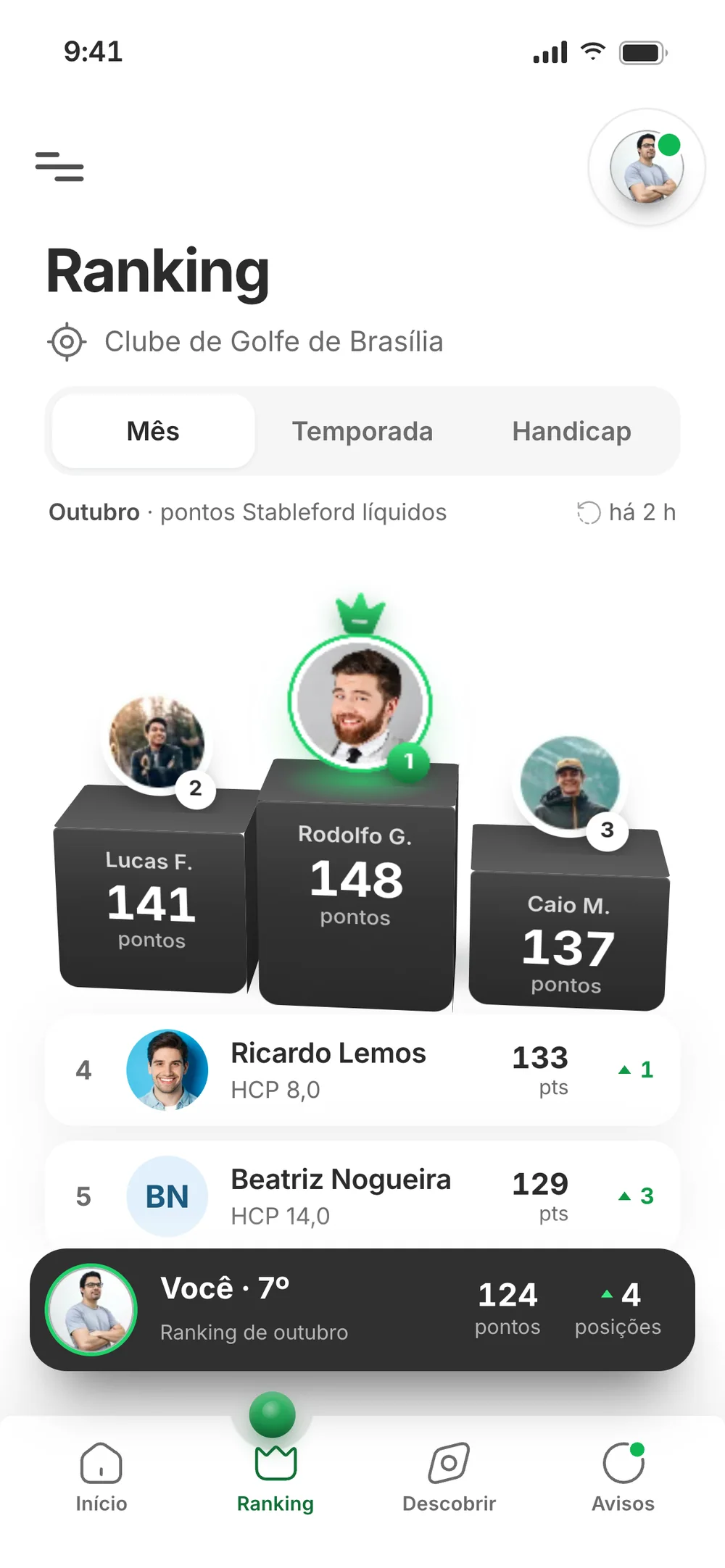
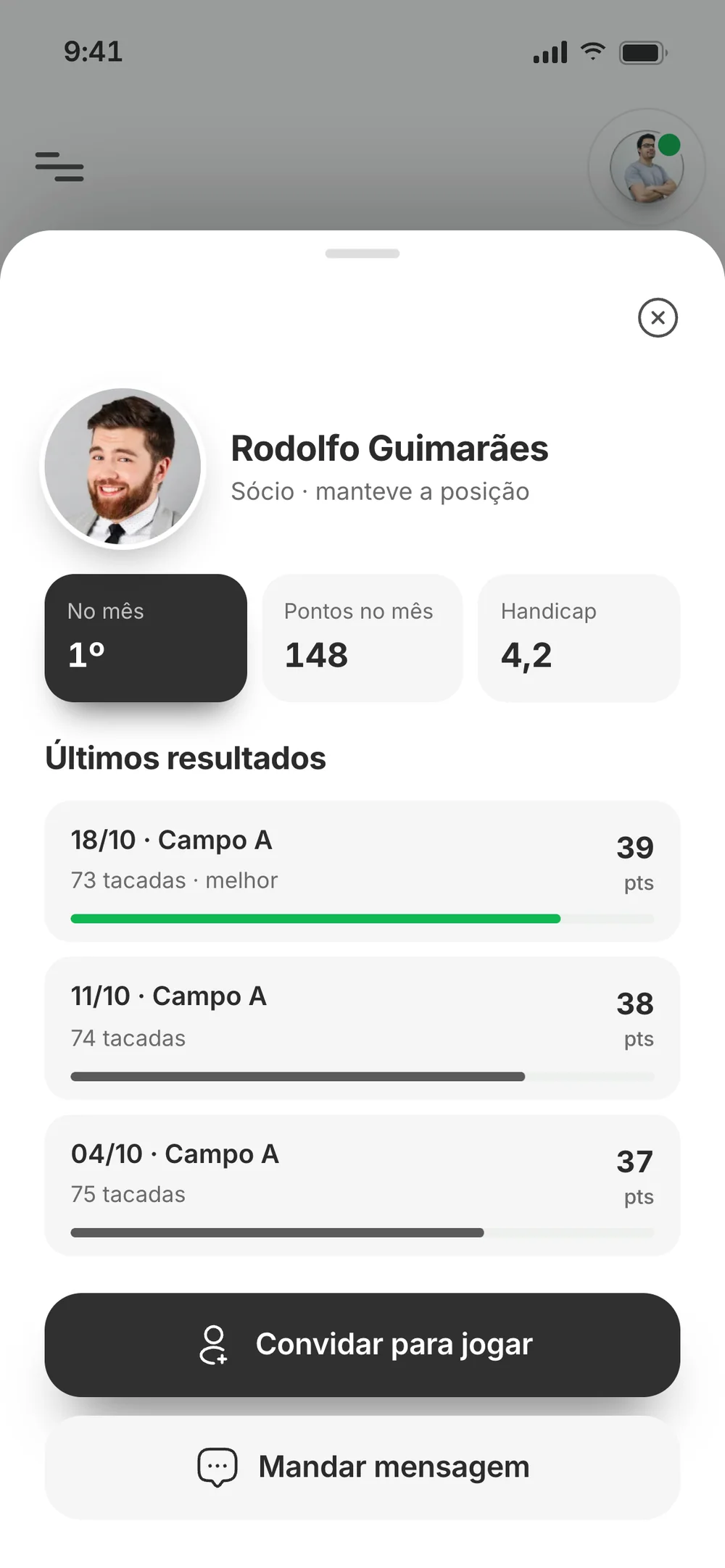
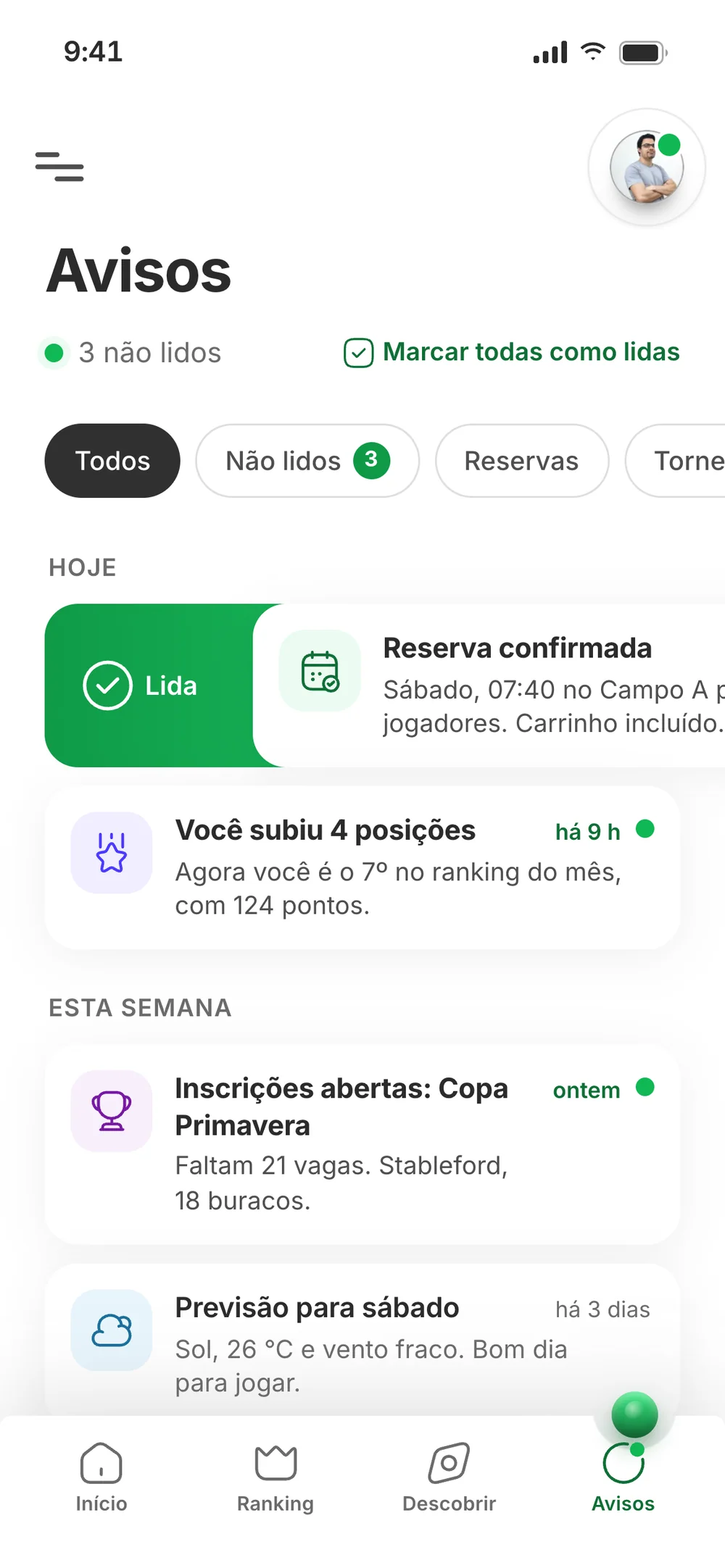
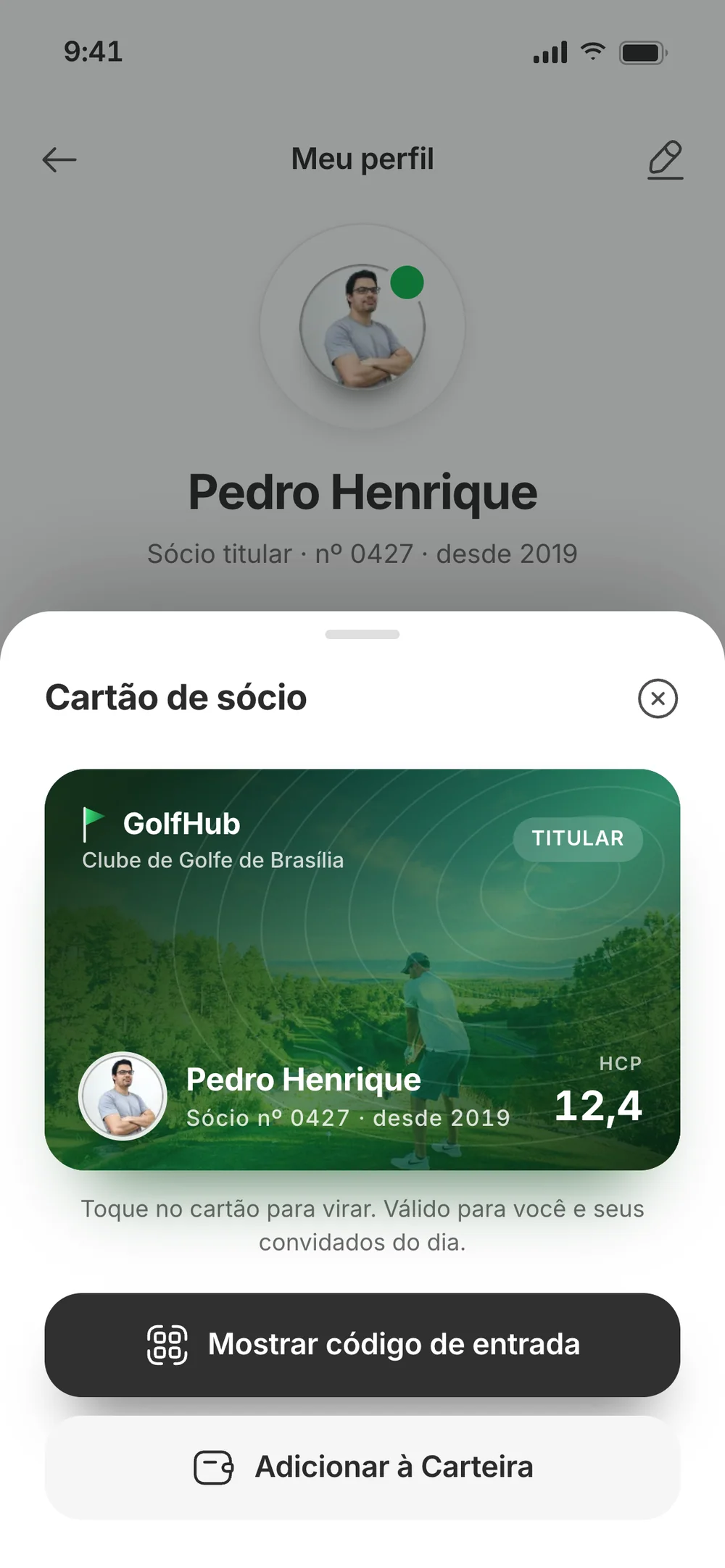
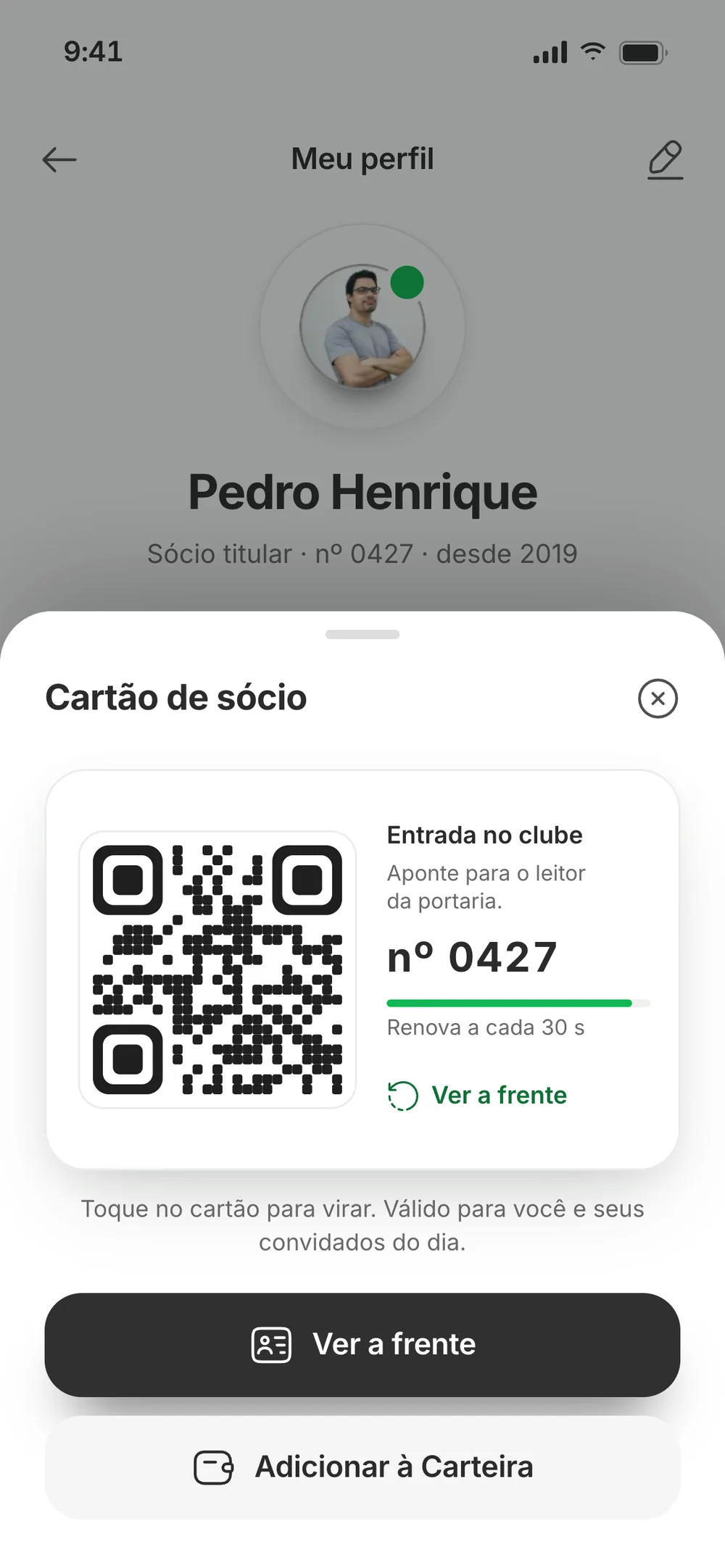
A club app that only takes bookings gets opened once a week. The tabs Figma promised became reasons to come back: the monthly ranking, lessons with a pro, tournaments with a live spot count, a shop that delivers rentals to the tee, notifications and a member card with the gate QR code.
09 — Decision: one system
What members do on their phone shows up on the club’s screen
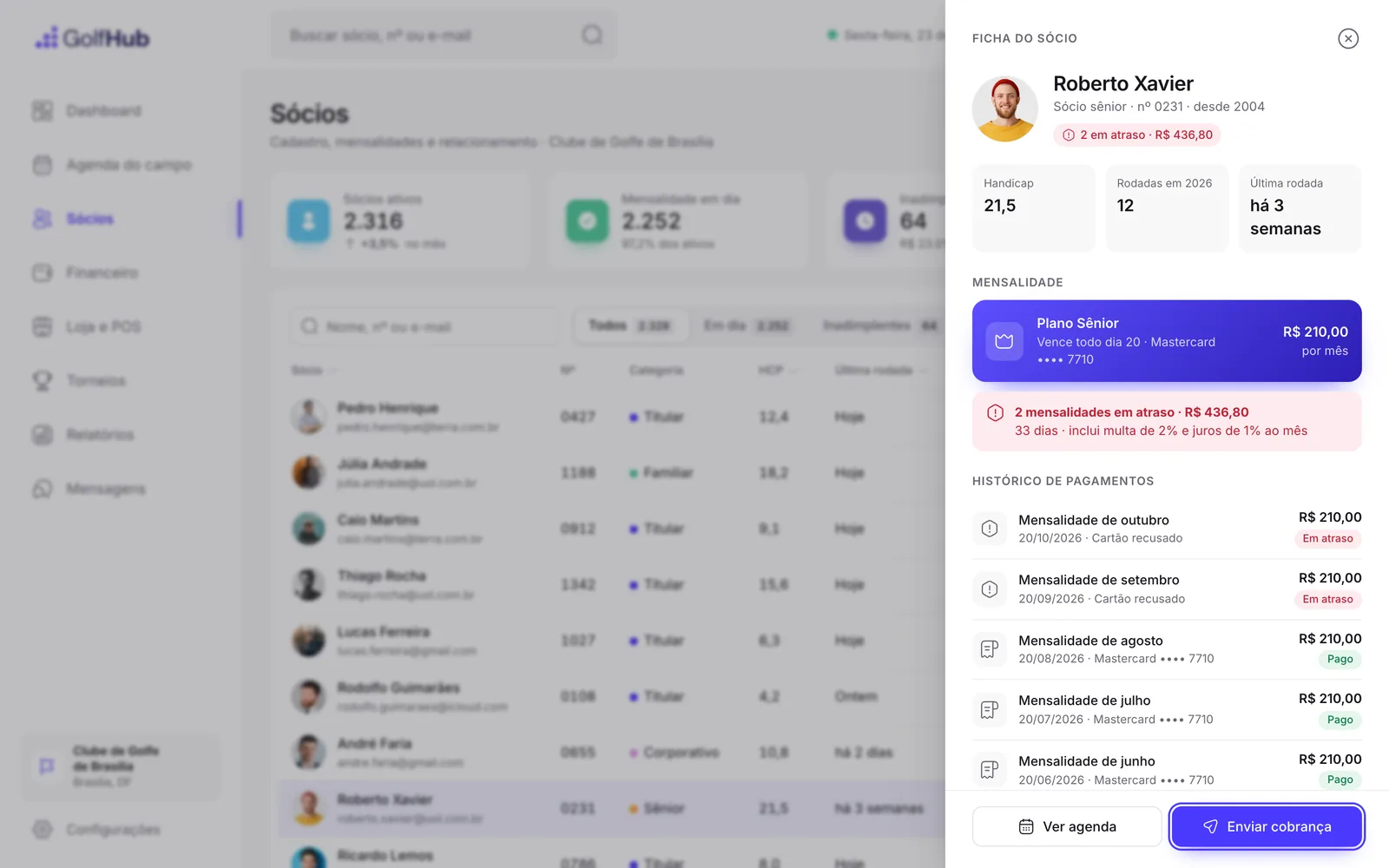
The app and the ERP read the same data. The Pedro who books on his phone is member no. 0427 on the tee sheet, and prices, pros and courses match on both sides. A proposal that shows this working answers the question every manager asks: does it talk to the rest of the club?
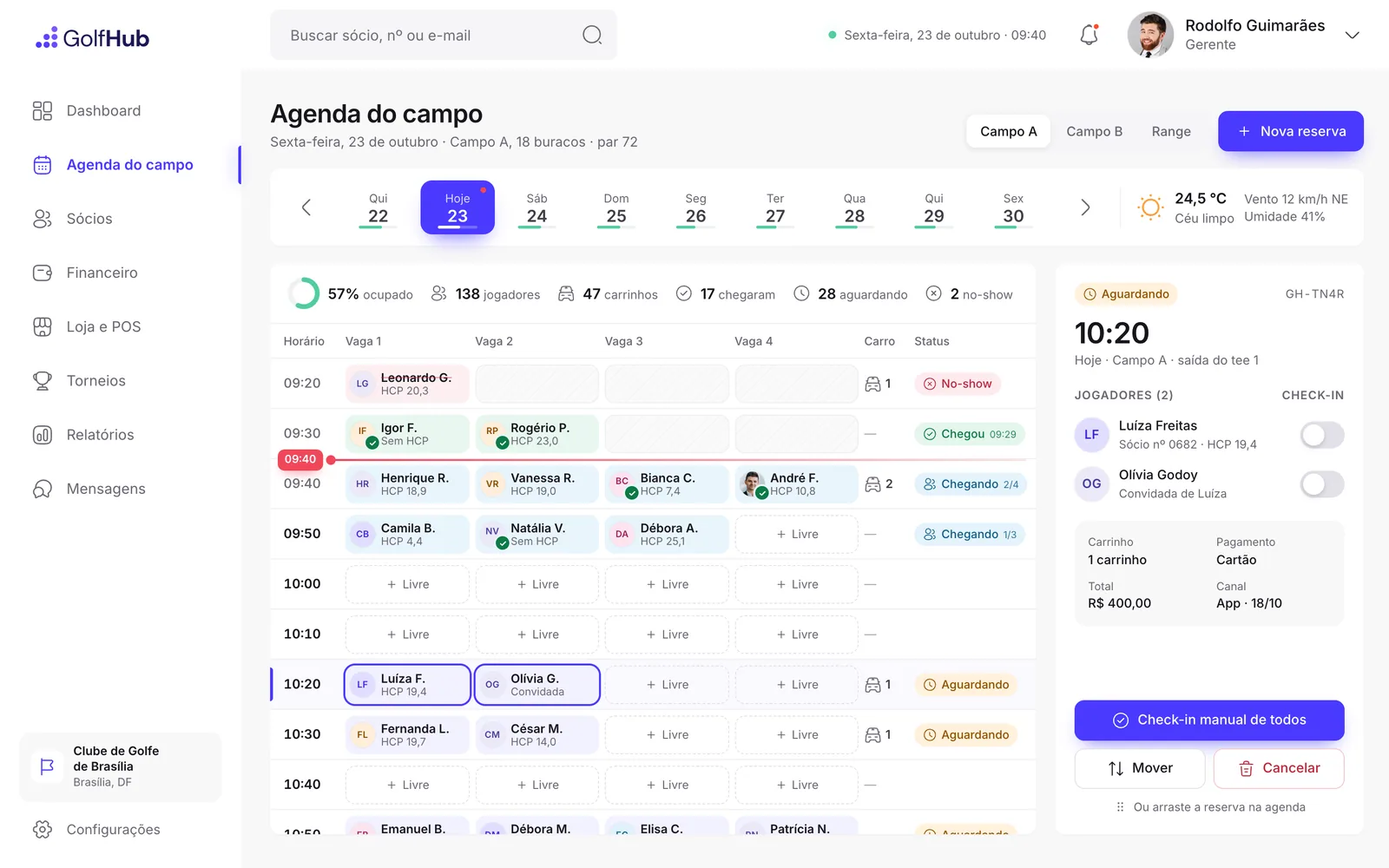
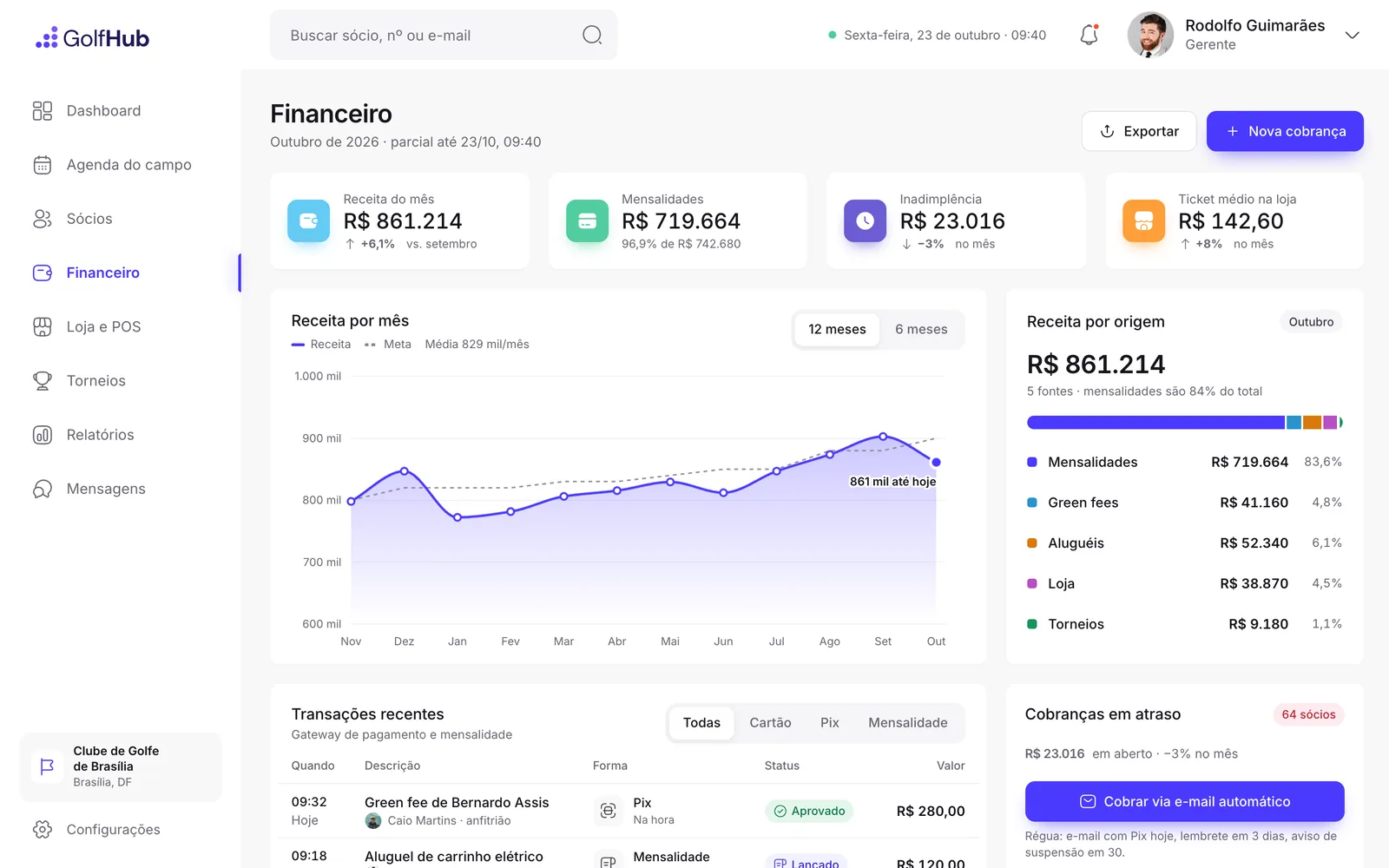
Figma only had the ERP dashboard. The tee sheet, the member record and finance follow the same grid, and chasing an overdue fee is one click away.
01 — Dashboardthe club’s day
Every number with its reference: bookings against the forecast, occupancy by shift, revenue against the goal.
02 — Tee sheetbookings
Bookings from the app land here: four slots per time, arrival status and manual check-in.
03 — MembersCRM
The record opens over the list, with overdue fees and a payment reminder one click away.
04 — Financecash
Revenue by source and the app’s payments, card, Pix and monthly bill, in one statement.
10 — How I worked
AI does the build, the judgement stays with me
I wrote the brief, set the business rules and the components, and had AI agents build the screens in parallel. Then I reviewed each one: copy, states, contrast and the numbers that have to match between the app and the ERP.
AI sped up production. The product decisions stayed with me, and that’s what makes it possible to go from a stalled file to a testable product in days, not months.
Outcome
What the proposal gained
+A product you can use instead of four static screens: 21 clickable screens, on phone and desktop
+The flows that sell the club working end to end: book, pay, play and follow your game
+A signature moment, the 3D hole, that an ordinary booking system doesn’t offer
+App and ERP on the same data, showing a whole system rather than loose screens
+A base ready to become a product, with scope, rules and interface already proven in the prototype
Tools
FigmaHTML, CSS and JavaScriptthree.jsAI agentsPlaywright
Got an idea stuck in Figma?
I take it from the drawing to a product you can use and test, with design and code, in days.