Case Study — Tutory OS · 2026
Lead Airport
The TV in Tutory’s sales room showed a table. In one week, I turned that table into a live 3D airport — every lead is a plane that lands, and the team started watching the operation happen, not just the number.
- Client
- Tutory · EdTech, Brasília
- Period
- Oct 2026 — 1 week
- Role
- Product Engineer — design + code, solo
- Product
- Tutory OS · Aeroporto de Leads 3D
- Shipped
- Live on the sales-room TV
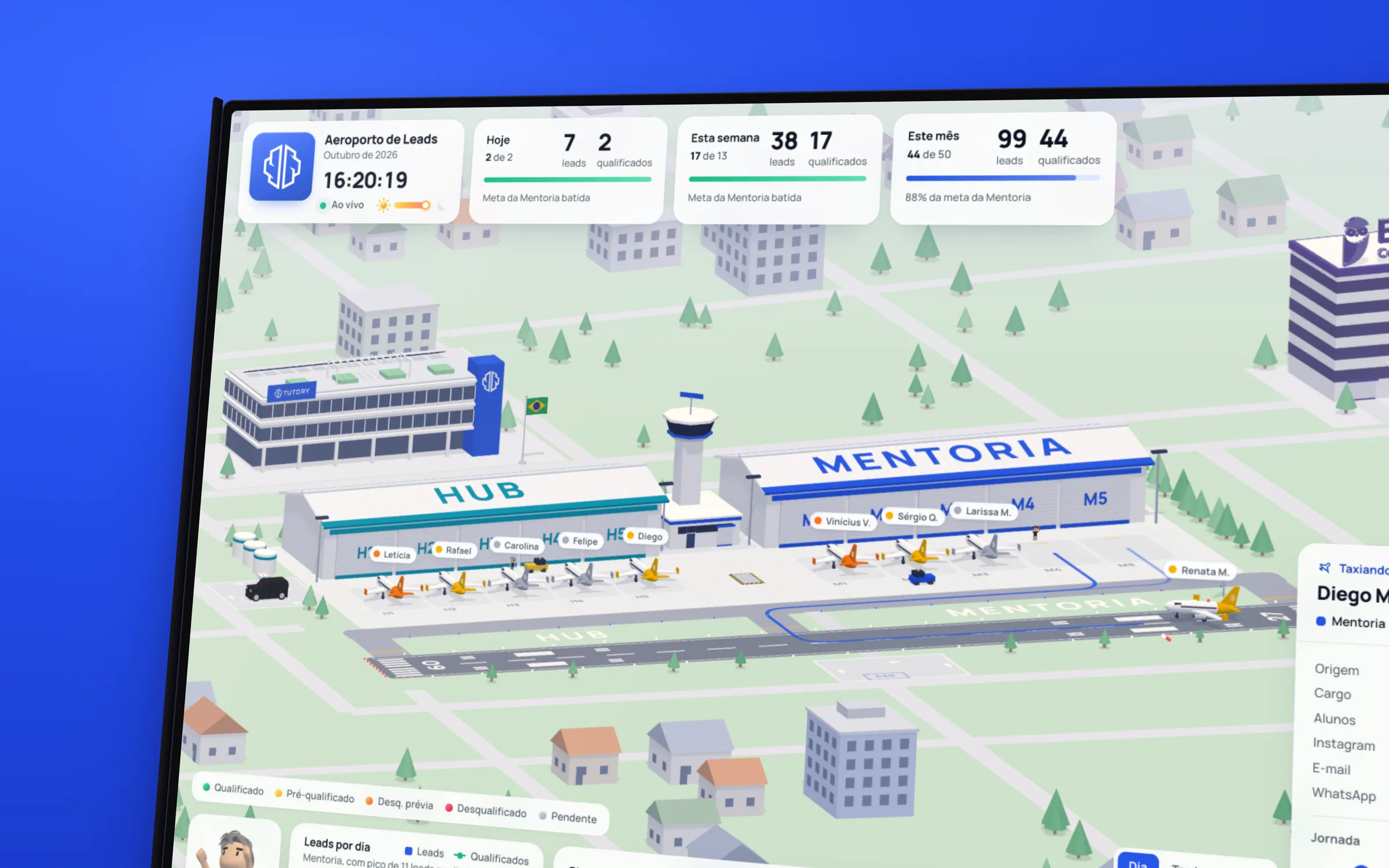
Tutory OS is the traffic and media-operations panel I built for Tutory: Meta Ads, Google Ads, HubSpot and the lead database in one place. One of its screens, the Lead Airport, stays open all day on a TV in the sales room — and, like every table on a TV, soon nobody looked at it anymore.
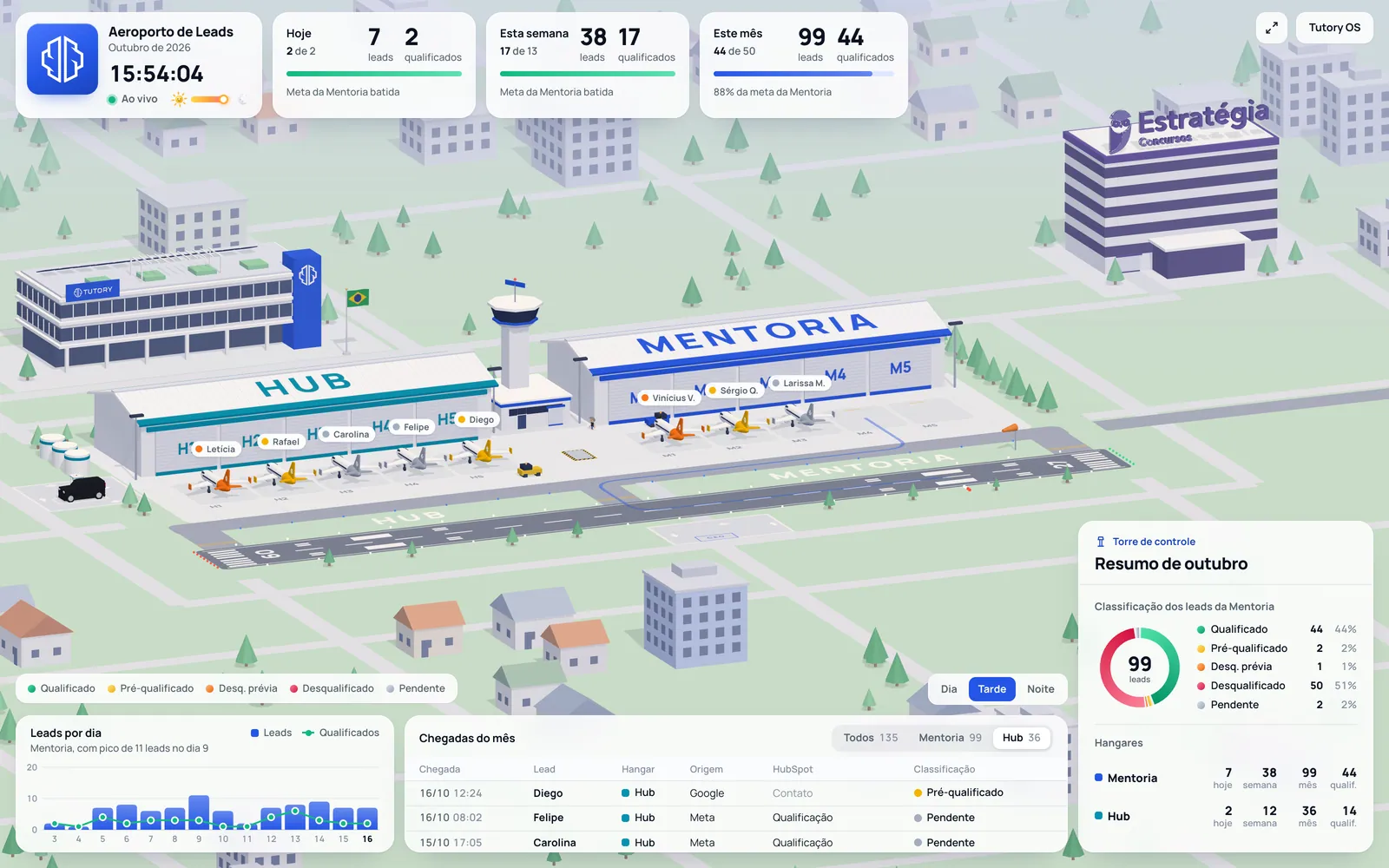
The question that became the project: what if the room could see the leads arriving? In one week, from concept to deploy, I replaced the table with an isometric 3D airport. Every lead that enters the database is a plane that lands; qualified, it enters the hangar; disqualified, it leaves the apron. The goals became the control tower. Same data, same rules — now with motion, characters and real time of day.
What I did
01 — The room
A TV nobody looked at
The first version of the Airport already lived inside Tutory OS: a TV-mode screen with the qualified-lead goals and the month’s arrivals list, refreshed every 20 seconds. It worked — and it was invisible. A number sitting still on a wall becomes wallpaper in two days.
The team already spoke the language: a lead "lands", a rep "clears" it, the apron "fills up". I didn’t invent the metaphor; it was in the room’s conversation. My job was to take it seriously all the way: if a lead is a plane, then classification is the tail color, product is the hangar and the goal is the control tower.
02 — The metaphor
Every plane is a lead. Every hangar, a product.
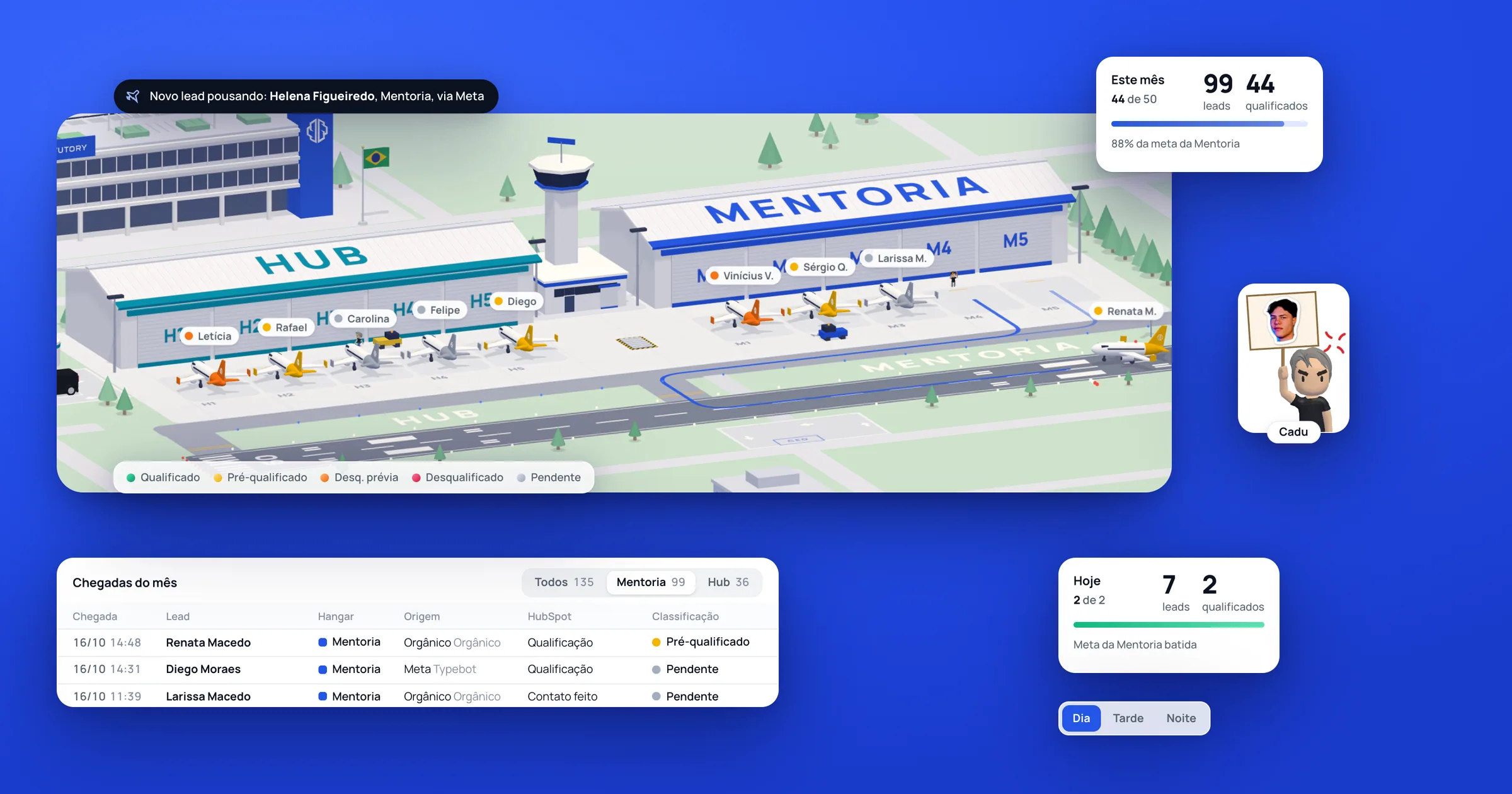
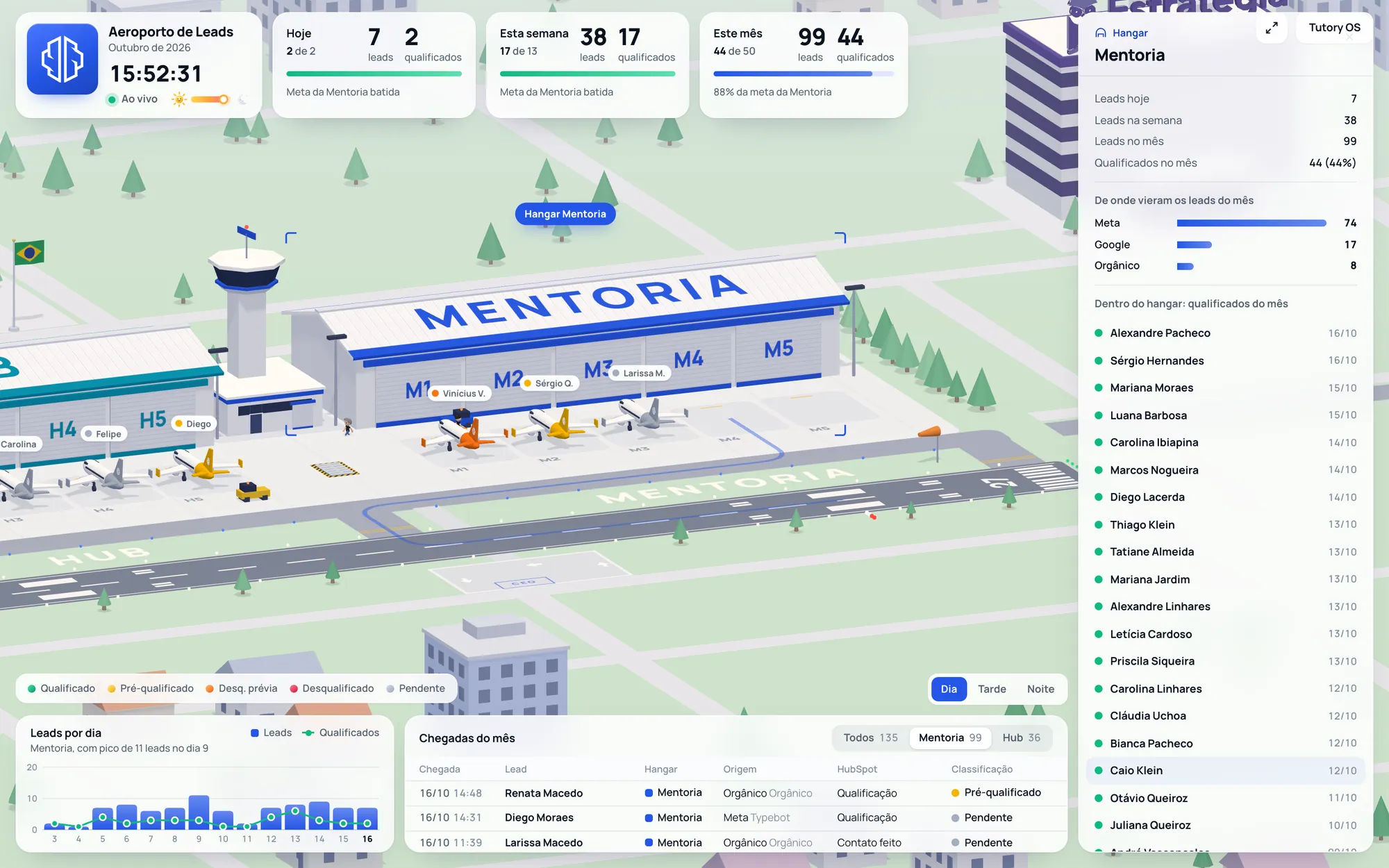
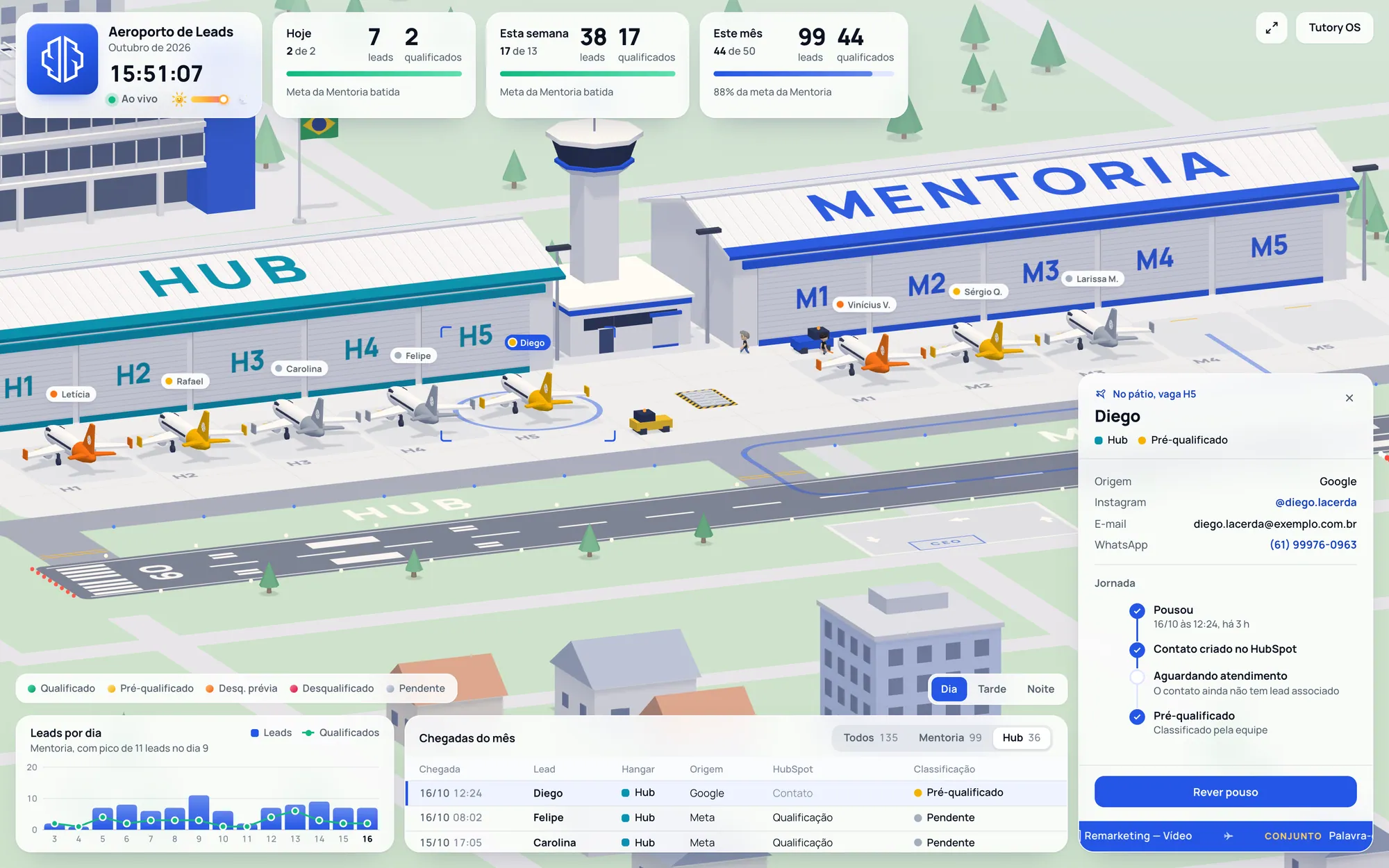
The airport has two hangars, one per Tutory product — Mentoria and Hub — with five apron stands each. A new lead lands on the runway, taxis to its stand and waits for the team’s classification. The tail color says where it stands: green is qualified, yellow pre-qualified, red disqualified, grey still pending.
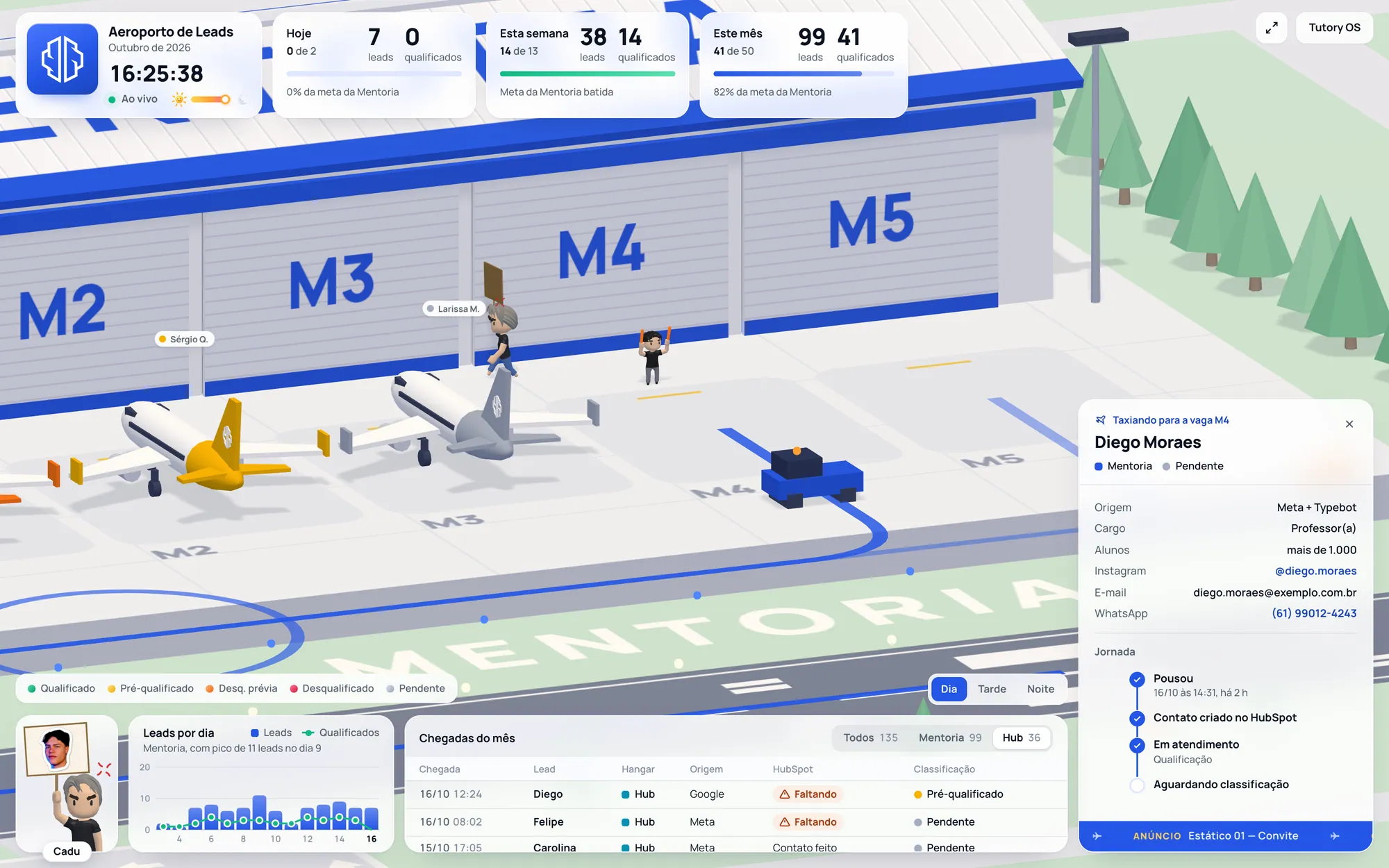
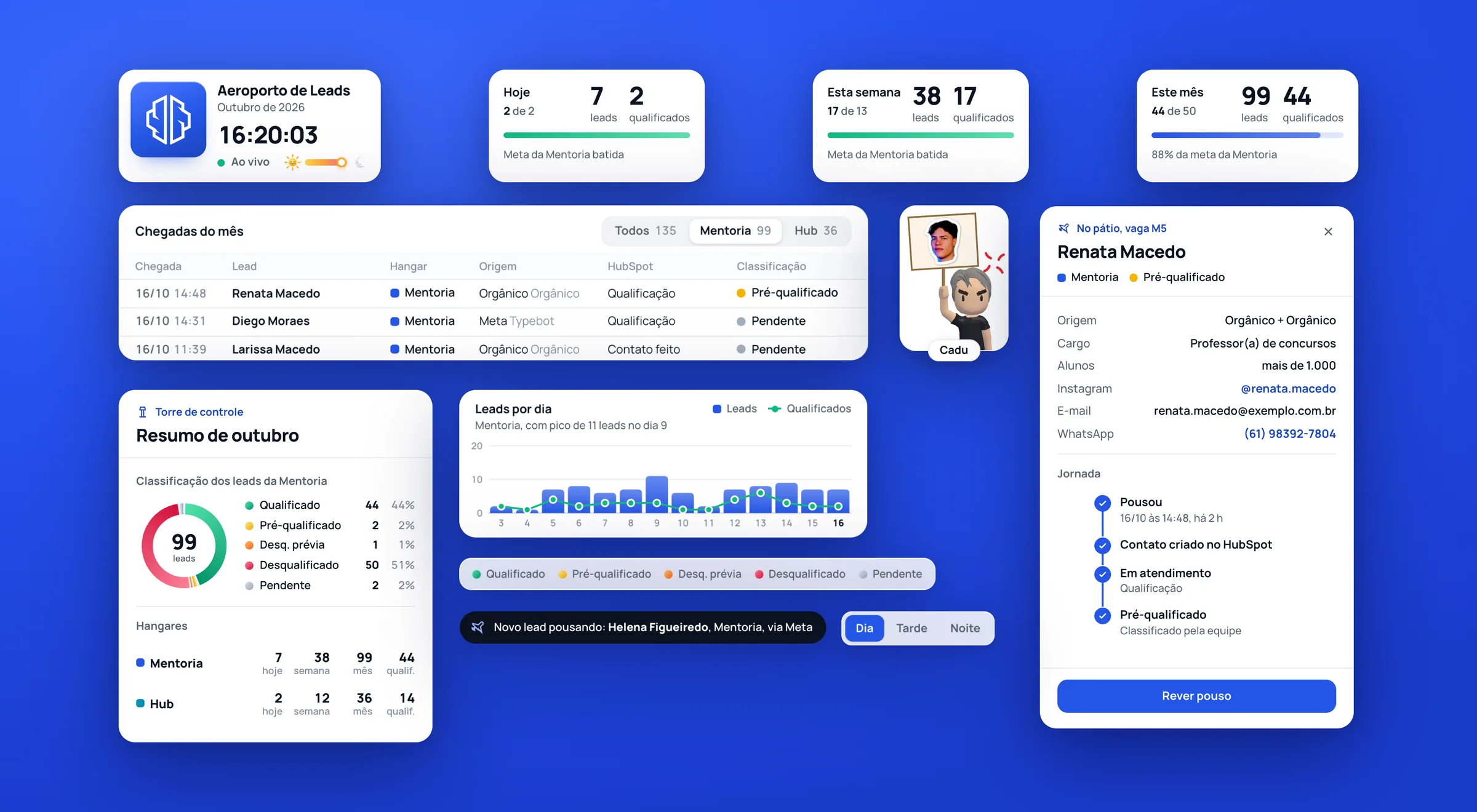
When the team qualifies a lead in the CRM, Dan — the apron marshaller — clears it and the hangar door opens. When they disqualify one, the plane is removed: a scanner disintegrates it or, depending on the day, a UFO abducts it. More pending leads than stands is overbooking: planes hold in the sky and Cadu, who greets everyone on the apron, gets visibly angry. The room reads the state of the operation without reading a single row.
03 — The screen
Glass over the scene: an interface that doesn’t compete with the airport
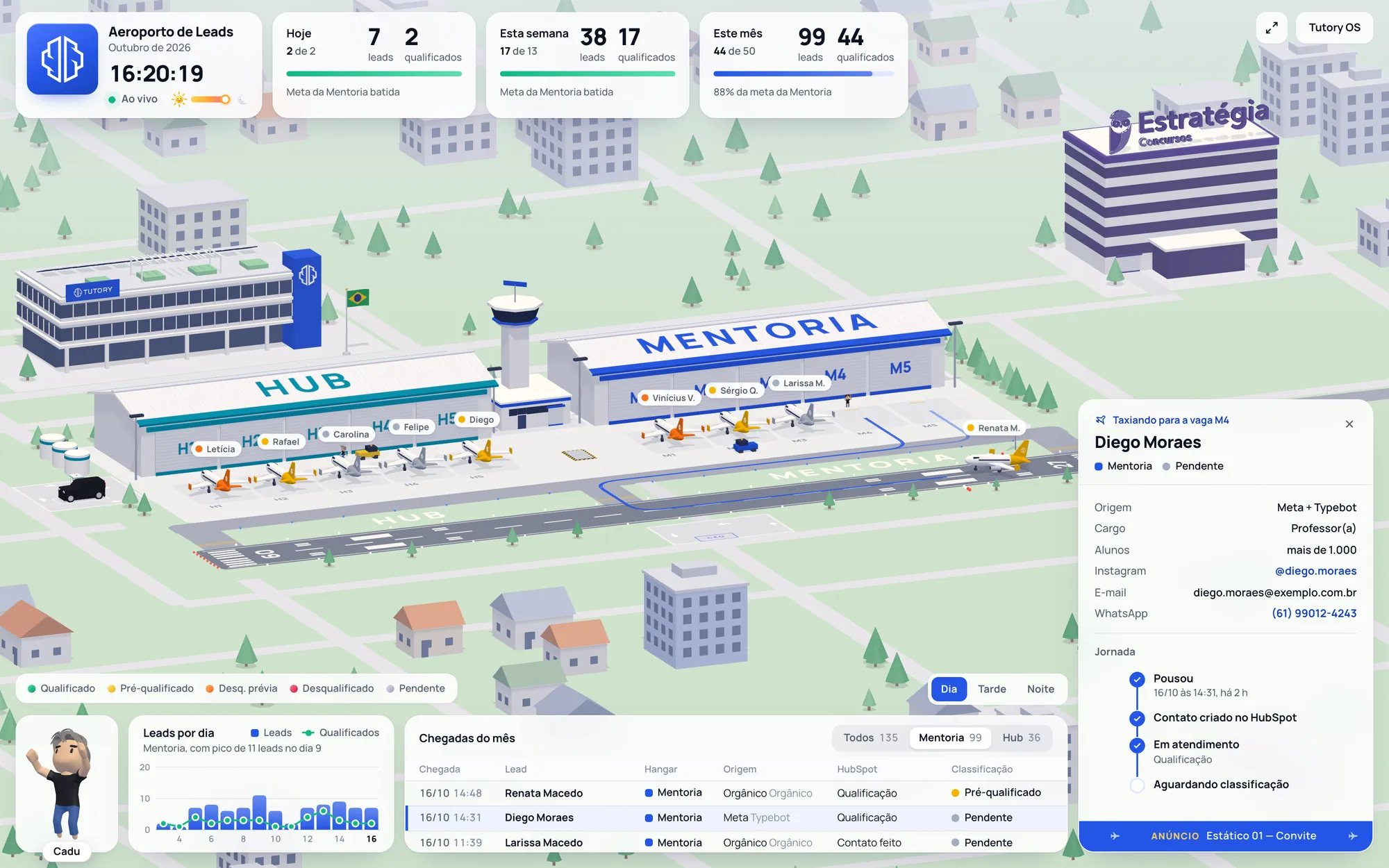
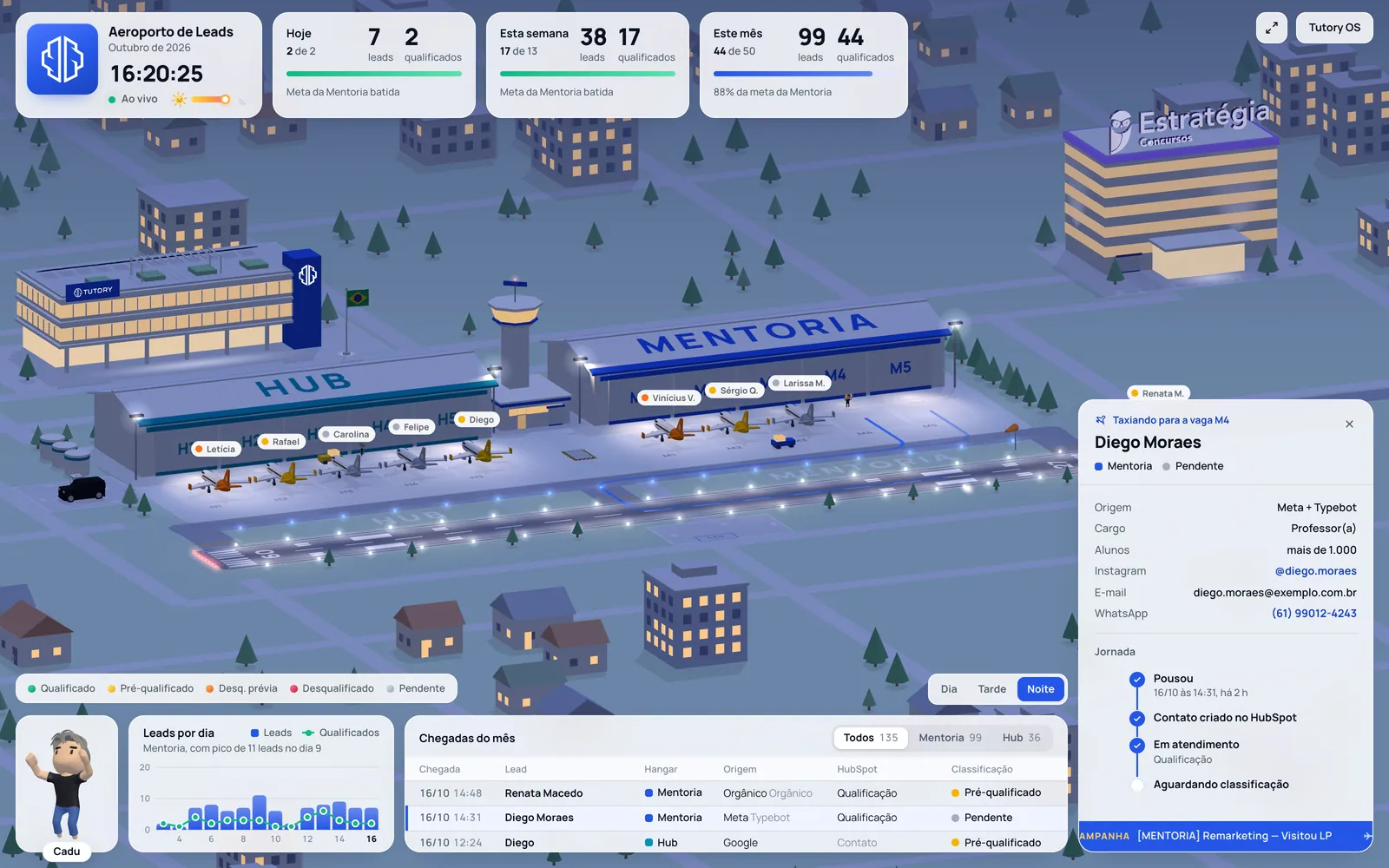
The scene is the protagonist; the panels sit quietly on top of it, in white glass with a blue-tinted shadow, and the brand blue only shows up where there is action or selection. On top, the qualified-lead goals for today, this week and this month — Mentoria only, the way the business measures it. Below, leads per day, the month’s arrivals and each lead’s status in HubSpot.
Clicking anything opens the inspector. The tower sums up the month in a classification donut; the hangar shows source and qualification rate; the plane tells the lead’s journey — landed, reached HubSpot, in service, classified. If the lead never showed up in the CRM, the screen flags it as "Missing": the automation may have failed and someone needs to enter it by hand. The airport became an integration monitor too.
04 — Real time
Real clock, real light, real lead
The screen checks the database every 20 seconds. A new lead comes in and the plane appears high on the right, flies the approach, touches down and taxis to its stand, with a notice on screen saying who arrived and from where. The light follows Brasília’s clock: sunrise and sunset are computed for the day, and the scene moves through day, dusk and night on its own, with street lights coming on and the sky changing.
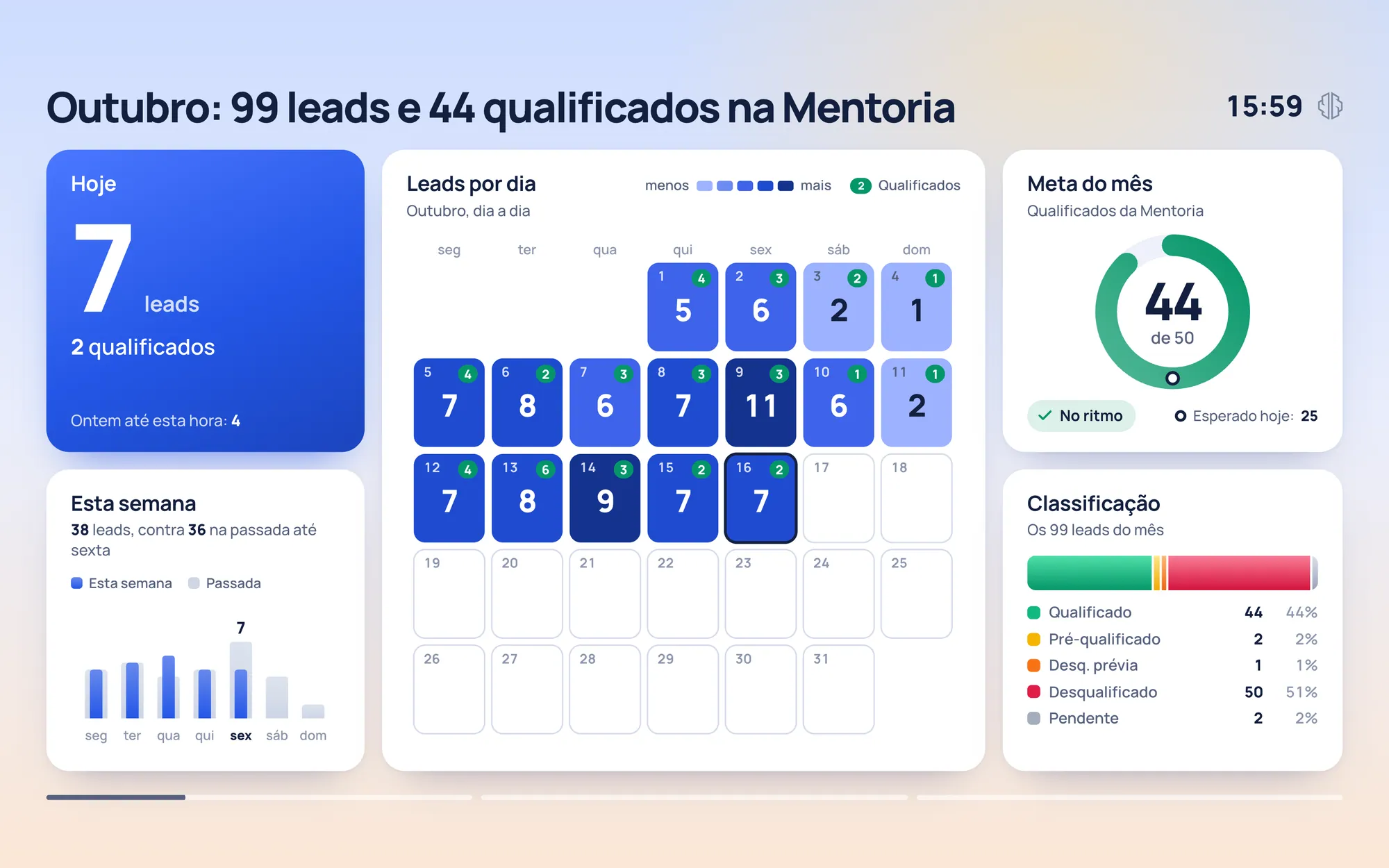
Every ten minutes the airport can hand the screen over for a minute to the indicator round: a plane drags in the sky of the period, Cadu or Dan greets the room — a morning wave, ramen at lunch, pajamas and tea at night — and bento-style chart frames go by with the same numbers as the goal cards. Then the airport comes back. No money values anywhere: the screen lives in a shared room, and that was a rule from day one.

05 — Engineering
Everything generated in code — and light enough for the room’s TV
No 3D model was imported for the scenery: runway, apron, hangars, tower, Tutory’s headquarters, the neighboring buildings and the planes themselves are geometry generated in code with three.js, with no build step — like the rest of Tutory OS, plain HTML, CSS and JavaScript served by Vercel. The same function that paints the yellow lines on the ground guides the plane, so the wheels run exactly over the paint.
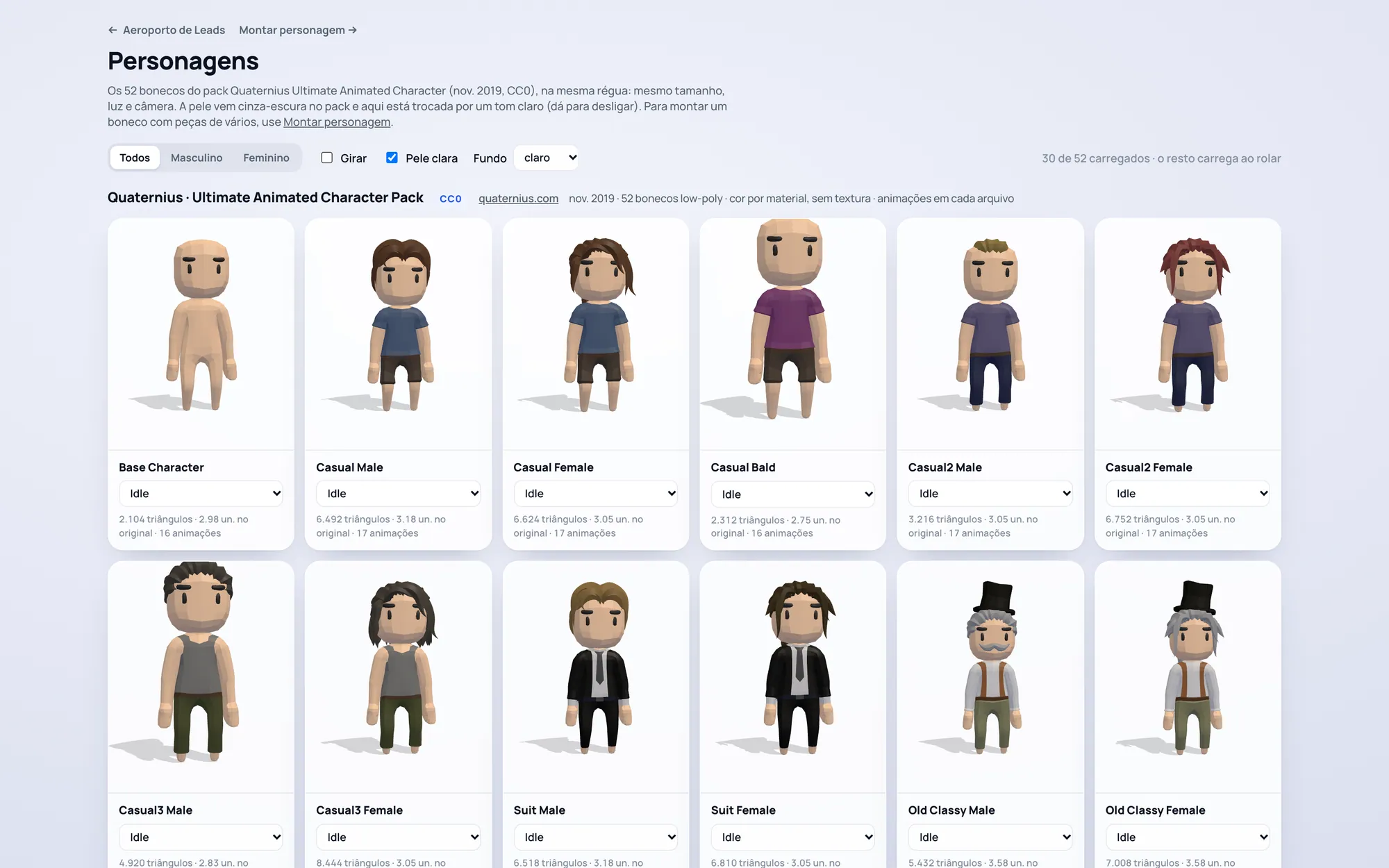
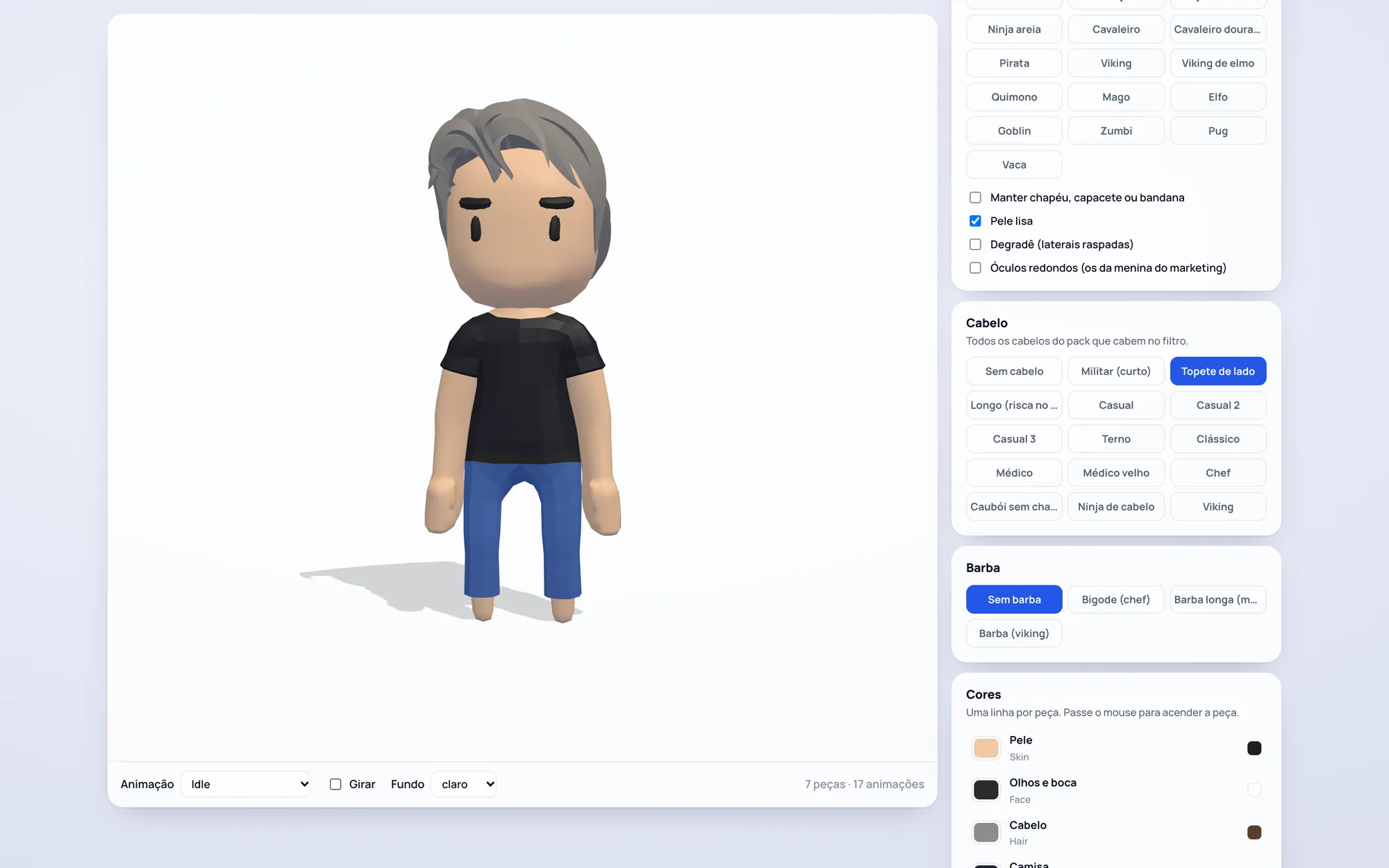
The characters come from a public-domain pack of 52 figures, assembled from "recipes" — body, hair, beard and color per part — in a generator I built for the project. The room’s TV is a Smart TV browser, and that dictated the engineering: four graphics quality levels, automatic step-down when the frame rate drops, static geometry merged, card blur switched off and every heavy job spread across several frames so a landing never stutters. A test page measures the cost of each part of the scene on the TV itself.
06 — Outcome
The room is looking at the TV again
The 3D Airport is live on the TV in Tutory’s sales room, next to the Tutory OS that feeds the rest of the operation. The numbers match the dashboard because the rules are the same — Hub never added to Mentoria, goals for Mentoria only, the day counted the way the database counts it. What changed is that now you can see the lead arrive, and the room reacts: cheers the landing, chases the classification, notices the apron filling up.
One week, one person, from concept to deploy — and a BI panel that became the screen the team asks to keep open.
Results
What changed for the team
- +Live screen all day on the sales team’s TV
- +A new lead visible within 20 seconds — as a landing
- +Classification, overbooking and integration failures readable from afar
- +The same numbers and rules as the dashboard, no money on screen
- +Runs in a Smart TV browser with adaptive quality
- +Delivered in one week, no build step, no handoff
Stack
Got a dashboard nobody looks at?
I turn data into something the room wants to watch — concept, design and code, from the first sketch to deploy.